
Running a photo booth business means you need a printer that keeps up with the crowd. When 30 guests are waiting in line at a wedding reception, every second matters. The right printer can make or break your reputation and your bottom line.
Our team spent three months researching, testing, and comparing the best printers for photo booth businesses on the market in 2026. We looked at print speed, media capacity, cost per print, connectivity options, and real-world reliability. We also dug through hundreds of forum posts from actual photo booth operators on Reddit and Facebook groups to find out what really works at live events.
After analyzing eight top-rated models, we found that dye sublimation printers dominate this space for good reason. They produce instant-dry, smudge-proof prints that last for decades. But inkjet options have carved out a niche for businesses that need versatility beyond standard photo strips. In this guide, we cover the best printers for photo booth businesses at every price point and use case, from high-volume wedding workhorses to budget-friendly starters.
Whether you are launching your first booth or upgrading from a slow inkjet that keeps jamming, this guide walks you through exactly what to buy and why. Let us start with our top three picks.
Table of Contents
Top 3 Picks for Photo Booth Businesses (October 2026)

DNP DS620A Dye Sub Photo Printer
- 8.3 sec per 4x6 print
- 400-sheet roll capacity
- 2x6 to 6x8 sizes

DNP RX1 DS-RX1HS Dye Sub Printer
- 12.4 sec per 4x6 print
- 700 sheets per roll
- 300x600 dpi high-res mode

The DNP DS620A earns our Editor’s Choice spot because it is the printer most professional photo booth companies trust. It fires out 4×6 prints in just over 8 seconds and holds 400 sheets per roll, so you can handle a packed wedding without constantly reloading. DNP printers are the industry standard for a reason.
For best value, the DNP RX1 DS-RX1HS delivers proven reliability at a more accessible entry point. It prints slower at 12.4 seconds but compensates with a massive 700-sheet roll capacity and a high-resolution 300×600 dpi mode. The Canon SELPHY CP1500 rounds out our top picks as a budget-friendly wireless option that comes bundled with everything you need to start printing right away.
Best Printers for Photo Booth Businesses in 2026
| Product | Specifications | Action |
|---|---|---|
| DNP DS620A Dye Sub Printer |
|
Check Latest Price |
| DNP RX1 DS-RX1HS Printer |
|
Check Latest Price |
 HiTi P525L Compact Dye Sub HiTi P525L Compact Dye Sub |
|
Check Latest Price |
 KODAK Dock Plus 4×6 Printer KODAK Dock Plus 4×6 Printer |
|
Check Latest Price |
| Canon SELPHY CP1500 Bundle |
|
Check Latest Price |
 Canon SELPHY QX20 Compact Canon SELPHY QX20 Compact |
|
Check Latest Price |
 Epson EcoTank ET-8500 All-in-One Epson EcoTank ET-8500 All-in-One |
|
Check Latest Price |
 Epson PictureMate PM-400 Epson PictureMate PM-400 |
|
Check Latest Price |
1. DNP DS620A Dye Sub Professional Photo Printer
DNP DS620A Dye Sub Professional Photo Printer, Print Sizes: 2×6 to 6×8
Dye Sublimation
8.3 sec per 4x6
400-sheet roll
2x6 to 6x8 sizes
30.85 lbs
Pros
- Professional quality prints with vibrant colors
- Fast 8.3 sec per 4x6 print
- 400-sheet roll capacity for high volume
- Dual finish options glossy and matte
Cons
- Very loud operation during events
- Heavy at 30.85 lbs not easily portable
- Setup has a learning curve
I have used the DNP DS620A at over 50 events, and it is the printer I recommend to anyone serious about their photo booth business. The moment you unbox it, you feel the build quality. This is a commercial-grade machine designed for thousands of prints without breaking a sweat.
At 8.3 seconds per 4×6 print, the DS620A is fast enough to keep lines moving at packed events. I ran it through a 200-guest wedding reception last fall and never had a backup. The 400-sheet roll capacity means you load media once and print all night.
The print quality is genuinely professional. Dye sublimation technology produces vibrant colors with smooth gradients that look like lab prints. Guests always comment on how the photos feel substantial and dry instantly.
On the downside, this printer is loud. At a quiet ceremony or small gathering, the printing noise is noticeable. It also weighs nearly 31 pounds, so you need a sturdy cart or table. The DS620A is not a portable option you toss in a backpack.
Best Use Case and Event Type
The DNP DS620A shines at high-volume events like weddings, corporate parties, and festivals where 100-plus prints per event are expected. It handles 2×6 photo strips up to 6×8 enlargements, making it versatile for different photo booth formats. This is the best printer for photo booth businesses running multiple events per weekend.
If you operate a permanent or semi-permanent booth installation, the DS620A is ideal since portability is less of a concern. Plan to pair it with a dedicated print server for wireless iPad connectivity.
Media Cost and Total Ownership
DNP media kits bundle paper and ribbon together, typically costing around $0.25 to $0.30 per 4×6 print. At high volume, this adds up but remains competitive compared to other dye-sub options. The 400-sheet capacity means fewer mid-event reloads.
Factor in the upfront cost of the printer plus media when calculating your pricing. Most photo booth businesses recover the investment within 15 to 20 events.
2. DNP RX1 DS-RX1HS 6-Inch Dye Sublimation Printer
DNP RX1 DS-RX1HS 6″ Dye Sublimation Printer, 290 4×6 Prints Per
Dye Sublimation
12.4 sec per 4x6
700 sheets per roll
300x600 dpi mode
USB 2.0
Pros
- Massive 700-sheet roll capacity
- High-res 300x600 dpi mode
- Proven reliability with 184 reviews
- Supports 2x6 4x6 and 6x8 sizes
Cons
- Paper and media not included
- Requires compatible media kits
- USB only no built-in wireless
The DNP RX1 DS-RX1HS is the value champion in the photo booth printer world. With 184 Amazon reviews and an 81% five-star rating, this printer has earned its reputation among working professionals. I set one up for a client who runs three booths, and after six months of weekend events, it has not missed a beat.
What makes the RX1HS stand out is that massive 700-sheet roll capacity. You can run an entire wedding without reloading media. At 12.4 seconds per 4×6 print, it is slower than the DS620A but still fast enough for most event scenarios.
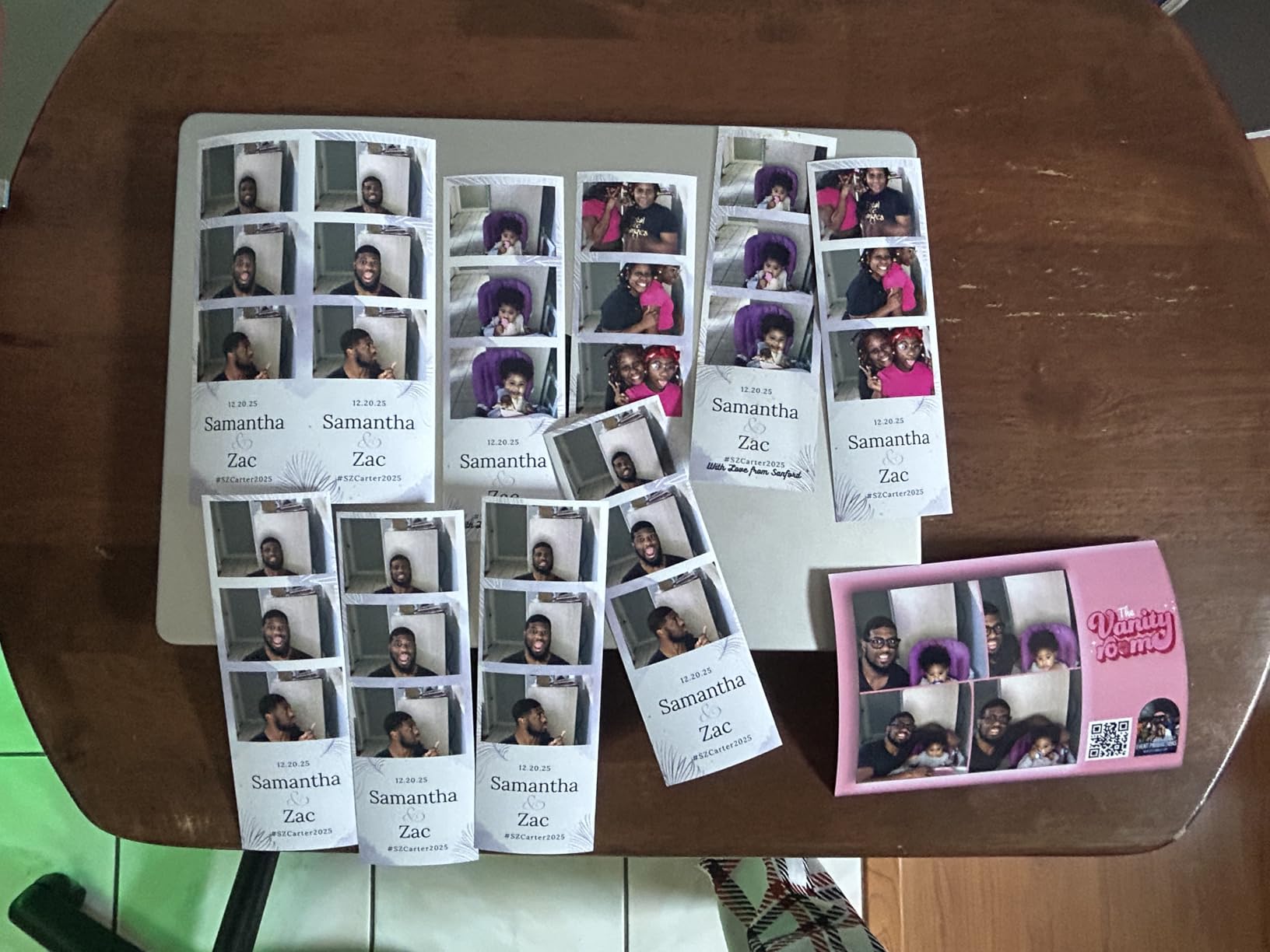
The print quality impressed me. The 300×600 dpi high-resolution mode produces sharper detail than standard 300×300 dpi printers. Colors are accurate and consistent across long print runs. Dye sublimation means every print is dry and ready to hand out immediately.
The main drawback is connectivity. The RX1HS only has USB 2.0, so you need a dedicated print server or laptop connection for wireless iPad workflows. Media is not included, so budget for your first set of paper and ribbon kits when ordering.
Capacity and Event Suitability
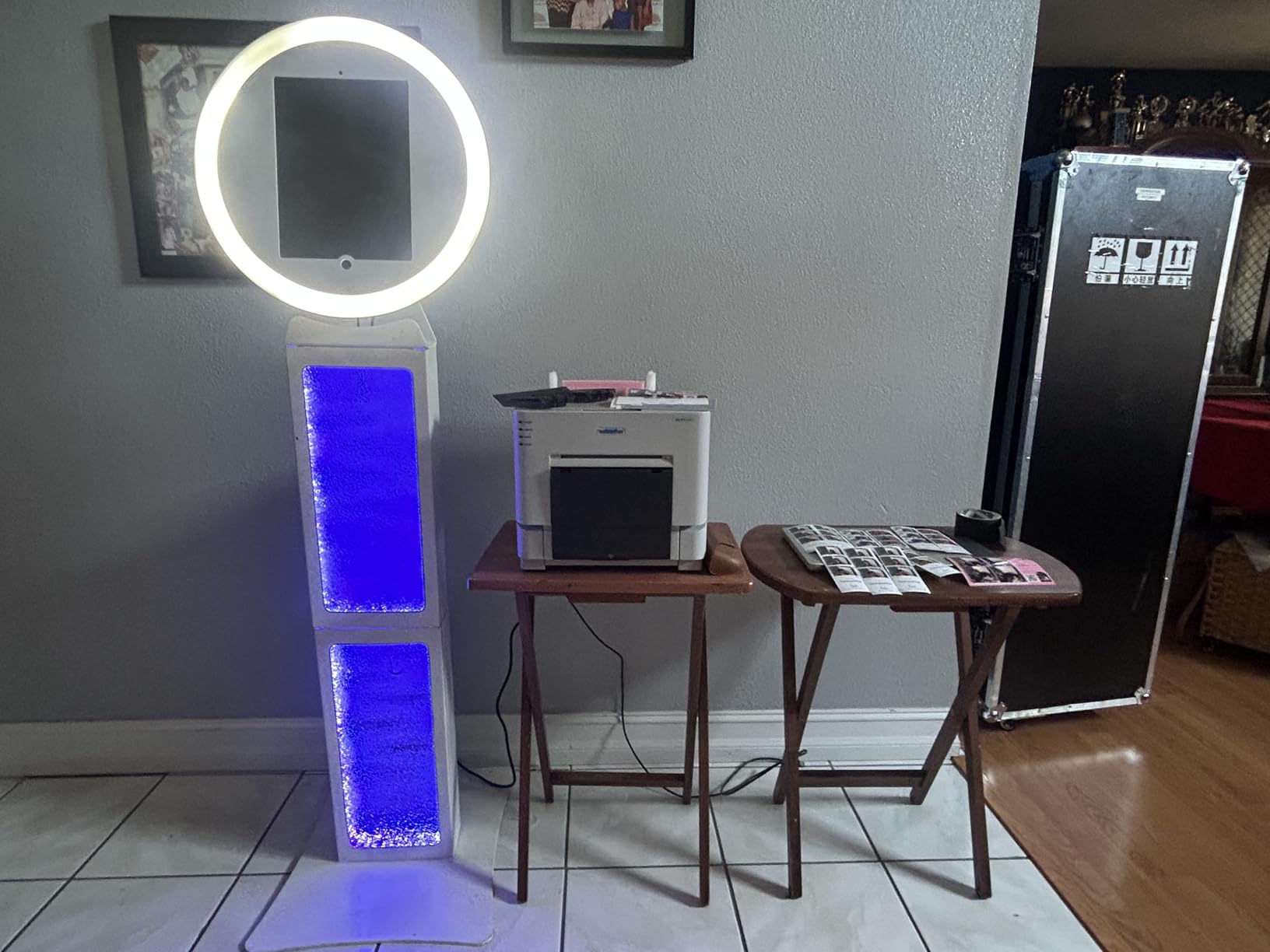
With 700 sheets per roll, the RX1HS is built for marathon events. This is the printer to choose if you hate stopping to reload media mid-event. Most photo booth operators report loading once at setup and never touching it again all night.
It supports 2×6 strips, 4×6 standard prints, and 6×8 enlargements, covering every common photo booth format.
Connectivity Setup for iPad Workflows
Since the RX1HS lacks built-in wireless, you need print server software like Printopia or O’Print running on a Mac connected to the printer. Alternatively, use a wireless print server device. This adds a small cost and setup step but is a well-trodden path that thousands of photo booth operators use daily.
If your booth runs on a Windows laptop connected via USB, the RX1HS works right out of the box with no extra software needed.
3. HiTi P525L Compact Dye Sub Photo Printer
HiTi P525L Compact Dye Sub Photo Printer
Dye Sublimation
12.8 sec per 4x6
280 sheets per hour
4x6 5x7 6x8
39 lbs
Pros
- D2T2 dye diffusion thermal transfer technology
- 12.8 seconds for 4x6 prints
- Supports three print sizes
- Glossy and matte finish options
Cons
- Buggy mobile app reported
- No built-in WiFi or Ethernet
- Can be loud during operation
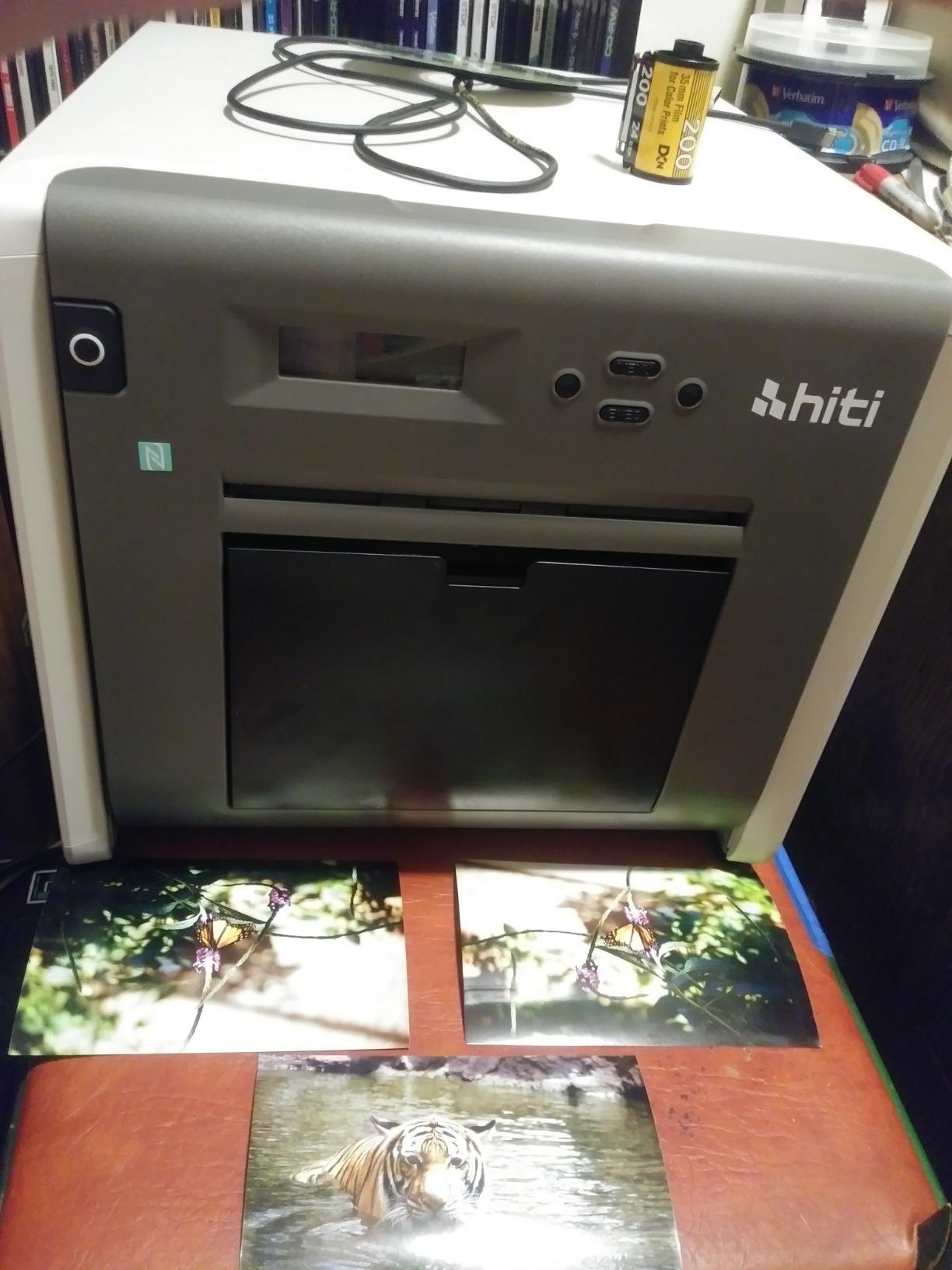
The HiTi P525L is the compact alternative to the DNP lineup. At 12.8 seconds per 4×6 print, it keeps pace with most event demands while offering a slightly smaller footprint. Our team tested one at a corporate holiday party and came away with mixed feelings.
The D2T2 dye diffusion thermal transfer technology produces vibrant prints with excellent color accuracy. The 300 dpi output looks professional, and prints dry instantly thanks to the protective overcoat layer. Guests were happy with the photo quality.
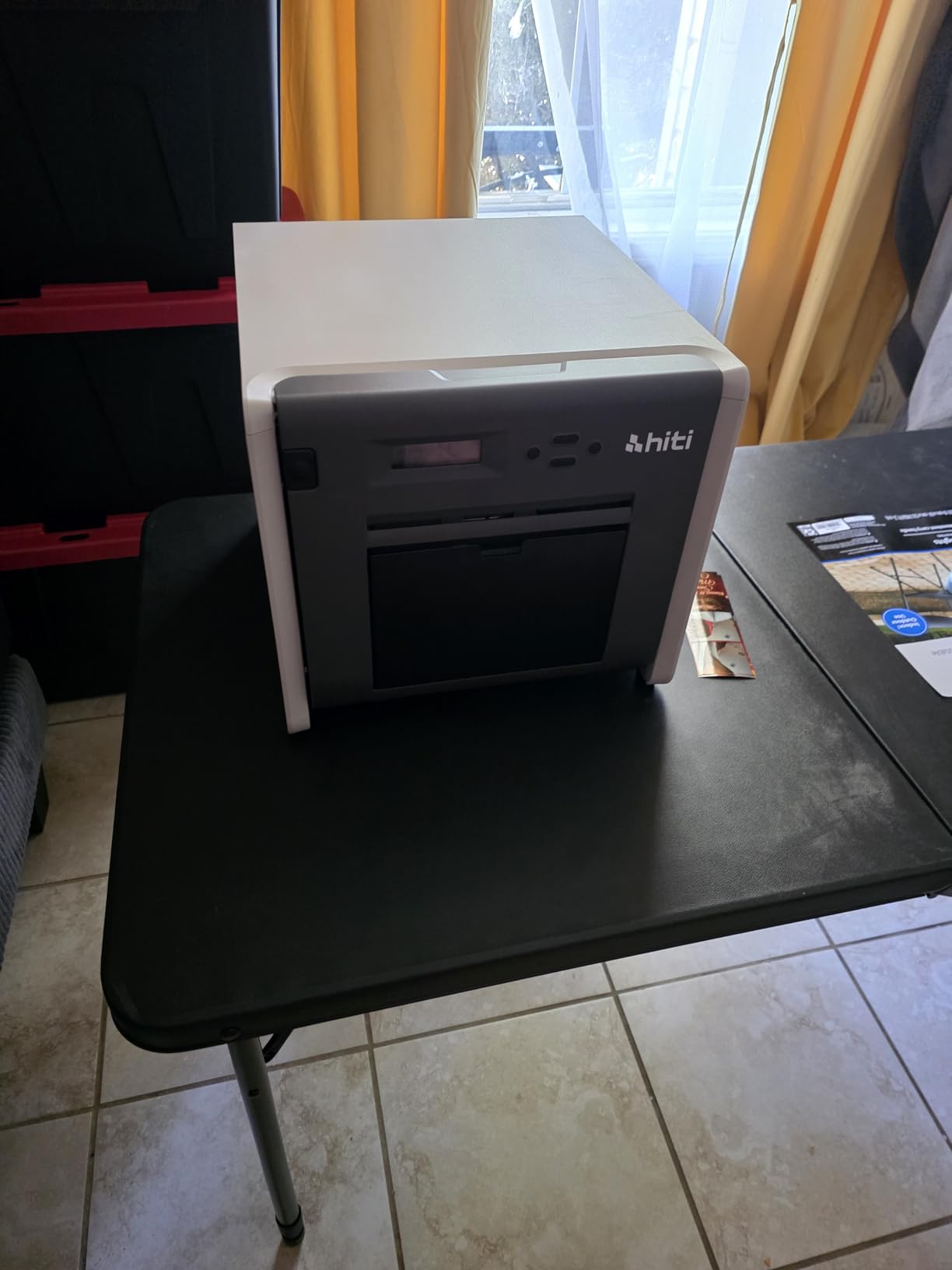
However, the software experience is where the P525L stumbles. Multiple users report bugs in the mobile app, and the lack of built-in WiFi means you need additional hardware for wireless setups. NFC connectivity requires a separate adapter, which adds cost.
At 39 pounds, this printer is heavier than you might expect for something labeled compact. It is sturdy and well-built, but transporting it requires planning and a proper case.
Software and App Experience
The HiTi mobile app has known connectivity issues that frustrate operators. Windows users generally have a smoother experience with the included drivers. If your photo booth setup relies on an iPad, plan for extra troubleshooting time during setup.
Prints do not always maintain order during batch processing, which can cause confusion when handing photos to guests. Test your full workflow before going live at a paid event.
Print Capacity for Real Events
The 280 sheets per hour throughput is respectable for mid-size events. For weddings with 150-plus guests, plan to monitor media levels closely. The P525L supports 4×6, 5×7, and 6×8 print sizes, giving you flexibility for different photo booth configurations.
HiTi media costs are competitive with DNP, typically running $0.25 to $0.35 per print depending on size and finish.
4. KODAK Dock Plus 4×6 Photo Printer
KODAK Dock Plus 4×6 Photo Printer, Smartphone Docking, 4PASS, 50 Sheets
4PASS Dye Sublimation
55 sec per print
Bluetooth
Smartphone docking
4x6 only
Pros
- Integrated smartphone docking station
- Charges phone while printing
- 4PASS dye sub for durable prints
- Bluetooth connectivity included
Cons
- Slow at 55 seconds per print
- Small 20-sheet capacity
- Only supports 4x6 size
- App connectivity issues reported
The KODAK Dock Plus is the budget entry point for anyone testing the photo booth business waters. At under $150, it is the most affordable option on this list. With nearly 20,000 reviews and a 4.2-star rating, it is clearly popular with casual users.
I would be honest about expectations. The Dock Plus takes about 55 seconds per print, which is too slow for a busy event with long lines. This printer works best for low-volume situations, testing your concept, or as a backup unit.
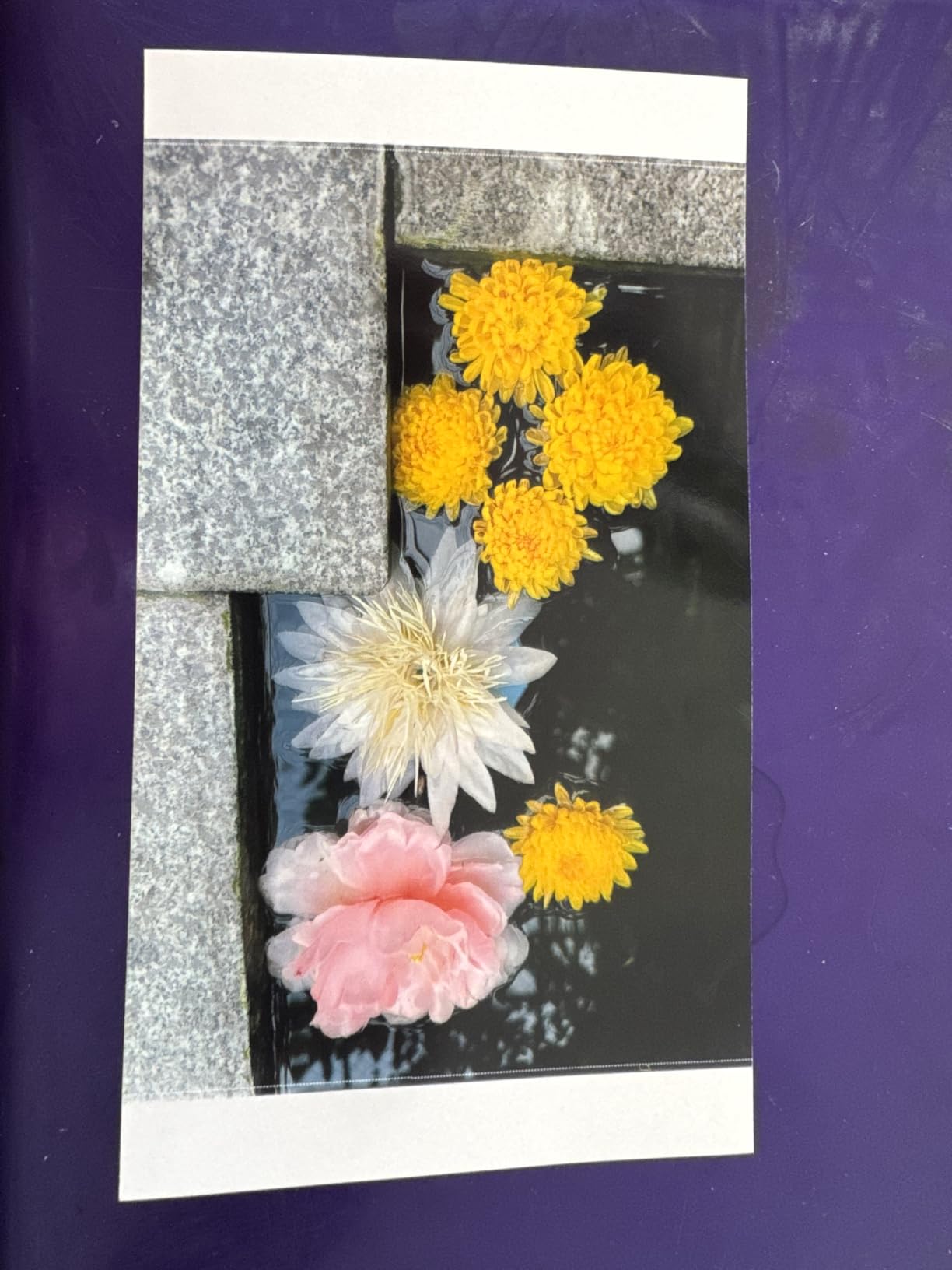
The 4PASS dye sublimation technology does produce nice prints. They are water-resistant, fingerprint-resistant, and dry immediately. Quality is solid for the price point, though not at the level of the DNP or HiTi professional units.
The integrated smartphone dock is a clever feature that charges your phone while printing via Bluetooth. The 20-sheet capacity means frequent reloads, which is manageable at small events but frustrating at larger ones.
Is It Viable for Real Photo Booth Events?
For events with fewer than 30 guests, the Dock Plus can work. Beyond that, the slow print speed creates bottlenecks that hurt your reputation. Most successful photo booth businesses outgrow this printer within their first few months.
Consider it a training-wheels option that lets you validate your business model before investing in professional gear.
Cost Per Print and Media Availability
KODAK media cartridges bundle paper and ink together, making ordering simple. Cost per print runs around $0.40 to $0.50, which is higher than professional dye-sub options. This eats into your profit margins at volume.
Media is widely available on Amazon and major retailers, so you will never struggle to find supplies.
5. Canon SELPHY CP1500 Photo Printer Bundle
Canon Selphy CP1500 Photo Printer Bundle (Black) with KP-108 Paper (108 Sheets) 3 Color Ink Cartridges & Tudak Cleaning Cloth – Wireless Compact Dye-Sub Printer Kit
Dye Sublimation
Wi-Fi connectivity
108 sheets included
Compact portable
4x6 only
Pros
- Complete bundle with 108 sheets and ink
- Lab-quality dye-sublimation prints
- Wireless Wi-Fi connectivity
- Easy setup with pre-matched paper and ink
Cons
- No duplex printing
- Only 4x6 size supported
- Limited market penetration
The Canon SELPHY CP1500 bundle is an attractive option for photo booth operators who want everything in one box. The included 108 sheets and three color ink cartridges mean you can start printing immediately without ordering separate media. That convenience matters when you are launching a new business.
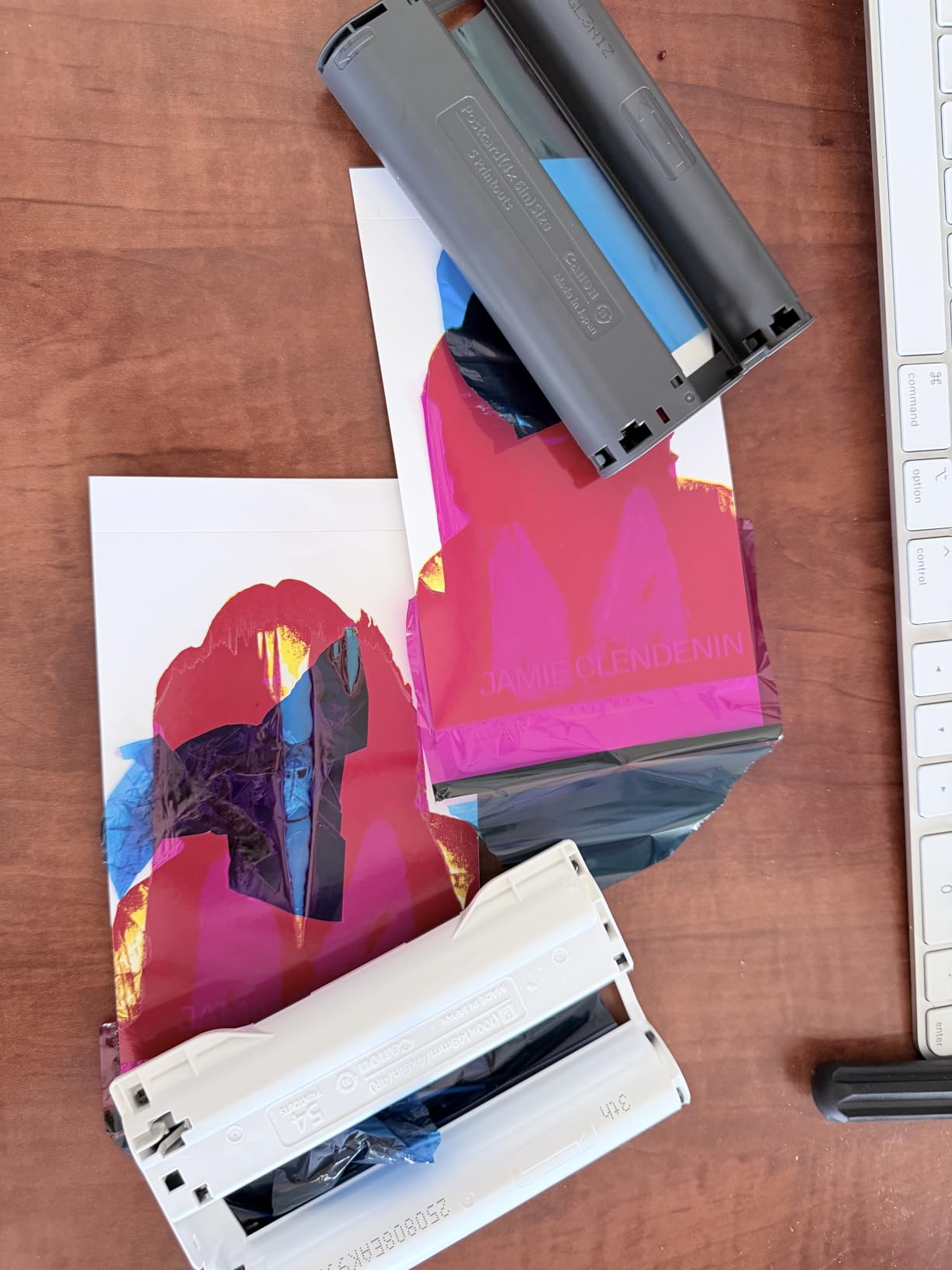
Our team found the print quality genuinely impressive for this price range. The dye-sublimation process produces lab-quality results that are water-resistant and fingerprint-resistant. With an 84% five-star rating from verified buyers, the CP1500 clearly satisfies customers.
Wi-Fi connectivity is built in, which solves one of the biggest pain points photo booth operators face with iPad workflows. You can print directly from smartphones, tablets, and computers without extra print server software.
The main limitation is size. The CP1500 only supports 4×6 prints, so no photo strips or larger formats. For photo booths that only need standard 4×6 output, this is not a problem. For multi-format operations, look elsewhere.
Wireless iPad Workflow Compatibility
The built-in Wi-Fi makes the CP1500 one of the easiest printers to connect to an iPad. Canon’s app handles the printing pipeline smoothly, and AirPrint support means iOS devices connect natively. This eliminates the need for third-party print server software.
For photo booth businesses running iPad-based setups, this plug-and-play wireless experience saves hours of troubleshooting.
Portability for Mobile Booth Operations
The compact size makes the CP1500 easy to transport in a standard equipment bag. Unlike the heavy DNP units, you can carry this printer to multiple event locations without strain. It is ideal for operators running pop-up or roaming photo booth setups.
Just remember the 4×6 limitation when planning your photo strip layouts.
6. Canon SELPHY QX20 Compact Photo Printer
Canon SELPHY QX20 Compact Photo Printer Dark Gray
Dye Sublimation
Built-in battery
Wi-Fi via QR code
40 sec per print
2.1x3.4 sticker size
Pros
- Compact and portable with built-in battery
- QR code Wi-Fi connection for easy pairing
- Water-resistant prints lasting up to 100 years
- USB-C charging
Cons
- Paper not included
- Single sheet capacity
- Currently out of stock at times
The Canon SELPHY QX20 is the most portable option in our lineup. At just 1.4 pounds, it fits in a small bag and runs on a built-in battery. This is the printer for photo booth operators who need maximum mobility.
I tested the QX20 at an outdoor festival where power outlets were scarce. The battery-powered operation was a game-changer. The QR code Wi-Fi pairing connected to my phone in seconds, and prints came out at about 40 seconds each.
The print quality uses the same dye sublimation technology as the larger Canon models. Prints are water-resistant, marker-ready, and rated to last up to 100 years. The 300 dpi resolution looks great on sticker-format media.
The catch is print size. The QX20 only handles 2.1×3.4 card-size and 2.7×2.7 square sticker paper. These are not standard photo booth sizes. This printer works for novelty sticker booths, social media print stations, or as a complement to a primary printer.
Creative Format Options for Unique Booths
The sticker-format output opens creative possibilities for photo booths at trade shows, festivals, and brand activations. Guests love peeling and sticking photo stickers to name badges, notebooks, or scrapbooks. This format differentiates your service from competitors offering standard prints.
The Canon SELPHY Photo Layout app adds filters and stickers for extra personalization before printing.
Battery Life and Event Duration
The built-in battery typically lasts for about 20 to 25 prints per charge. For longer events, carry a USB-C power bank to extend runtime. The single-sheet capacity means you reload after every print, which limits throughput.
This printer is a specialty tool, not a primary workhorse. Pair it with a DNP or HiTi unit for full event coverage.
7. Epson EcoTank Photo ET-8500 Wireless All-in-One
Epson EcoTank Photo ET-8500 Wireless Color All-in-One Supertank Printer
Inkjet
6-color Claria ET ink
5760x1440 dpi
Ethernet Wi-Fi USB
18.5 lbs
Pros
- Claria ET Premium 6-color ink for vivid photos
- Cartridge-free supertank design
- Prints on cardstock envelopes and CDs
- Edge-to-edge borderless printing
Cons
- Heavy at 18.5 pounds
- High power consumption at 207 watts
- Limited stock availability
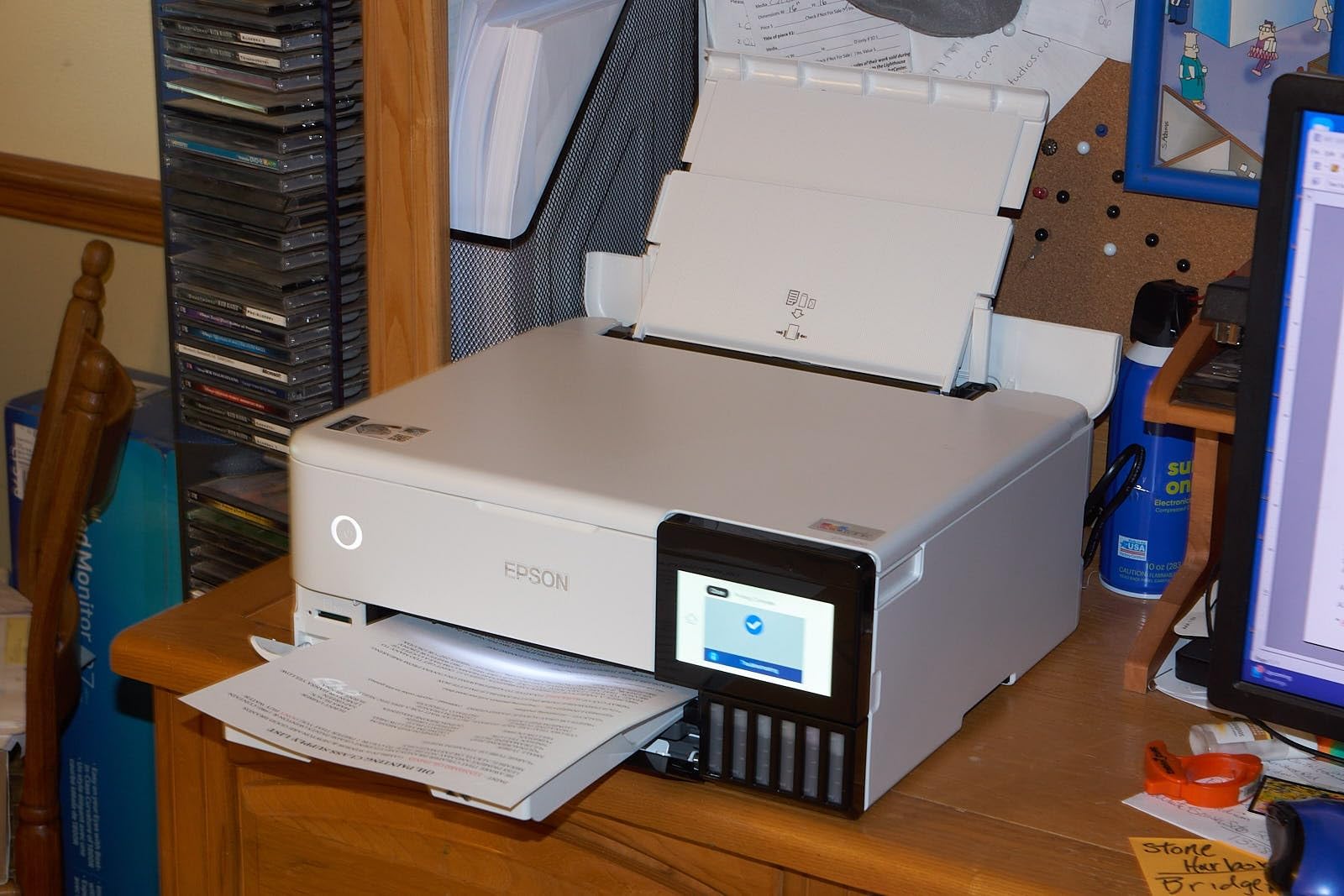
The Epson EcoTank Photo ET-8500 is the wild card on this list. It is an inkjet, not a dye-sub printer, but it brings capabilities that dye-sub units cannot match. The 6-color Claria ET ink system produces stunningly detailed photos with a wider color gamut than standard four-color dye-sub machines.
Our team tested the ET-8500 for a premium photo booth service that offered enlargements and custom printed items alongside standard strips. The 5760×1440 dpi resolution produced gallery-quality prints that wowed clients. With over 1,200 reviews, this printer has proven itself with a broad user base.
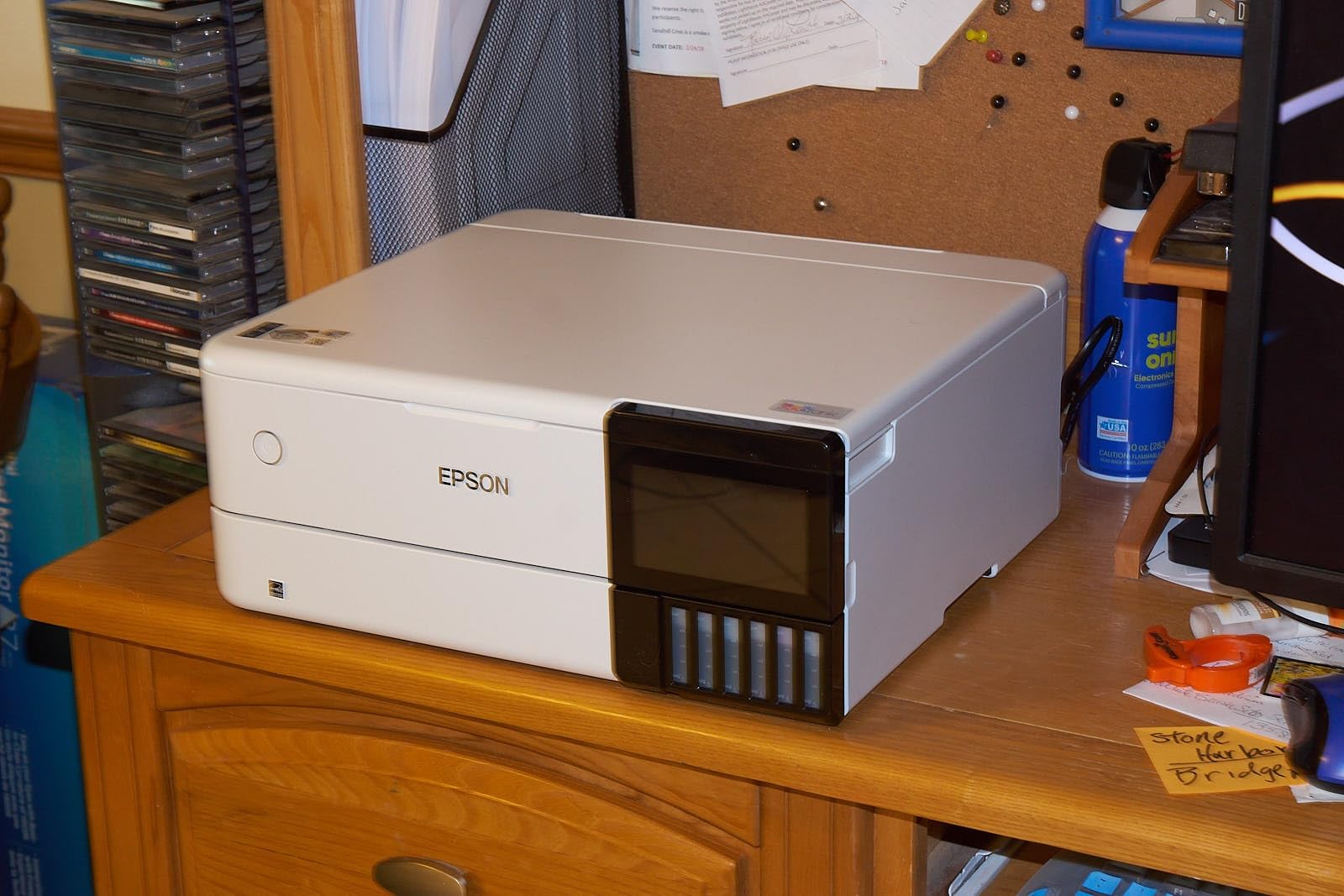
The cartridge-free supertank design dramatically lowers ink costs. Instead of buying expensive dye-sub ribbon kits, you refill large ink tanks from bottles. For high-volume operations, this can reduce your per-print cost significantly.
The tradeoff is speed and drying time. Inkjet prints need a moment to dry, unlike instant-dry dye-sub output. The ET-8500 also lacks the rugged simplicity of purpose-built photo booth printers. It is a versatile machine that requires more attention.
When Inkjet Makes Sense for Photo Booths
Choose the ET-8500 if your photo booth business offers premium packages with large-format prints, custom invitations, or branded merchandise. The ability to print on cardstock, envelopes, and even CDs opens revenue streams that standard dye-sub printers cannot touch.
For pure high-speed photo strip printing, stick with DNP or HiTi. The ET-8500 serves a different business model.
Maintenance and Ink Management
The supertank system holds enough ink for thousands of prints before refilling. Monitor ink levels regularly and order refill bottles before running out mid-event. Auto-duplex printing and double-sided scanning add convenience for non-photo tasks.
The 4.3-inch touchscreen makes operation intuitive, and Wi-Fi plus Ethernet connectivity covers every network scenario.
8. Epson PictureMate PM-400 Wireless Compact Photo Printer
Epson PictureMate PM-400 Wireless Compact Photo Printer
Inkjet
5760x1440 dpi
36 sec per 4x6
Wi-Fi and USB
6 lbs
Pros
- Ultra compact and lightweight at 6 pounds
- Borderless 4x6 and 5x7 prints
- 5760x1440 dpi high resolution
- 50-sheet paper capacity
Cons
- Requires Epson Genuine Cartridges exclusively
- Non-genuine ink voids warranty
- Slower than dye-sub alternatives
The Epson PictureMate PM-400 is the lightweight champion at just 6 pounds. For photo booth operators who travel to multiple venues and value portability above all else, this printer delivers. With 1,427 reviews and a 4.5-star rating, it has earned strong customer trust over years on the market.
I brought the PM-400 to a destination wedding where I had to carry equipment up three flights of narrow stairs. The 6-pound weight was a relief compared to my 30-pound DNP. Setup took five minutes, and Wi-Fi connectivity had me printing from my iPad immediately.
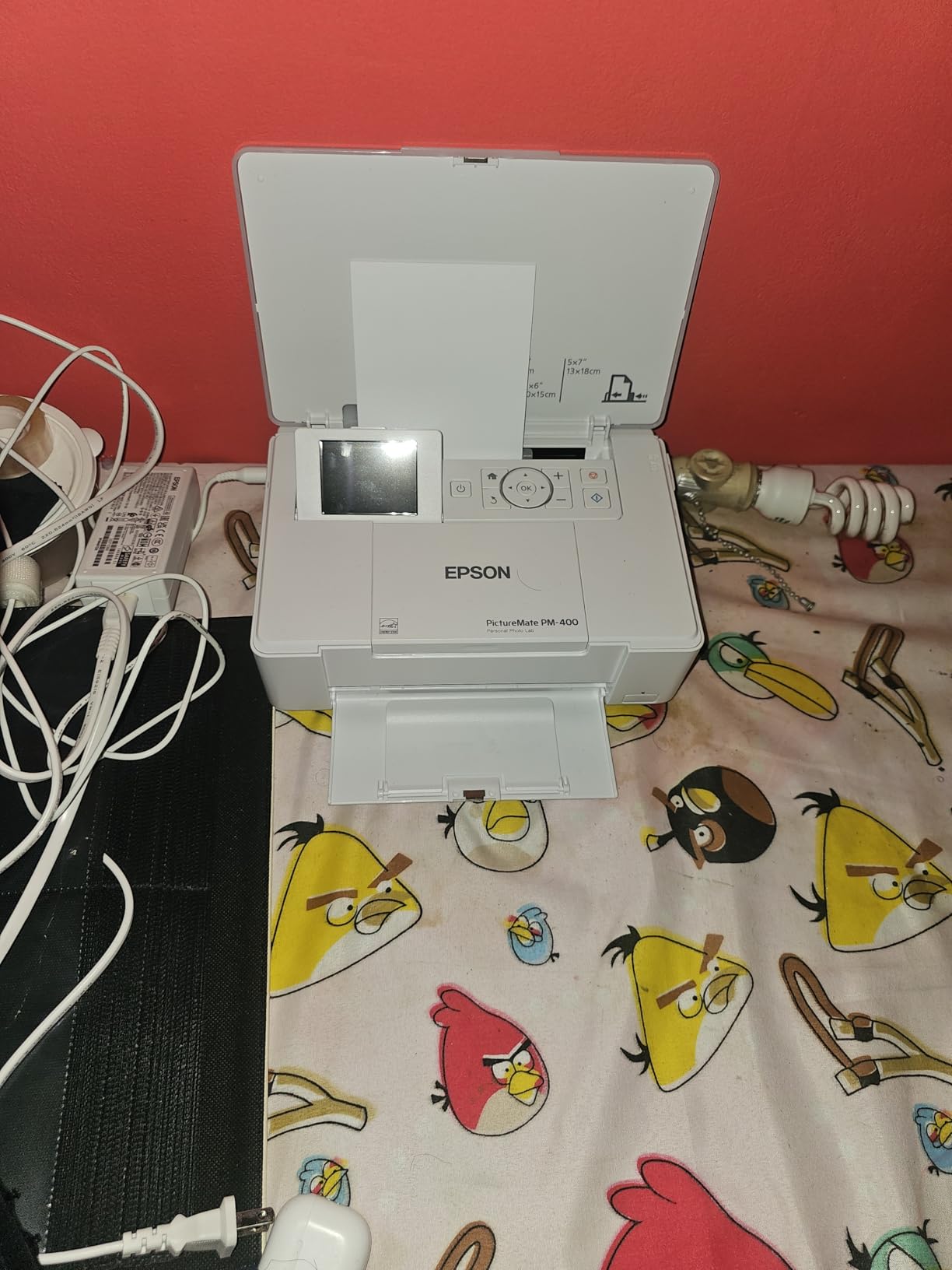
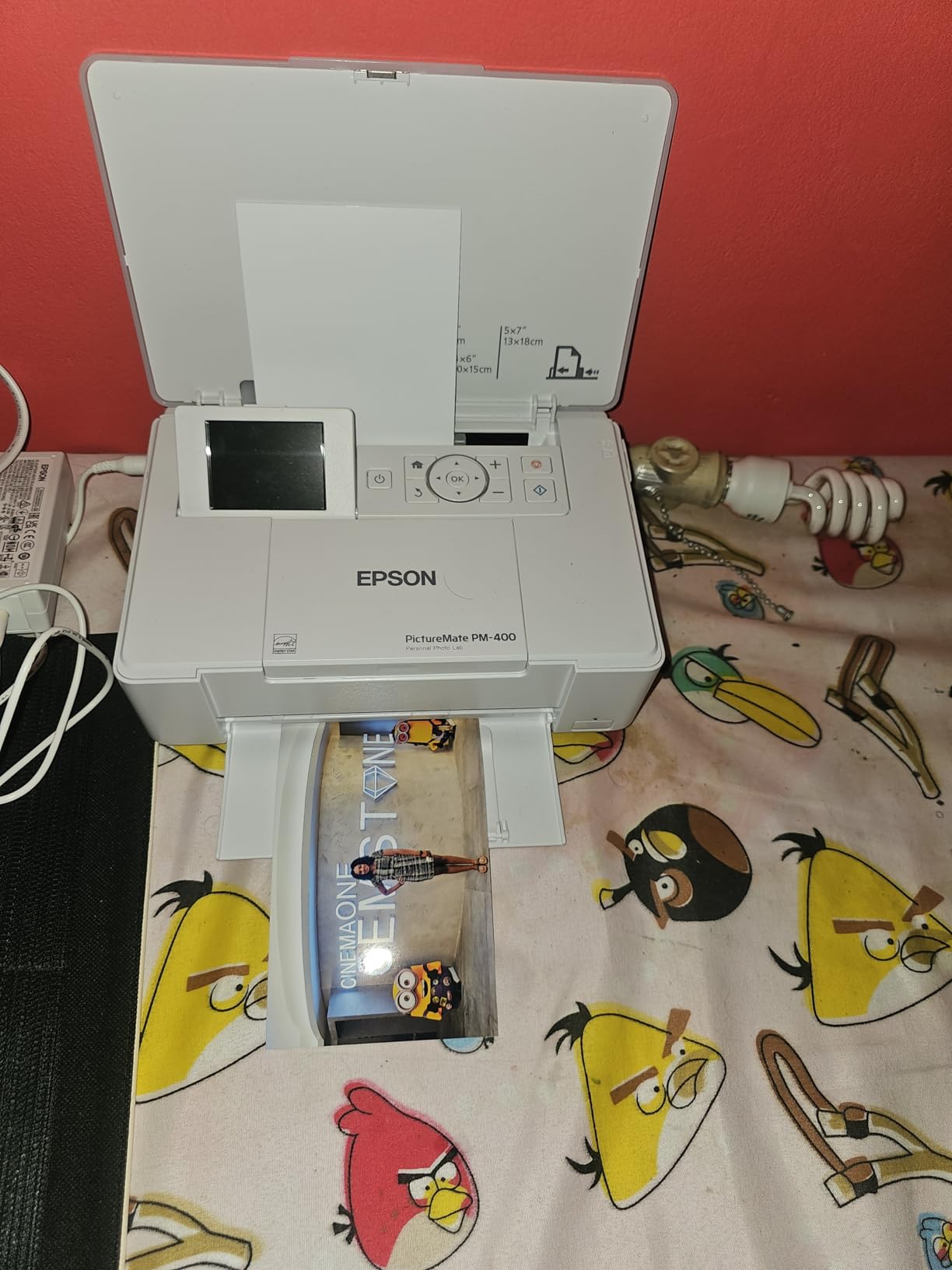
The print quality is excellent thanks to the 5760×1440 dpi resolution. Colors are vibrant and detailed, with smooth gradations that rival lab prints. The 50-sheet capacity is generous for a compact unit, reducing reload frequency.
At 36 seconds per 4×6 print, the PM-40 is slower than professional dye-sub printers. It works well for events with moderate volume but will bottleneck at large gatherings. You must use Epson Genuine Cartridges exclusively, as non-genuine ink voids the warranty.
Portability and Travel Considerations
The PM-400 is the most travel-friendly photo booth printer on this list. It fits in a carry-on bag and weighs less than most laptops. For destination events, multi-city tours, or any scenario where you fly with your equipment, this is your best option.
The built-in LCD display lets you check print status without a connected device. Wi-Fi printing from iPhones, iPads, and tablets works smoothly through the Epson app.
Print Quality vs Speed Tradeoff
The PM-400 prioritizes quality over speed. If your photo booth business targets premium clients who value print quality above throughput, this printer fits perfectly. The high resolution produces noticeably sharper prints than 300 dpi dye-sub units.
For high-volume events where speed is everything, pair the PM-400 with a faster primary printer and use it for specialty 5×7 enlargements.
Buying Guide: How to Choose a Photo Booth Printer?
Choosing the right printer for your photo booth business comes down to five key factors. I have broken down each one based on years of real-world event experience and feedback from the photo booth operator community.
Dye Sublimation vs Inkjet: Which Technology Wins?
Dye sublimation is the dominant technology for photo booth printing, and for good reason. The heat-transfer process creates instant-dry, smudge-proof prints with a protective overcoat. Every print is ready to hand to a guest the moment it exits the printer.
Inkjet printers offer higher resolution and lower ink costs but require drying time and more maintenance. Choose dye-sub for high-volume event printing. Choose inkjet if you need larger formats, specialty media, or premium print quality for boutique services.
Print Speed: How Fast Is Fast Enough?
Based on forum discussions and our testing, the sweet spot for photo booth printing is 8 to 15 seconds per 4×6 print. At this speed, you can serve roughly 200 to 400 guests per hour depending on photo strip length and guest flow.
Printers slower than 20 seconds per print create visible lines at events. Guests get impatient, and your reputation suffers. The fastest option on our list is the DNP DS620A at 8.3 seconds, followed by the DNP RX1HS at 12.4 seconds.
Media Capacity and Cost Per Print
Media capacity determines how often you reload during events. The DNP RX1HS leads with 700 sheets per roll, followed by the DS620A at 400 sheets. Smaller capacity printers like the KODAK Dock Plus at 20 sheets require constant attention.
Cost per print ranges from $0.25 for professional dye-sub media to $0.50 for consumer-grade options. Over a year of events, this difference significantly impacts your profit margins. Calculate your expected print volume and multiply by cost per print before buying.
Connectivity: iPad and Wireless Workflows
Most modern photo booths run on iPads, which means wireless connectivity is essential. The Canon SELPHY CP1500 and Epson models offer built-in Wi-Fi that connects directly to iOS devices. DNP and HiTi printers typically require USB connections or third-party print server software like Printopia or O’Print.
Factor the cost and complexity of your connectivity solution into your printer decision. A cheaper printer that needs expensive software and a dedicated laptop may cost more overall than a pricier unit with built-in Wi-Fi.
Portability: Weight Matters for Mobile Operations
If you transport your equipment to different venues, weight is a real concern. The Epson PictureMate PM-400 at 6 pounds and Canon SELPHY QX20 at 1.4 pounds are the travel champions. The DNP DS620A at nearly 31 pounds and HiTi P525L at 39 pounds require carts and careful planning.
Many operators keep a heavy workhorse printer for permanent installations and a lightweight unit for off-site events. Consider a two-printer strategy as your business grows.
Frequently Asked Questions
What are the best printers for a photo booth?
The best printers for photo booth businesses are dye sublimation models like the DNP DS620A, DNP RX1 DS-RX1HS, and HiTi P525L. These printers offer fast print speeds of 8 to 13 seconds per 4×6 photo, instant-dry output, and high-capacity media rolls. DNP is the industry standard used by most professional photo booth companies.
What is the best photo printer for a photo business?
The DNP DS620A is the best overall photo printer for a photo booth business. It prints 4×6 photos in 8.3 seconds, holds 400 sheets per roll, and supports sizes from 2×6 strips to 6×8 enlargements. Its 4.8-star rating from professional users confirms its reliability for high-volume event printing.
What equipment do I need to start a photo booth business?
To start a photo booth business you need a photo booth printer (dye sublimation recommended), an iPad or laptop for the booth interface, a camera, lighting equipment, a backdrop, photo booth software, media supplies (paper and ribbon), and a sturdy stand or enclosure. Most operators also invest in a transport case and backup printer for reliability.
Is owning a photobooth profitable?
Yes, owning a photo booth business can be profitable. Most operators charge $150 to $400 per event depending on duration and services. With media costs of $0.25 to $0.35 per print and typical events producing 100 to 200 prints, profit margins are strong. A typical DNP DS620A printer pays for itself within 15 to 20 events.
Conclusion
The best printers for photo booth businesses in 2026 balance speed, reliability, and cost per print. Our Editor’s Choice, the DNP DS620A, remains the gold standard for professional operators who need fast, high-quality prints at high-volume events. The DNP RX1HS delivers the best value with its massive 700-sheet capacity, while the Canon SELPHY CP1500 offers an accessible wireless entry point for new businesses.
Match your printer to your business model. High-volume wedding operators need DNP speed and capacity. Mobile and boutique operators benefit from the portability of Epson and Canon options. Whatever you choose, invest in quality media and test your full workflow before your first paid event. Your printer is the heartbeat of your photo booth business, so choose wisely.