
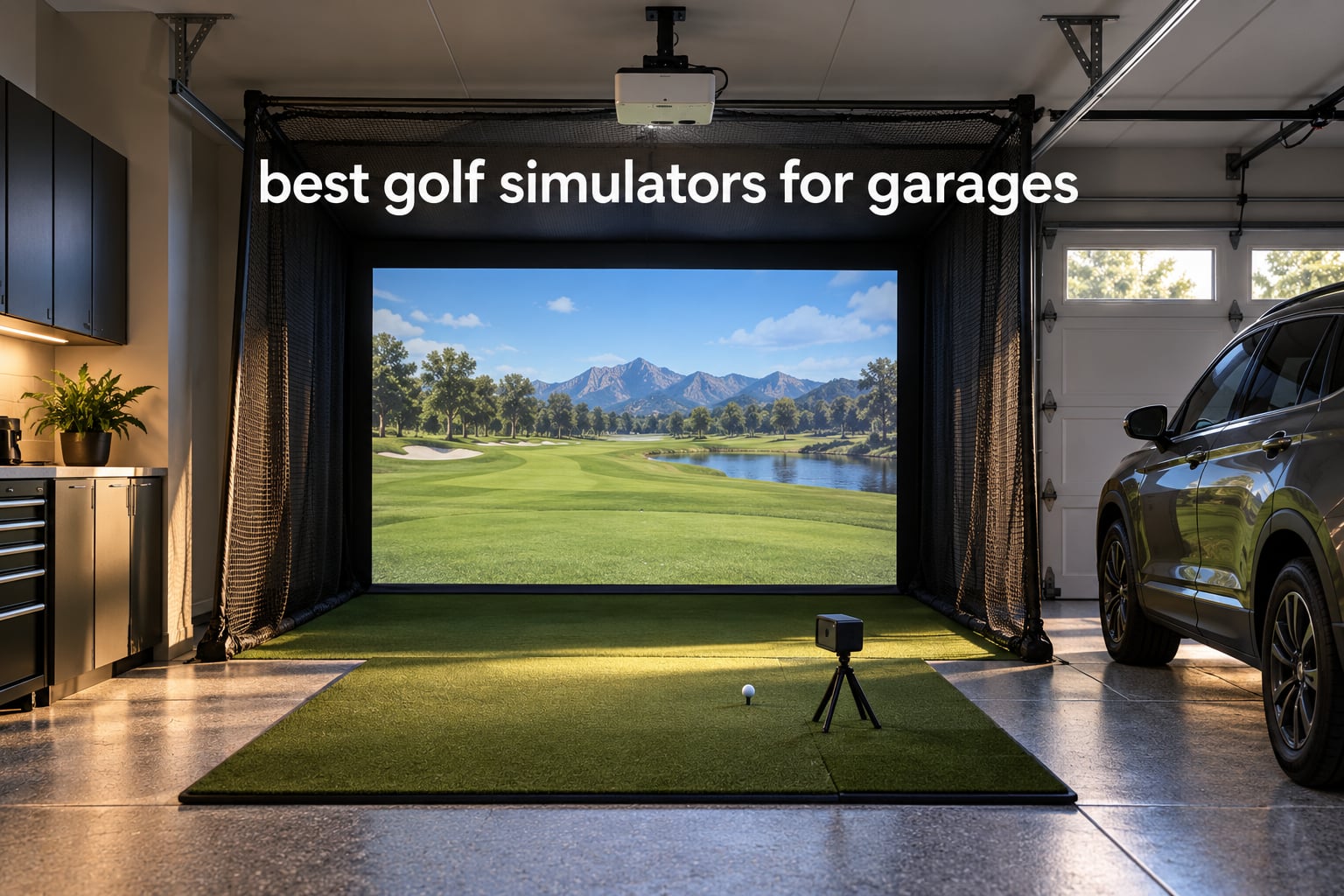
A garage golf simulator is not one box. It is a launch monitor that measures ball speed, launch angle and spin, an impact screen or net that catches the ball, a hitting mat, and simulation software that renders a course. Add a short-throw projector if you want to see the shot, and a screen that rolls up if the car still needs to live in the bay.
That five-part reality is why most garage simulator roundups confuse you. They rank packages you cannot buy on their own, quote numbers that change daily, and ignore the measurement that actually decides the purchase: your ceiling height. If you are searching for the best golf simulators for garages, the honest starting point is a tape measure, not a product page. We pulled the specs on twelve current builds, compared the space each one demands, and sorted them by what they do well in a residential bay.
We are spec-based rather than hands-on, and we would rather say so than pretend otherwise. What we did do was cross-check every rating and review count against live listings, read the owner complaints closely, and flag the garage-specific traps: impact screens that dent, radar monitors that need depth behind the ball you do not have, and enclosures that quietly eat the parking spot. Forum threads on r/Golfsimulator and GolfWRX make one point louder than any spec sheet: the setup that gets used four times a week is the one you can put away in under five minutes.
If you want the shorter version first, our general golf simulator rankings cover non-garage setups, and the home simulator picks break down software and monitor types in more depth. This guide is specifically about fitting a bay you also use for cars, tools and storage.
Table of Contents
Quick Picks: Best Golf Simulators for Garages in October 2026
Three builds cover most people. Which one is right depends almost entirely on your ceiling height and whether the car stays parked.

Rapsodo MLM Mobile Launch Monitor
- Ball speed and launch angle per shot
- Shot tracer video replay
- Light 0.4 kg unit that clips to a bag

Garmin Approach R10
- Radar tracking of spin
- launch angle and apex
- 10 hour battery life
- Per-club dispersion charts in the app

GoSports Range Cage 10 x 8 ft
- Enclosed cage with side and top netting
- Polyester impact screen doubles as backdrop
- Tool-free setup with carry bag
The Rapsodo MLM is the entry point most garages start with, because the numbers are useful and the box is small. The Garmin Approach R10 is the one owners name most often when they ask which launch monitor works in a home bay, mainly for the spin and apex data plus a battery that survives a long session. The GoSports Range Cage is the cheapest way to make a bay survivable, with side and top netting that catches the mishits that would otherwise end up in your drywall or your car.
All 12 Garage Simulator Picks at a Glance for October 2026
Everything below is a component you can combine. The first four are measurement devices, the next eight are cages, nets and enclosures. Pairing one from each group gets you a working garage golf simulator.
| Product | Specifications | Action |
|---|---|---|
| Rapsodo MLM Mobile Launch Monitor |
|
Check Latest Price |
 PHIGOLF PG2 Flex Swing Sensor PHIGOLF PG2 Flex Swing Sensor |
|
Check Latest Price |
 PRGR HS 130-A Launch Monitor PRGR HS 130-A Launch Monitor |
|
Check Latest Price |
| Garmin Approach R10 |
|
Check Latest Price |
| GoSports Range Cage 10 x 8 ft |
|
Check Latest Price |
 Net Return Home Pro Series 8 x 7.5 ft Net Return Home Pro Series 8 x 7.5 ft |
|
Check Latest Price |
 GoSports Simulator Enclosure 10 x 8 ft GoSports Simulator Enclosure 10 x 8 ft |
|
Check Latest Price |
 ANYTHING SPORTS Enclosure Package ANYTHING SPORTS Enclosure Package |
|
Check Latest Price |
 Haokelball 10 x 8 x 6 ft Cage Haokelball 10 x 8 x 6 ft Cage |
|
Check Latest Price |
 ZEALFEEL 11 x 8 ft Enclosure ZEALFEEL 11 x 8 ft Enclosure |
|
Check Latest Price |
 HOMEVOL 2 in 1 Net System HOMEVOL 2 in 1 Net System |
|
Check Latest Price |
 Durbles Enclosure Kit 10 x 8 ft Durbles Enclosure Kit 10 x 8 ft |
|
Check Latest Price |
One note on the table: none of these include a projector, and only the HOMEVOL system ships with a hitting mat. Budget for a mat, a projector, and simulator software on top of whatever you pick here.
1. Rapsodo MLM Mobile Launch Monitor – Best Launch Monitor to Anchor a Garage Bay
Rapsodo Mobile Launch Monitor Golf Simulator | MLM iPhone & iPad Only
iOS app pairing over Bluetooth
Ball speed, club speed, launch angle, carry
0.4 kg handheld unit
Pros
- Affordable entry point to launch-monitor data
- Bluetooth pairing with no subscription for basic metrics
- Shot tracer video makes faults visible
- Light enough to clip to a golf bag
Cons
- iOS only with no Android support
- No spin rate measurement
- Club auto-detection unreliable with wedges and some woods
The Rapsodo MLM is the unit we keep coming back to for one reason: the review base. More than three thousand reviews is an enormous sample for a device in this category, and the pattern in them is remarkably consistent. Owners who hit mid and short irons into a net report numbers they trust. Owners who smash driver at full speed into a shallow bay do not.
The measurement list covers ball speed, club speed, launch angle, carry distance and shot shape, and the app draws a tracer over the video so you can see a face-open or face-closed miss instantly. For a garage, that visual layer matters more than it does at the range, because the screen is right in front of you and there is nowhere for your eye to go.
What is missing is spin rate, and that is a real limitation if you care about why a ball checks or why a wedge spins out of control. Club auto-detection also misreads wedges and some woods often enough that you will be double-checking the club on the screen. Those are the two complaints that show up again and again in the reviews.
The physical footprint is genuinely tiny. At 0.4 kg and a little over seven inches long, it disappears into a drawer between sessions, which matters if the bay is also your storage space. Bluetooth handles the connection, and the box includes a carrying case, a charging cord and a quick start guide.
The one hard limitation: this is an iOS device. If your household runs on Android, the MLM is not an option at all, and you should read the Garmin section instead. Owners also note that alignment can be finicky on the first few shots and that the unit can shut itself down in a hot garage during summer, which is another argument for dealing with temperature in the buying guide below.
What This Means for Your Garage
Pair it with one of the mid-size cages in this list and it becomes a genuine garage golf simulator rather than a gadget. The measurement device sits on the floor or a small tripod behind the ball, and the depth requirement is the thing to check: radar-style units want six to eight feet behind the ball, and in a shallow bay that space is the first thing you lose.
At under a pound, it also travels well. Owners regularly take it to the range to confirm that indoor numbers match outdoor ones, which is a sanity check we would encourage before you start changing anything about your swing.
Skip This If You Need Spin Data or Use Android
If your goal is club gapping and ball-fitting level detail, the missing spin rate is a hard stop. Buy the Garmin Approach R10 or move up to a photometric camera system instead, and treat the MLM as a stepping stone that lets you learn whether you like practicing indoors at all.
It is also worth skipping if you are on a low ceiling. The MLM itself is not the problem, but the compact net and mat setups it usually pairs with are the ones that force you into wedge-only practice.
2. PHIGOLF PG2 Flex Swing Sensor – Best Simulator With No Ball or Net
PHIGOLF Home Golf Simulator, Motion Sensor & 3D Analysis for Practice & Fun
9-axis motion sensor
Swing stick included, sensor fits a real club
38000 plus playable courses
Pros
- No ball or net required so it works in a small room
- Large course library with multiple game modes
- AI swing coach adds body position tracking
- Sensor transfers from stick to a real club
Cons
- Distances run noticeably short of real-world numbers
- Putting and chipping are far less sensitive
- App and online connection can be slow or crash
The PHIGOLF system works without a ball, and that single fact makes it the odd one out in this list. You swing a stick, a 9-axis sensor reads the movement, and the software draws a virtual shot. Nothing flies, nothing bounces, nothing hits your parked car. For a garage bay that is shared with vehicles, that is genuinely useful.
The course library is enormous, with more than thirty-eight thousand courses, and the AI swing coach adds body position tracking with visual annotations on screen. Owners frequently mount a TV or projector on the wall and treat it as a rainy-day game that happens to have a golf swing attached to it.
The accuracy caveat is serious, though. Reviewers consistently report distances running short of reality, sometimes by a noticeable margin, and putting and chipping are described as far less sensitive than real play. This is a practice game, not a measuring instrument, and treating its numbers as truth is how golfers end up mis-diagnosing a swing problem.
Hardware details are modest and appropriate to the price band: a nine-axis sensor, a premium swing stick, a one-year manufacturer warranty, and a package that measures roughly three by five by twenty-five inches. The sensor weighs just over half a kilogram. A recurring minor complaint is sensor batteries failing within weeks on a minority of units.
What This Means for Your Garage
Zero depth requirement is the appeal. You do not need six feet behind the ball, you do not need a screen, and you do not need to move the car. You need a display and about three feet of swing room, which makes it the only simulator here that works in a genuinely cramped bay or even a spare room.
It also doubles as a swing-speed trainer, since you can move the sensor onto a real club for outdoor practice. Several owners use it that way as a cheap pre-shot routine before a round.
Skip This If You Are Chasing Distance Control
Low-handicap golfers trying to tighten wedge dispersion will find the putting and chipping too coarse to be useful, and a tracking system that under-reports distance will mislead you rather than help you. If numbers are the point, save your money for radar or camera hardware.
Also skip it if you already own a launch monitor. This does not replace one, it sits beside one for winter entertainment and swing-path work.
3. PRGR HS 130-A Launch Monitor – Best for Swing-Speed Training in a Tight Bay
PRGR HS 130-A Portable Golf Launch Monitor | Doppler Radar Measures Club & Ball Speed, Smash Factor, Total & Carry Distance | Tracks Swing Speed Training Aids
Doppler radar club and ball speed
Smash factor and carry distance
500 swing memory, no app
Pros
- No app
- Wi-Fi or connectivity required
- Pocket-sized radar that clips to a bag
- Measures club head speed without hitting a ball
- 500 swing memory for trend tracking
Cons
- Reports speed and smash factor only
- Manual reading of a small screen
- AAA batteries limit session length
The PRGR HS 130-A is the least complicated thing in this guide and that is the point. It is a Doppler radar unit the size of a marker, it runs on AAA batteries, and it shows you the number on a screen. There is no app to pair, no phone to hold, and no subscription to think about.
What it measures is club head speed and ball speed, plus smash factor and both total and carry distance, across a 135 to 270 yard range. It stores five hundred previous swings so you can watch a trend rather than a single number. A detail owners like: it reads club head speed with or without a ball in play, which makes pure speed training possible in a spot where there is no room to swing at anything.
The measuring range is shorter than what most golfers hit, and it reads from behind the ball like any radar unit, so the same depth rule applies. In practice that means short irons and wedges in a normal bay, driver in a deep one. It is also rated IP54 for water resistance, so a damp garage is not the end of the world.
Reviewers describe it as a simple, accurate, no-fuss trainer, and the metric list is clearly much shorter than app-based monitors. That is fine for what it is. A working pro is cited in the reviews as a user, which tells you the target audience is people who want an honest speed number and nothing more.
What This Means for Your Garage
At just under five ounces and about three by one and a half by five and a half inches, it is the easiest device here to move out of the way. If your bay is mostly storage, this is the one you will actually keep.
It pairs naturally with a small practice net and a mat for a garage golf simulator focused on tempo, speed and contact. It will not tell you launch angle or spin, so it cannot gapping work, but speed gains translate further than most golfers expect.
Skip This If You Want Shot Shape or Spin
There is no launch direction, no spin, no apex. If you are trying to fix a specific ball-flight problem, this cannot see it and you will waste sessions guessing.
Reading a small screen while standing over a ball is also awkward for some golfers, and AAA batteries mean it is not a monitor you leave running through a long practice block.
4. Garmin Approach R10 – Best Launch Monitor for a Data-Focused Garage Bay
Garmin Approach R10, Portable Golf Launch Monitor, Take Your Game Home, Indoors or to The Driving Range, Up to 10 Hours Battery Life – 010-02356-00
Radar tracking of spin and launch angle
10 hour battery, IPX7 waterproof
Per-club training mode
Pros
- Full metric set including ball spin and launch angle
- 10 hours of battery for long sessions
- Per-club training mode with dispersion charts
- Automatic swing video analysis in the Garmin Golf app
Cons
- Requires a compatible smartphone and the Garmin Golf app
- Virtual course play needs an active subscription
- Needs depth behind the ball to work properly
The Garmin Approach R10 is the most frequently recommended launch monitor for a home garage bay, and the reasons are practical rather than glamorous. It is pocket-sized at 340 grams, it runs for up to ten hours on a charge, and it is rated IPX7 waterproof, which means a damp concrete floor in the middle of winter is not a reason to skip the session.
The metric list is the reason golfers buy it. Alongside club head speed, ball speed, swing tempo, launch angle, carry and total distance, and apex, it reports ball spin, which is the number the Rapsodo MLM above cannot give you. Garmin publishes accuracy figures of plus or minus 3 mph on club head speed, plus or minus 1 mph on ball speed, and plus or minus one degree on launch angle and direction.
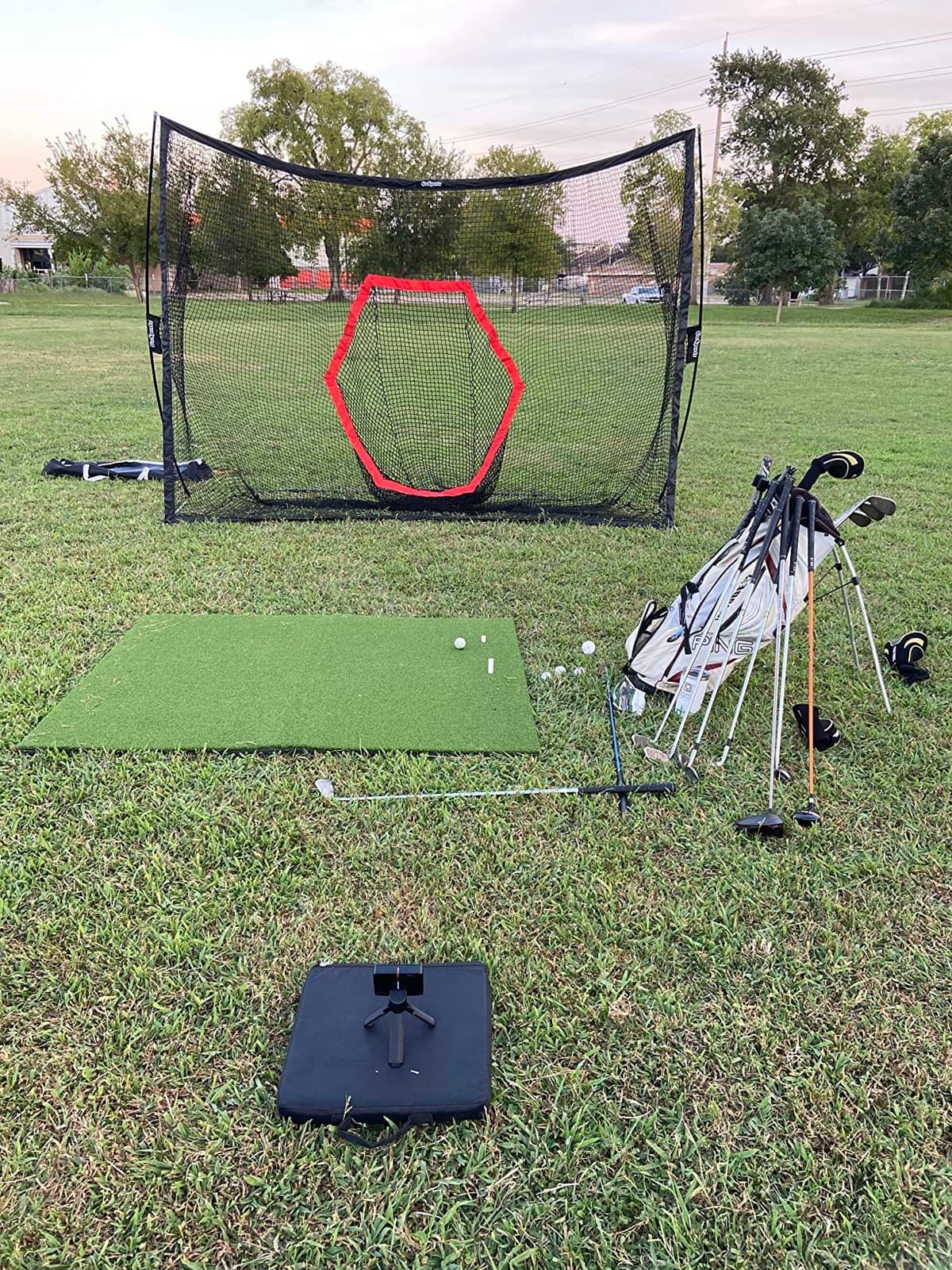
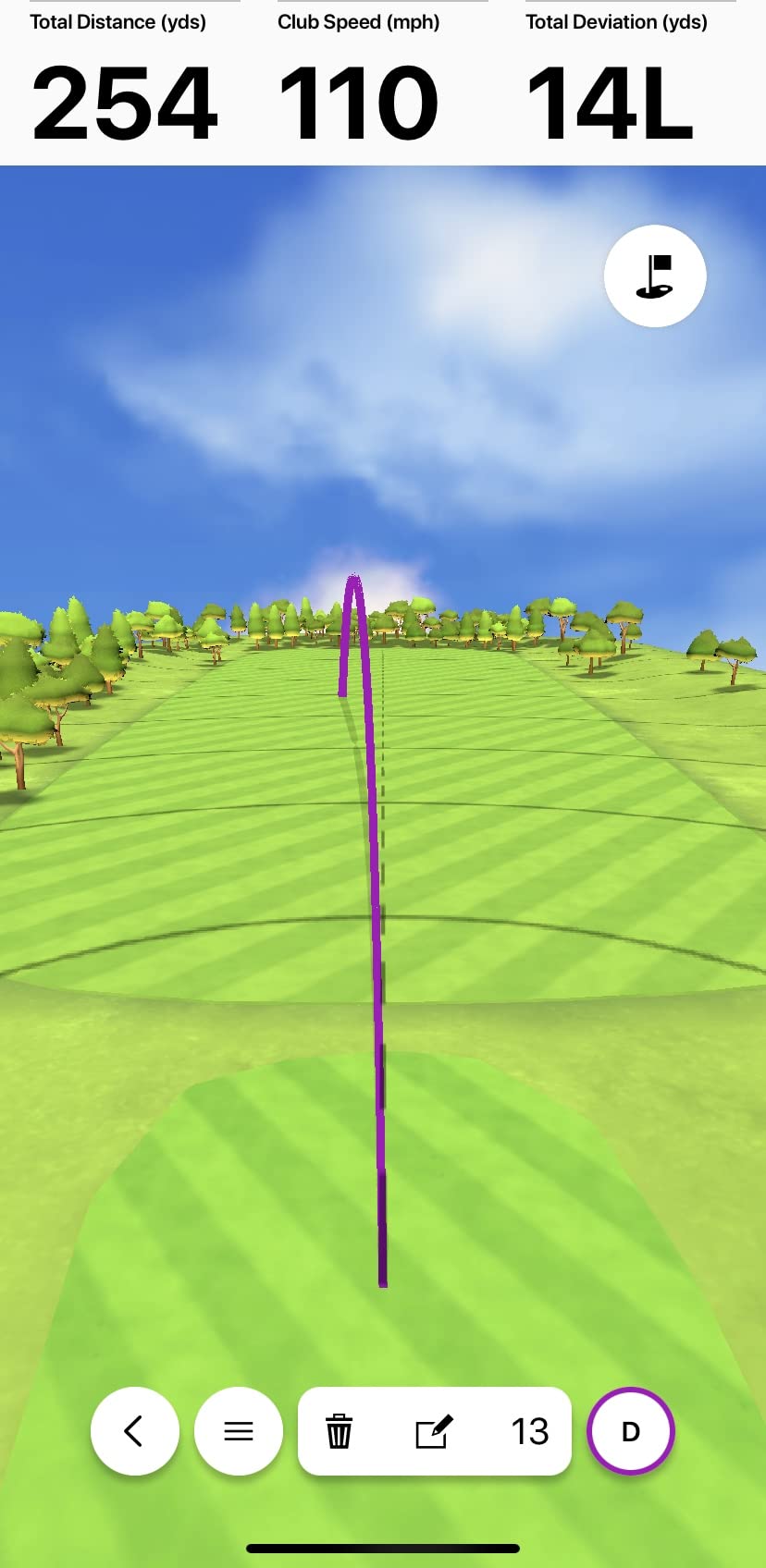
Training mode is where it earns its place in a garage. It tracks per-club statistics and shot dispersion charts, and it automatically records and analyses your swing video in the Garmin Golf app with the metrics overlaid. When you are hitting the same seven-iron fifty times, the dispersion chart is the most useful page in the whole system.
The box includes the R10 itself, a tripod stand, a phone mount, a carry case, a micro USB cable and documentation, and it comes with a one-year limited warranty. That tripod matters in a garage because it puts the unit at a consistent height every time, which removes one variable from the measurement.
Two things to plan for. It needs a compatible smartphone and the app for most of its value, and virtual rounds on more than forty-two thousand courses require an active subscription. That subscription is a recurring cost we will come back to in the buying guide, because it is the number that surprises people most.
What This Means for Your Garage
The depth rule is the deciding factor. Radar units sit behind the ball and want six to eight feet of clear space behind it, which is exactly the direction a short garage does not have. Measure first; if you have eight feet or more behind the hitting spot, this is the strongest data package you can put in a bay.
The upside is workflow. Carry it out, clip the phone to the tripod, hit balls. Owners who set up in under five minutes are the ones who still have it in six months.
Skip This If Your Bay Is Shallow or Phone-Free
Below about eight feet of depth behind the ball, the numbers degrade and the whole exercise becomes guesswork. In that case, an overhead or beside-the-ball camera system is the better hardware choice, or accept wedge-only practice.
It is also a step up in cost from entry radar units, and the subscription buys you course play rather than better measurement, so do not count on it as a one-time purchase.
5. GoSports Range Cage 10 x 8 ft – Best Value Enclosure for a Single-Car Bay
GoSports Range Cage 10 ft x 8 ft Golf Practice Hitting Net with Impact Screen
10 x 8 ft cage with side and top netting
Impact screen doubles as backdrop
40 pound steel frame
Pros
- Full side and top netting contains mishits
- Impact screen doubles as a projector backdrop
- Steel frame absorbs repeat high-speed impact
- Tool-free assembly and a carry bag
Cons
- Bottom edge of the screen does not sit flush
- Lower screen section tears quickly with real balls
- Instructions are vague for first-time builders
The GoSports Range Cage is the most popular single purchase in this guide for a simple reason: it makes a bay survivable. At 10 by 8 feet with full side and top netting over a steel frame and fiberglass poles, it catches the sliced wedge and the high hook that would otherwise put a dent in a car door or a hole in a drywall corner.
There are three variants, including a blank simulator screen finish that is the one to pick if a projector is in your plan. The high-density polyester impact screen is functional as a projection surface, which is more than you can say for a basic net, and the frame is built to take repeated high-speed ball strikes.
At forty pounds it is not a one-person carry job, but it does break down for storage and the included carry bag matters if the bay has to be a garage again in the morning. Assembly is tool-free, and customer service is repeatedly singled out in reviews for handling stitching and base connection problems quickly.
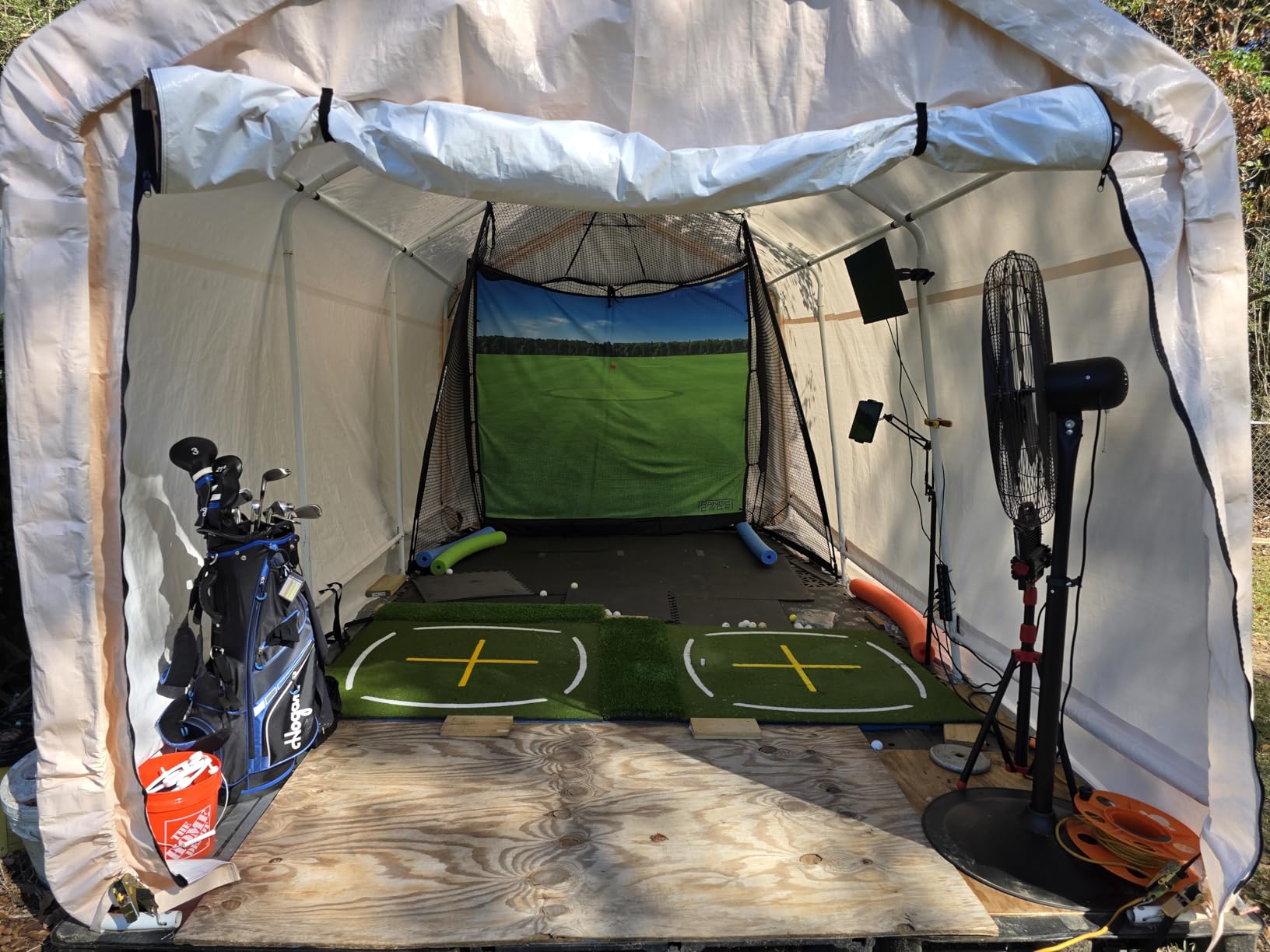
The honest weakness is the bottom of the screen. It does not sit flush, so balls ricochet off the screen-to-base junction and back toward you unless you add extra foam padding, which most owners discover for themselves. The lower screen section also tears faster than the rest, showing visible divot marks, and seams can unravel out of the box on some units.
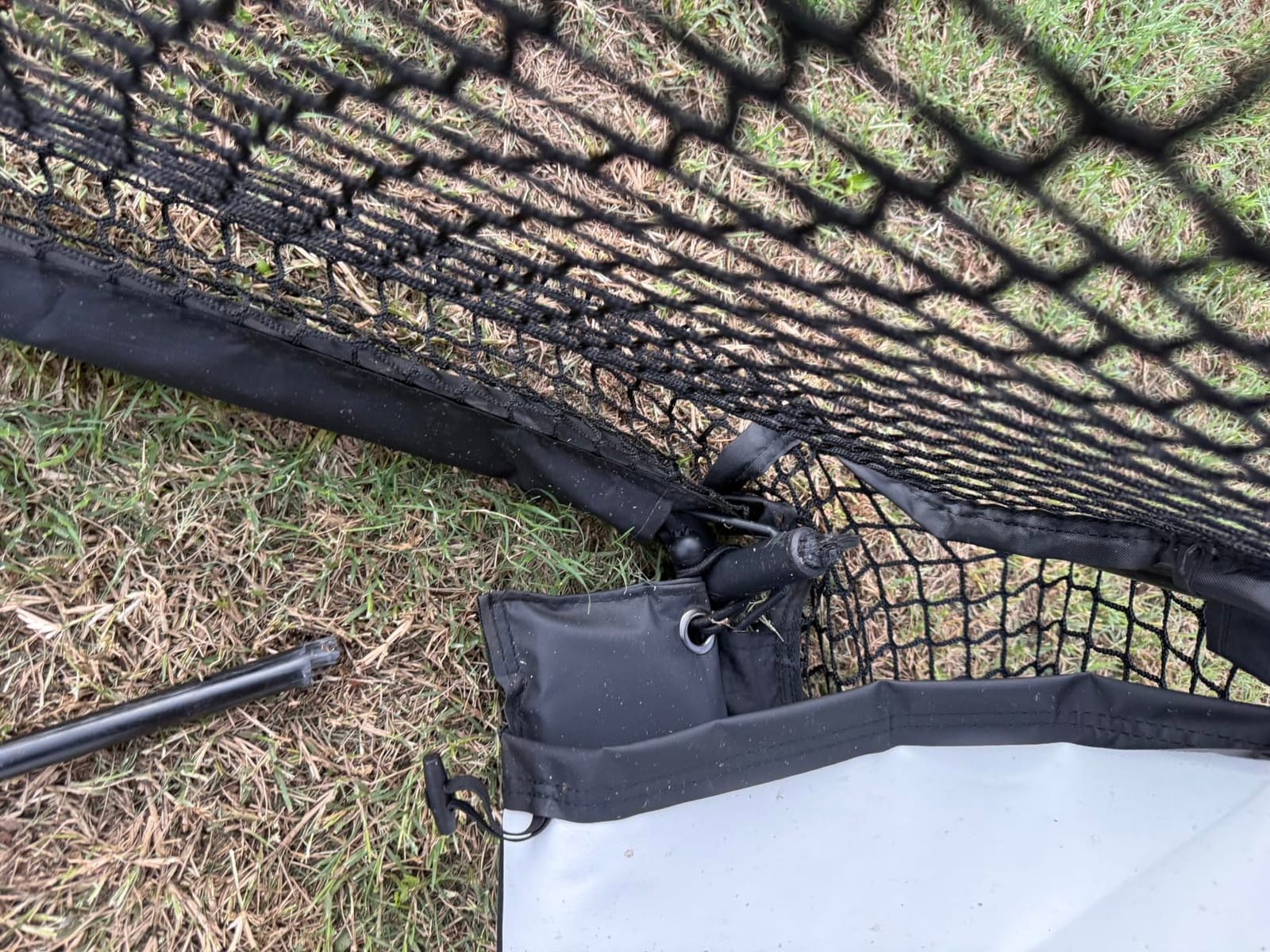
With 329 reviews and a 4.1 average, this is the most widely used cage here and also the one with the least glamorous durability story. Owners still rate it well, largely because support replaces damaged parts without argument.
What This Means for Your Garage
Plan on a footprint of 10 by 8 feet plus roughly six to eight feet of depth behind the ball for a radar monitor. In a single-car bay that means the back half of the parking space, which is exactly why the next pick on this list matters so much to a lot of people.
It also pairs naturally with a Garmin Approach R10 for a complete starter garage golf simulator, and a small projector on a ceiling or shelf mount turns the impact screen into a real course view.
Skip This If You Hit Hard Driver Shots Into the Screen Daily
At this price the screen is single-layer polyester rather than a commercial multi-layer material. If you are going to hit full driver seven days a week, expect to replace the lower section within a couple of years and budget for that.
If your car is parked a few feet behind the cage, skip it entirely and get a ball-return system or a properly padded enclosure, because ricochets off the base junction travel further than most people expect.
6. Net Return Home Pro Series – Best Net for Not Stopping to Shuffle Balls
Net Return Pro Series Golf Training Net, 8’x7’6″, Auto Ball Return, Portable Indoor/Outdoor, Simulator Use, Durable Aluminum
8 x 7.5 ft net with automatic ball return
Handles ball speeds over 240 mph
3 year warranty
Pros
- Highest rated item here with 91 percent five-star reviews
- Patented S-shape system rolls balls back to you
- Handles ball speeds above 240 mph
- Five-minute tool-free assembly and breakdown
Cons
- Side barriers
- screen and turf sold separately
- Needs about 8.5 ft of depth and 9 ft of ceiling
The Net Return Home Pro Series has a 4.8 average across 348 reviews, with 91 percent of those at five stars, and that consistency is the whole story. It is not the cheapest option here and it does not try to be. It is the one people stop upgrading from.
The patented S-shape return system rolls balls back down to the hitter rather than dropping them at the base, so you keep hitting instead of walking forward to pick balls up. That single feature is worth more than it sounds: a setup that needs a ball-retrieval walk between every three shots gets abandoned, and abandoned setups do not pay back anything.
It handles ball speeds above 240 mph, which is well past what a golfer can produce, and it carries a three-year warranty with a 250,000-shot guarantee and replaceable modular parts. Owners mention use by top long-drive competitors, which is not a guarantee of anything in your garage but does tell you the frame is overbuilt.
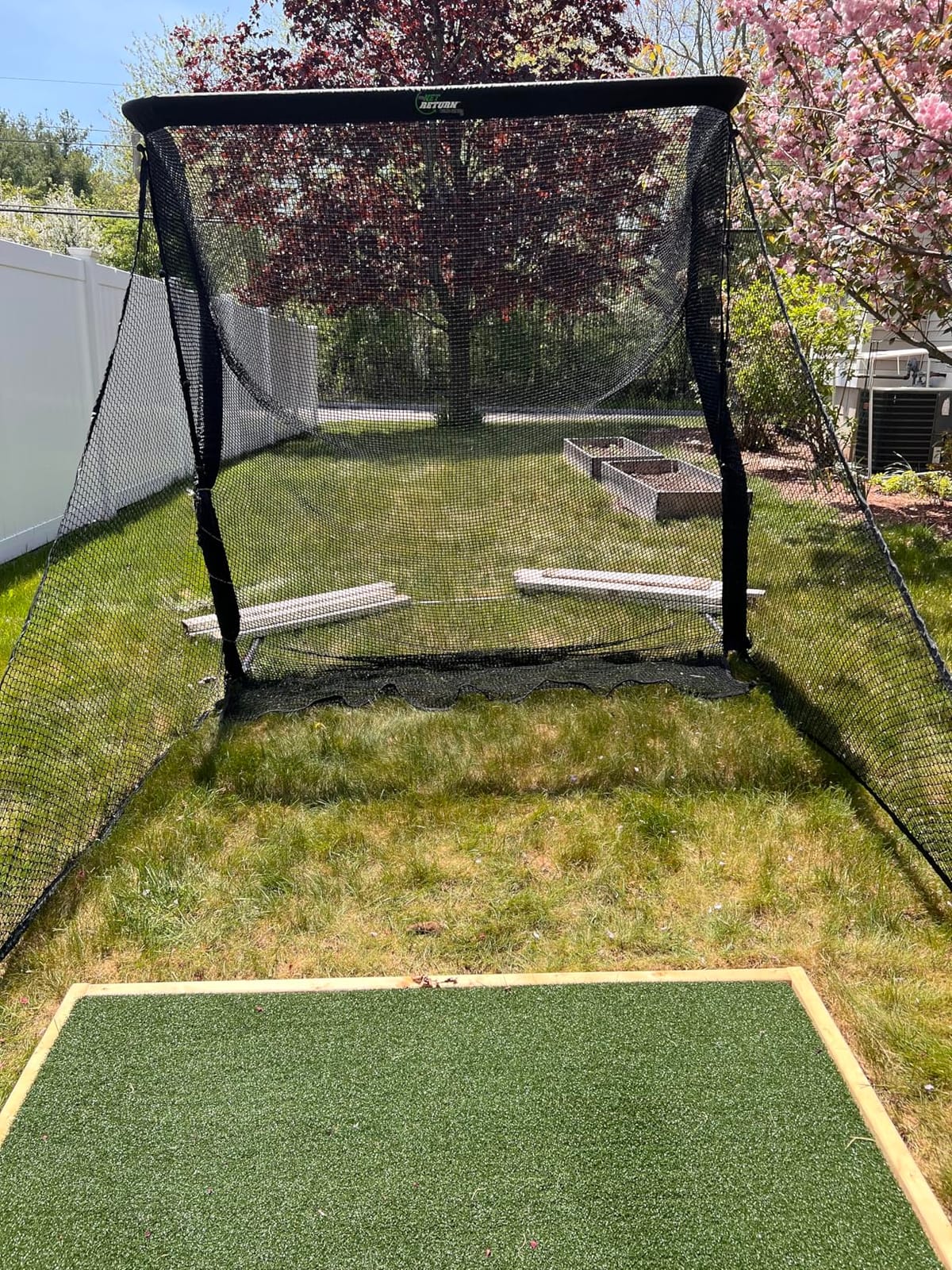
The space requirement is explicit from the manufacturer: about 8.5 feet of hitting distance and a 9 foot ceiling for most golfers. The frame is aircraft-grade aluminum with UV-shielded netting and the company claims quiet impact absorption, which matters more than expected in a garage attached to a living space. Assembly is a five-minute push-button job with no tools, and breakdown is just as fast, which is the retractability you get without a motorised screen.
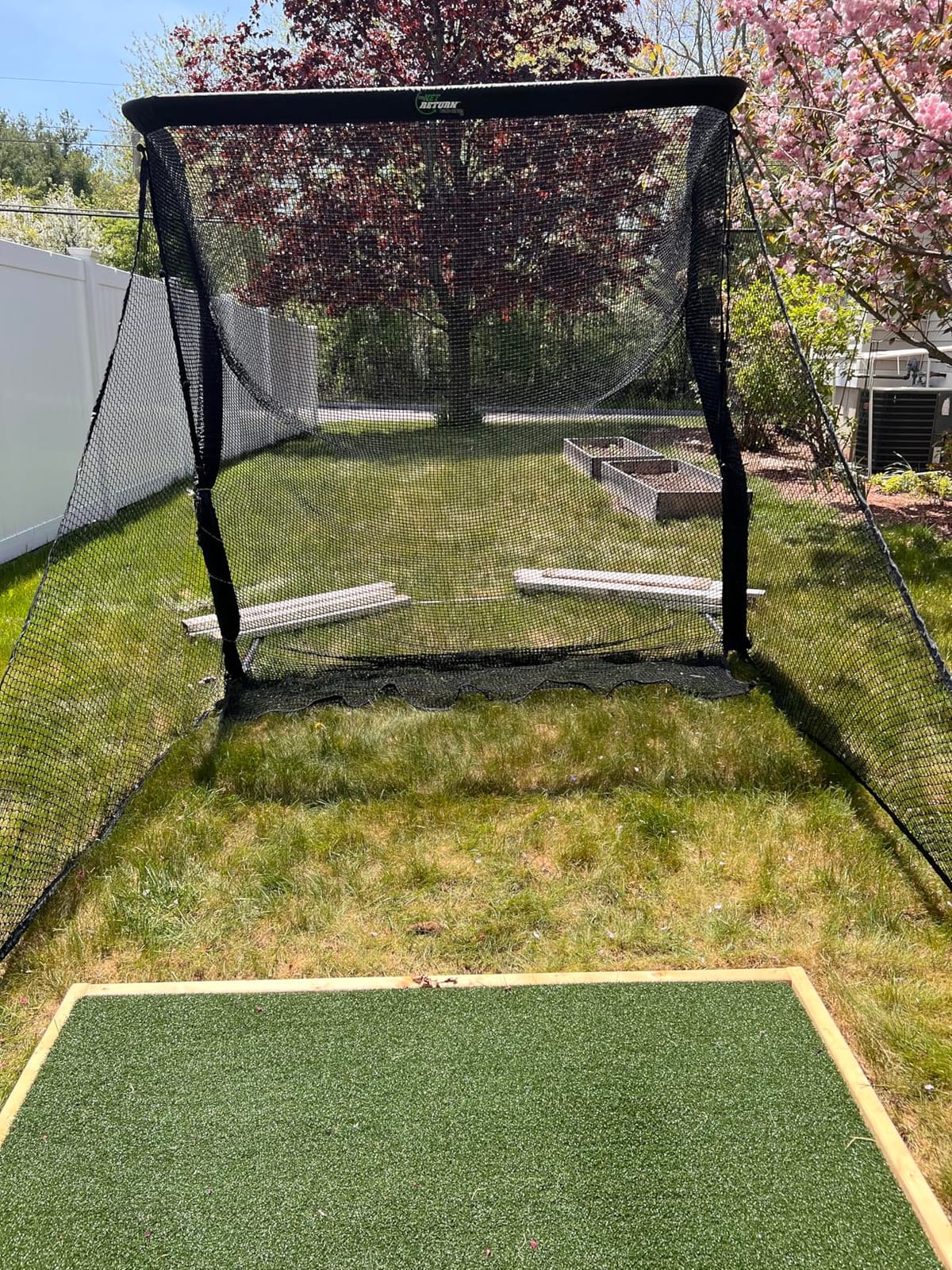
What you do not get is everything else. Side barriers, a simulator screen, turf and targets are all sold separately, and no launch monitor or software is included. Budget for those before you decide the net is expensive.
What This Means for Your Garage
This is the closest thing in this list to a retractable system, because it comes apart in five minutes and stores in the supplied duffle bag. If your bay is a real parking space and you need it back in a hurry, that matters more than any feature on a spec sheet.
It also integrates with the major launch monitor brands, so you are not locked into one measurement ecosystem when you pair it with a radar or camera unit.
Skip This If Budget Is the Deciding Factor
This is a premium net and the accessories stack on top. If your ceiling is under nine feet, the manufacturer is telling you directly that this is not the right footprint, and forcing it produces exactly the wedge-only frustration that ends most indoor golf attempts.
Skip it too if you have never practised indoors. A cheaper net and an entry monitor will tell you whether you like it first.
7. GoSports Golf Simulator Enclosure Nets – Best Blackout Enclosure for Projector Contrast
GoSports 10 x 8 ft Golf Simulator Enclosure Net – Complete Set with Frame and HD Impact Screen Kit
Multi-layer commercial impact screen
True blackout dyed panels
10 x 8 ft and 12 x 9 ft sizes
Pros
- Multi-layer screen smooths projection and cuts rebound
- True blackout panels block outside light
- Numbered poles make solo assembly feasible
- Frame firms up once fabric and screen are fitted
Cons
- Frame padding is thin so balls can still fire back
- Screen needs 40 plus bungee connections that re-tighten
- Larger sizes can droop and take hours to build
This enclosure solves a problem the cheap cages do not: ambient light. The panels are dyed true blackout rather than dark grey fabric, and in a garage with a streetlight outside the overhead door or a window on the side wall, that difference is the whole visual experience. Long-term daily users report thousands of balls with no screen failure.
The impact screen is multi-layer commercial grade, which is what smooths the projector image and reduces rebound compared with a single sheet of polyester. Sizes run 10 by 8 feet, 12 by 9 feet, and 14 by 8 feet, and the frame is alloy steel at 79 pounds, which is heavy in a good way and awkward in a small bay.
Assembly is where the care pays off. Poles are numbered, diagrams are clear, and owners report doing it solo in about an hour for the 10 foot model. Once the enclosure fabric and screen are fitted, the frame firms noticeably, and that rigidity is what stops the screen rippling during a shot.
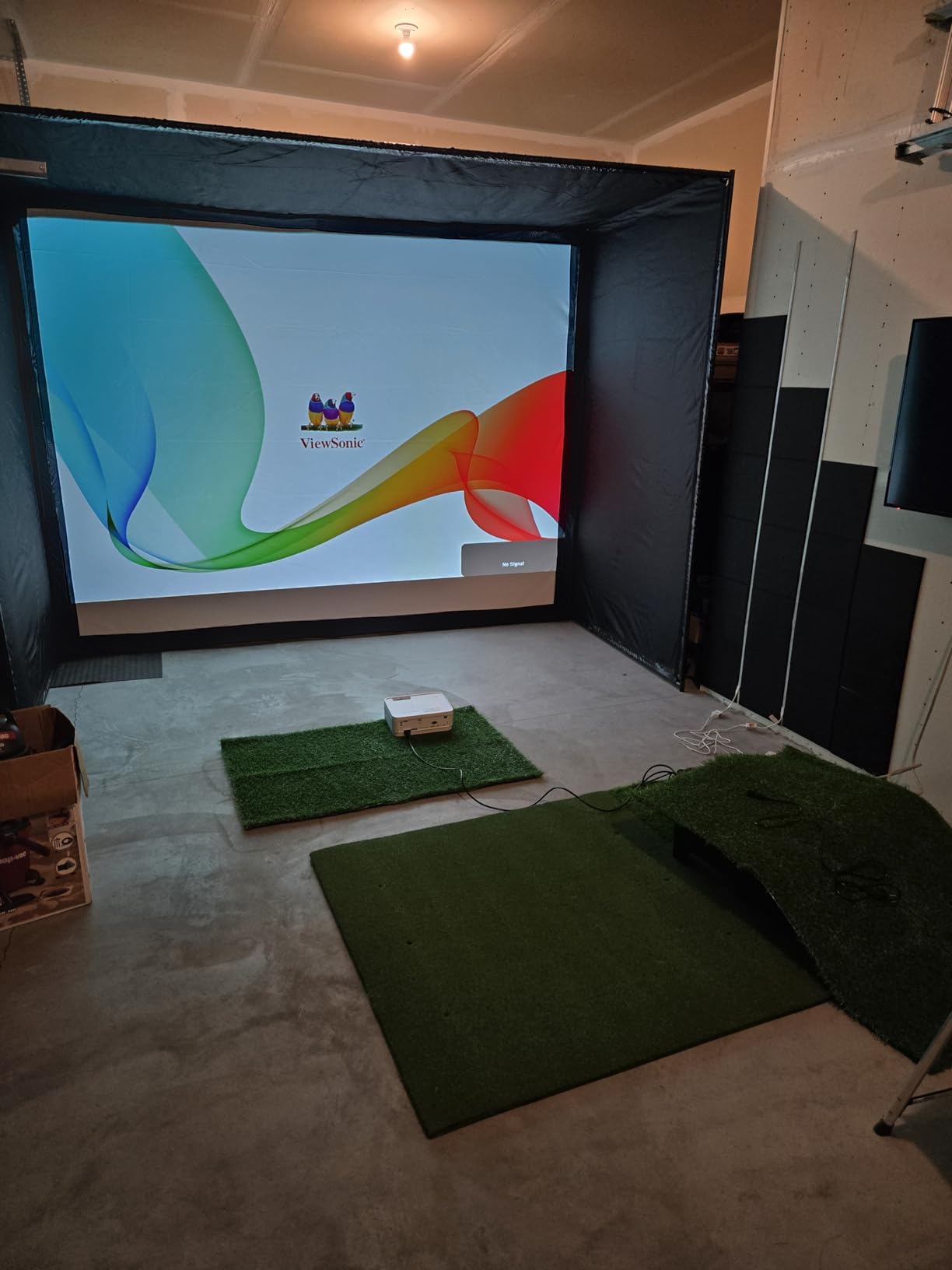
Three complaints recur. Frame padding is thin, so balls can still come back at the hitter off the lower screen. There are no hanging baffles in front of the screen, so a wedge can find the top eyelets. And the screen attachment takes more than forty bungee connections that need re-tightening over time, which is real labour spread across the life of the product. The 14 foot version also droops at the top and takes roughly four hours to build.
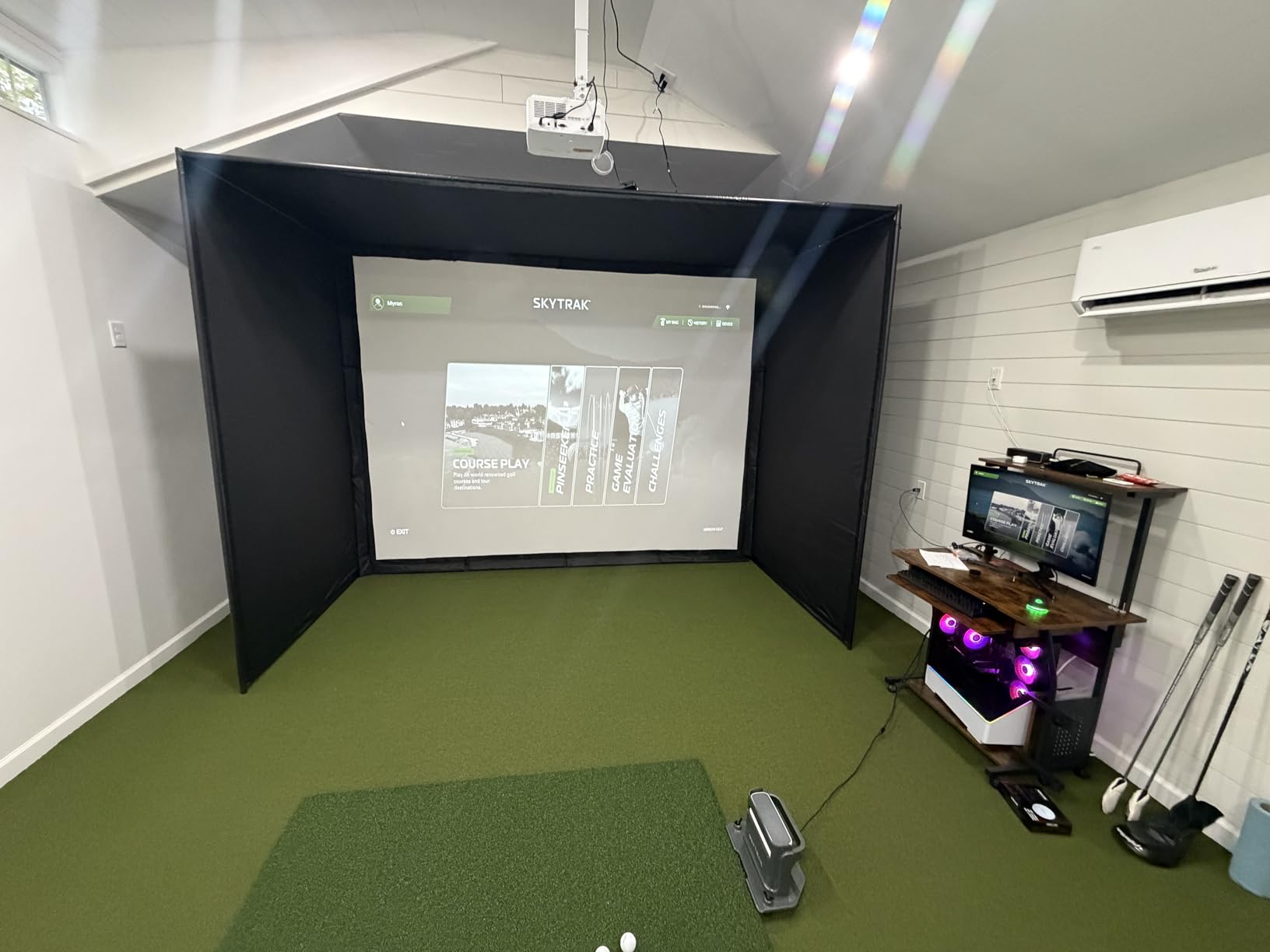
Shank nets are not included at this tier, which is an odd gap given that a shank is the most common miss in a small bay. Customer support is consistently described as responsive, with same-day replacement covers, and one owner reported a returned unit arriving already opened, which tells you to inspect the box on arrival.
What This Means for Your Garage
This is the choice if you intend to run a projector and want a picture that looks like a picture. The blackout panels are worth the extra money over a plain cage in any garage that is not a windowless interior, and the multi-layer screen is the upgrade that keeps the image steady under impact.
Plan a 10 by 8 foot footprint for the base model and leave the swing depth your monitor needs behind the ball. Add your own shank nets; do not assume they are in the box.
Skip This If You Also Park Cars in the Same Bay
A 79 pound fixed frame that takes an hour to build is not a nightly setup-and-tear-down system. If the car goes in on weeknights, either accept a dedicated bay or move up to a motorised retractable screen, which is more expensive but solves the problem this enclosure creates.
Also skip the 14 foot version unless you have genuinely deep space. The droop and the four-hour build are real, and the 10 by 8 model solves the same problem.
8. ANYTHING SPORTS Complete Enclosure Package – Best All-in-One Box
Complete Golf Simulator Enclosure Package – 4K-Ready Impact Screen with Blackout Cage, Projector Mount, Frame Poles, Side Shank Nets | Indoor & Garage Practice | Easy Setup | 12-Month Warranty
Blackout cage with screen and shank nets
Projector mount included
8 ft 4 in, 11 x 8 and 12 x 9 sizes
Pros
- Poles
- screen
- shank nets and projector mount in one box
- Screen sized one inch under the frame to limit light bleed
- No special tools and first swing in under an hour
- Three cage sizes for different bay depths
Cons
- Turf and projector in the listing images are not included
- 8 ft 4 in size leaves limited swing room
- Blackout and screen quality are adequate not premium
The most common complaint about building a garage golf simulator is not the cage, it is the accessories. You buy a screen, then you realise you also need shank nets, poles, joints and somewhere to hang the projector. This package puts all of it in one box, and that convenience is the entire value proposition.
Included components are the poles, joints, impact screen, hardware, side shank nets and a projector mount. The screen is deliberately sized one inch under the frame, which tightens the hitting area and cuts light bleed around the edges. The metal frame comes in three sizes: 12 by 9 feet, 11 by 8 feet 4 inches, and a compact 8 foot 4 inch footprint for tighter spaces.
Owners report reaching a first swing in under an hour with no special tools, and the twelve-month no-questions-asked warranty backed by US phone and email support on weekdays is more reassuring than the six-month warranty on some competing cages.
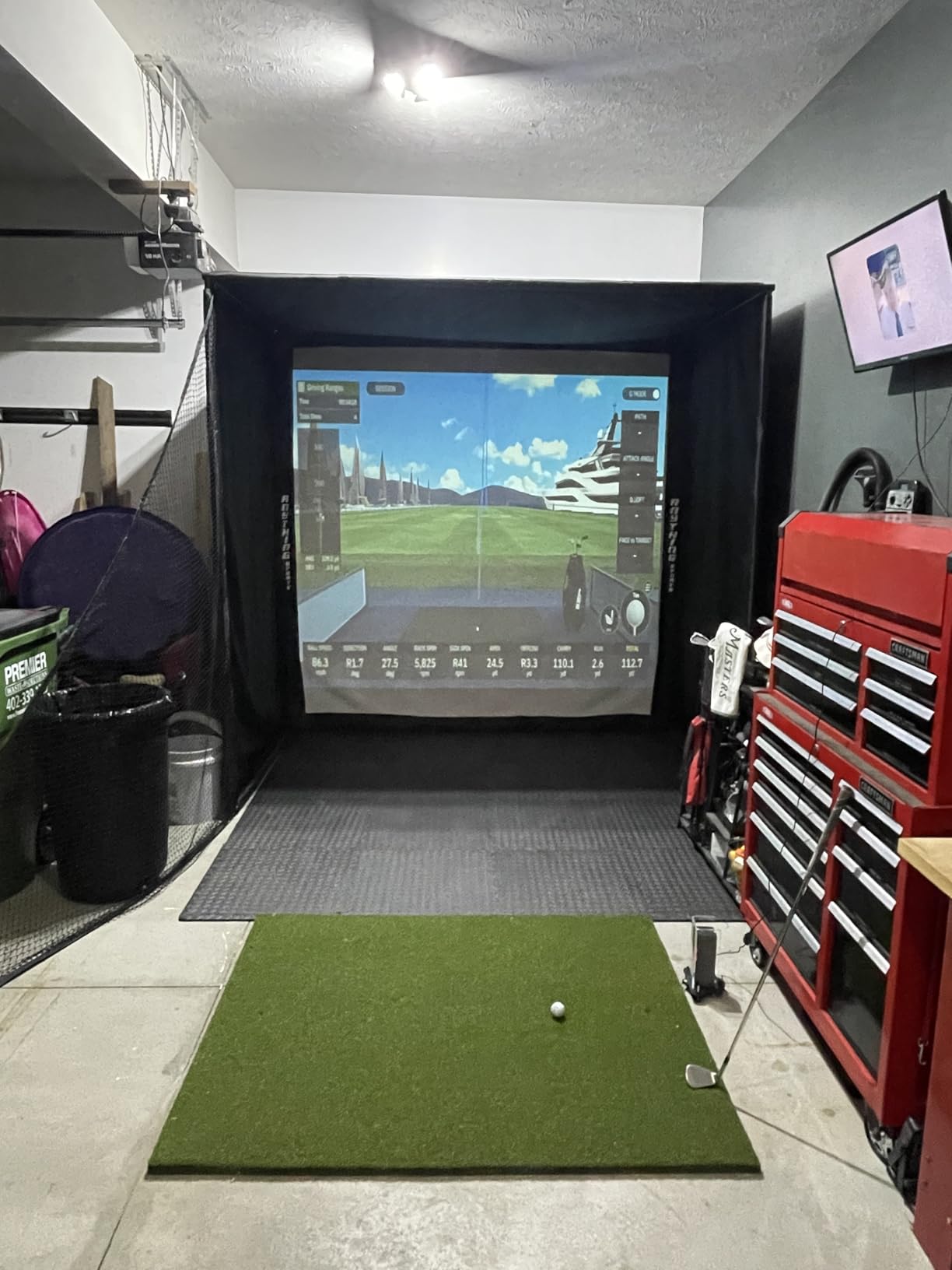
Be clear-eyed about the listing images. Turf and the projector appear in the photography and are not in the box. Budget for both, plus a mat, and this is still one of the more complete starter enclosures available.
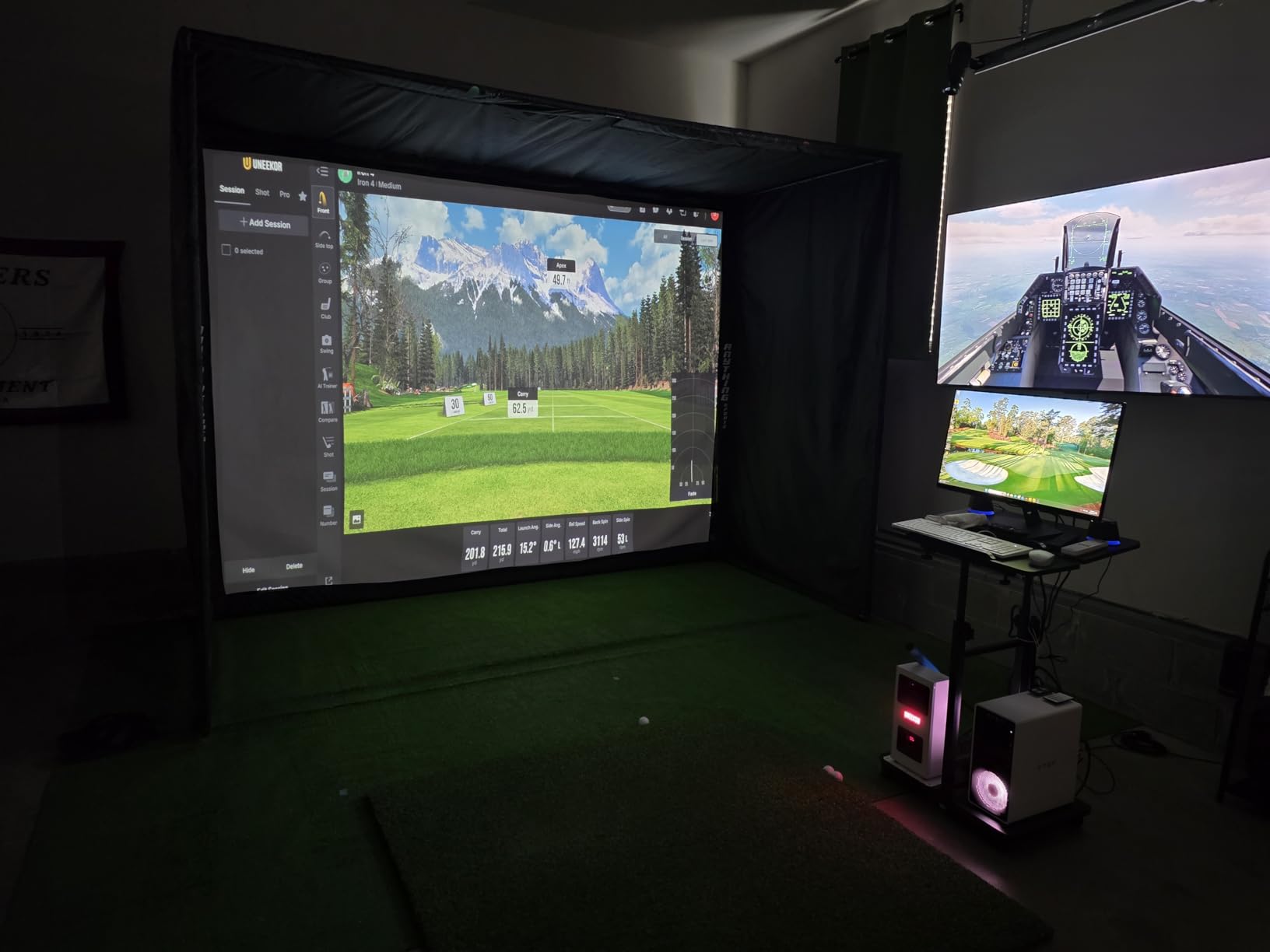
Quality is adequate rather than premium. The blackout fabric and screen do not match a dedicated commercial enclosure on image quality, and the frame is a two-person job to reposition. The 4 percent one-star share is low, so the box contents reliably match the promise.
What This Means for Your Garage
Choose the 11 by 8 foot 4 inch or 12 by 9 foot model if your bay can take it, because the extra width is what stops short irons from hitting the side netting. The 8 foot 4 inch version is genuinely compact and will limit you to a partial swing, which is fine for chips and putts.
Because the projector mount is already in the box, this is the shortest path from an empty bay to a projected course without a second hardware order.
Skip This If You Are Buying on Picture Quality
If you care about how the projected image looks, the multi-layer screen in the GoSports enclosure is a step up. This one is built for getting a working bay quickly, not for a premium look on the wall.
Skip the smallest size unless your garage is genuinely small, because limited swing room brings back the low-ceiling problem in a different disguise.
9. Haokelball 10 x 8 x 6 ft Cage – Best Durability for Daily Hitting
Haokelball Golf Simulator Cage, 10x8x6FT Net with Impact Screen for Home
10 x 8 x 6 ft reinforced steel cage
Anti-sag impact screen, 5-ply netting
Replacement nets sold separately
Pros
- Square base gives more frame integrity than two-pole nets
- Side and overhead netting catches slices and shanks
- Anti-sag top rod keeps the projection surface flat
- Replacement nets extend the life of the frame
Cons
- Ball capture after impact is not handled well
- Needs wall clearance when hitting short irons
- Projector
- monitor
- software and mat not included
At 10 by 8 by 6 feet, the Haokelball cage is the tallest footprint in this list, and that extra height is the point. A six-foot-high enclosure has room for a full driver follow-through and a high mishit, which is where shorter cages start returning balls at your chest.
Reviewers who have owned several nets describe this as the sturdiest and longest-lasting they have tried, and they credit the design detail that matters: a square base rather than two poles. That single change removes the top dip that causes shanks and gives the whole frame more rigidity under load. The anti-sag top rod and multiple tension points keep the projection surface flat, so the picture does not ripple mid-swing.
The netting is 5-ply reinforced and the frame is reinforced steel, both of which explain why owners report strong durability with drivers. Replacement nets are sold separately, so when one finally gives out you replace a net rather than a cage.
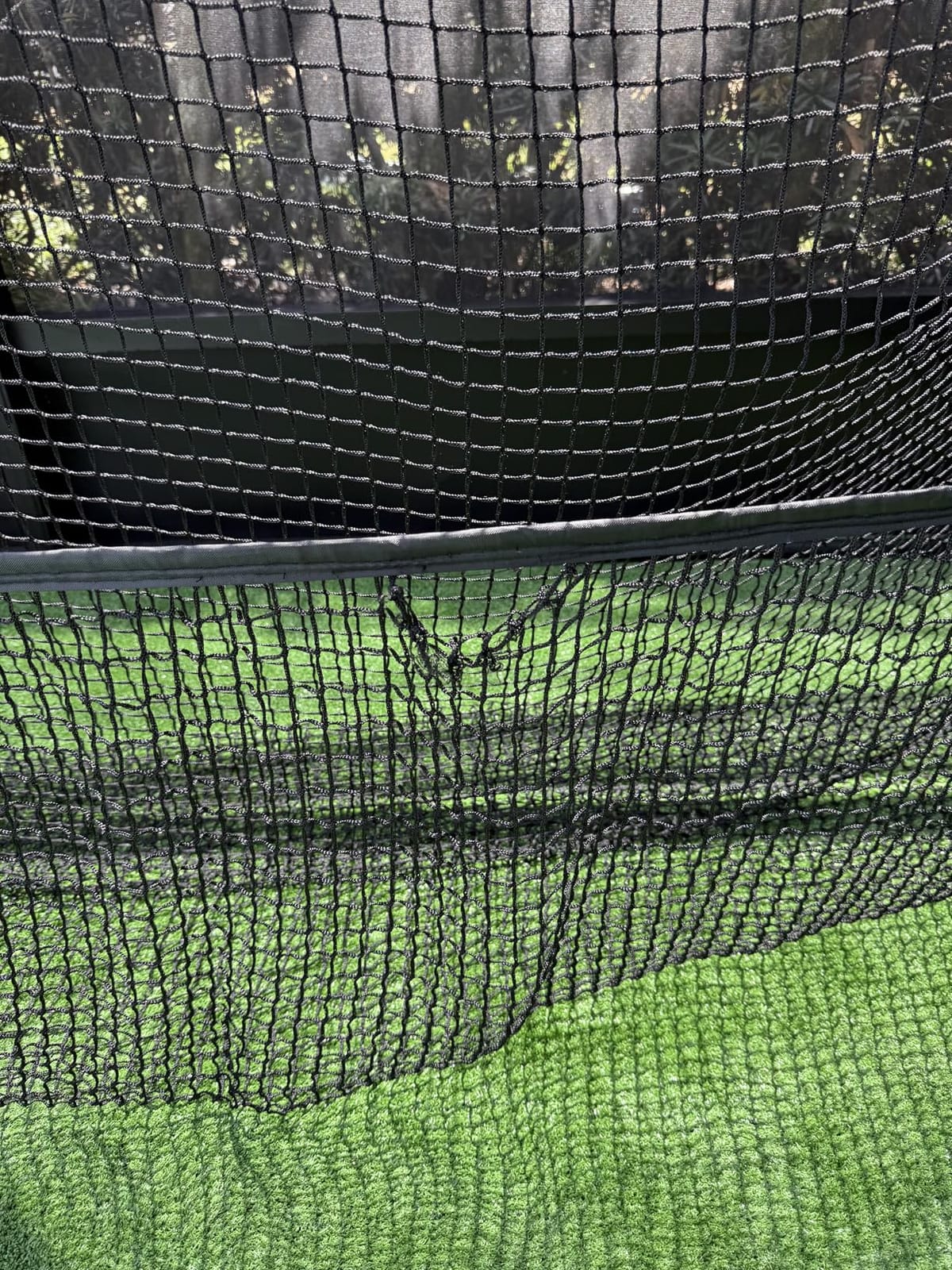
Two practical warnings from the reviews. Ball capture after impact is not handled especially well, so expect some balls on the floor and some travel behind the cage. And with short irons inside ten feet, you need clearance from the wall or the ball will be returned by something other than the netting. One owner also received a bent assembly pipe in the box, so inspect on arrival.
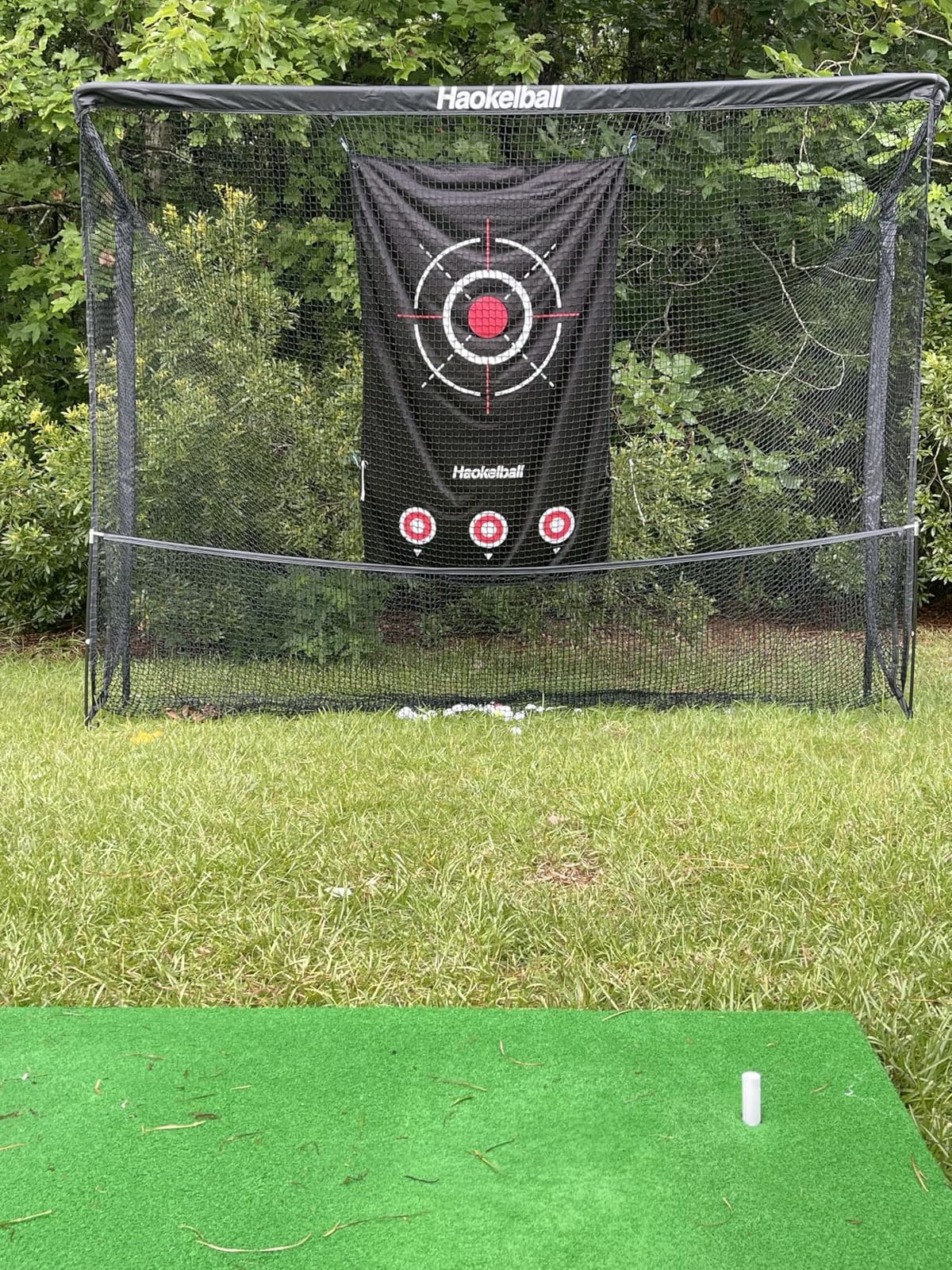
A 4.6 average across 129 reviews puts it among the better-rated items here, with a 75 percent five-star share and only a 2 percent one-star share. As with every cage, the projector, launch monitor, software and hitting mat are all sold separately.
What This Means for Your Garage
This is the one to look at if your ceiling is on the lower side but your depth is decent. At six feet tall it uses vertical space that a 5-foot screen cannot, and it stops top mishits from bouncing back at you.
Measure the wall behind it before you commit. Reviewers repeatedly recommend trimming the frame and leaving a gap for short irons, and a cage hard against a drywall corner is exactly how a wall ends up needing repair.
Skip This If Your Bay Is Shallow or You Are Tight on Space
Ten feet wide is wide. In a single-car bay that is most of the parking width, and without a retractable screen the car does not go back in. If space is the binding constraint, a narrower cage and a smaller net used for wedges is a more realistic setup.
Also plan on a ball picker. Weak capture means balls under the cage, and finding them under a 6-foot frame is a poor use of a Saturday.
10. ZEALFEEL 11 x 8 ft Enclosure – Widest Footprint in the Budget Tier
ZEALFEEL Golf Simulator Enclosure, 11 x 8 ft, HD Impact Screen
11 x 8 x 5 ft enclosure, 118 by 88 inch screen
Dual-layer screen, sloped ball return
Includes barriers, sandbags, bungees and stakes
Pros
- 11 by 8 foot footprint is wider than most at this tier
- Dual-layer screen cuts bounce and impact noise
- Sloped bottom rolls balls back to the hitter
- Complete hardware kit in the box
Cons
- Lowest rated item here with 19 percent one-star reviews
- Blackout curtain falls short of true blackout
- Projector and hitting mat not included
Width is the ZEALFEEL’s argument, and the arithmetic is real. At 11 feet wide and 8 feet tall by 5 feet deep, the cage is wider than almost everything else in the budget tier, and a wide hitting area is what keeps short irons from finding the side netting. The manufacturer recommends a 9 foot ceiling, which is the practical minimum for most golfers.
The screen is 118 by 88 inches in a 4:3 aspect ratio, built from a dual-layer material that reduces bounce and impact noise compared with a single layer. The sloped bottom design returns balls toward the player automatically, and the target cloth on the frame helps dampen sound, which is a genuine benefit in a garage with a shared wall.
The box is unusually complete: the enclosure, the HD screen, two side barriers, four long sandbags, twenty-two bungee cords, and four ground stakes. Assembly takes about half an hour. Buyers like the roomy footprint and the fact that nothing extra is needed to make it safe-ish to swing at.
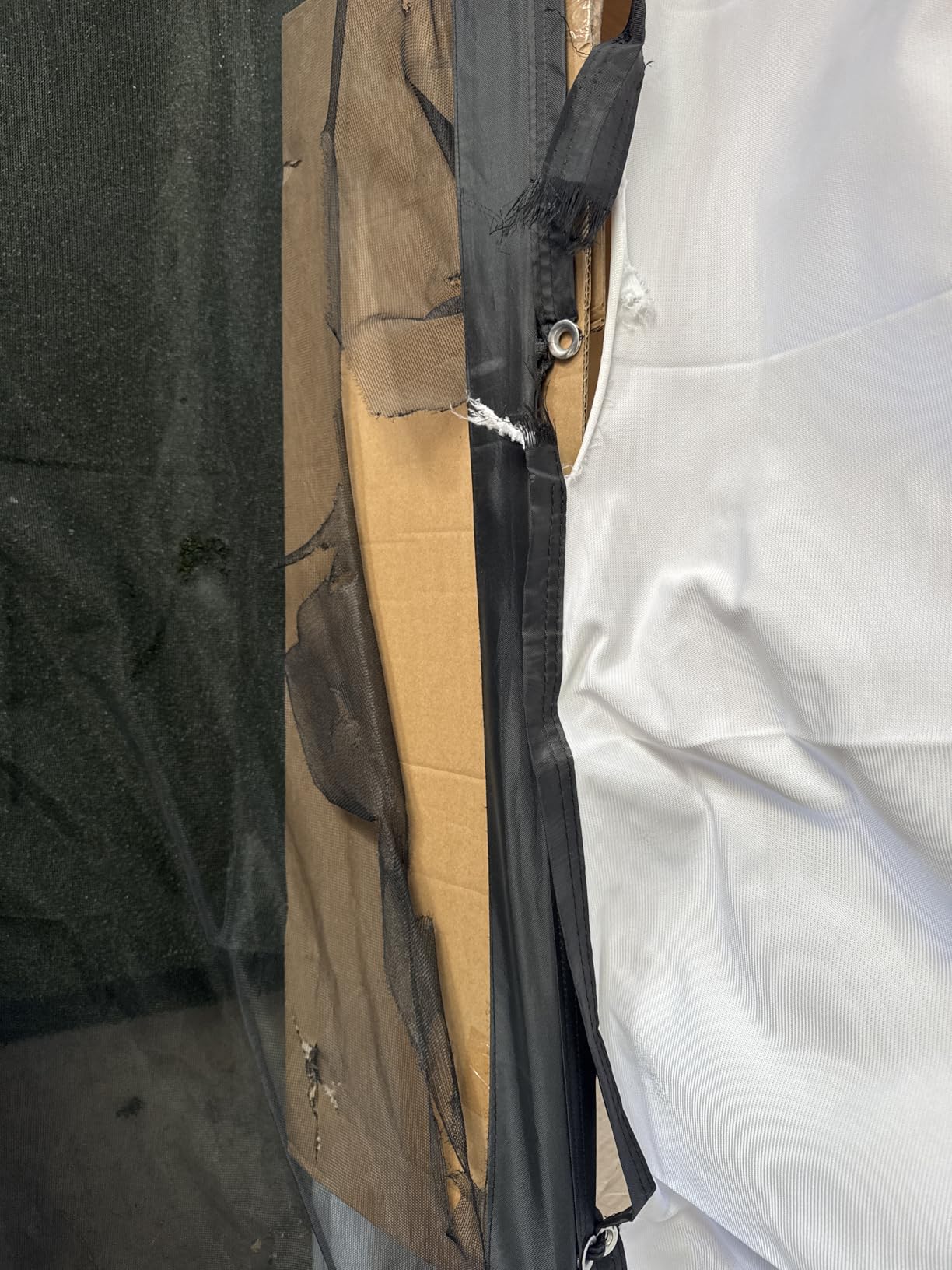
This is the weakest-rated product in the guide at 3.8 across 101 reviews, with 19 percent one-star, and the reasons are consistent enough to take seriously. Ball returns and structural rigidity are the most common complaint themes, and the blackout curtain and screen brightness fall short of a true blackout enclosure. The 4:3 aspect ratio is also not native 16:9, so a modern projector letterboxes it.
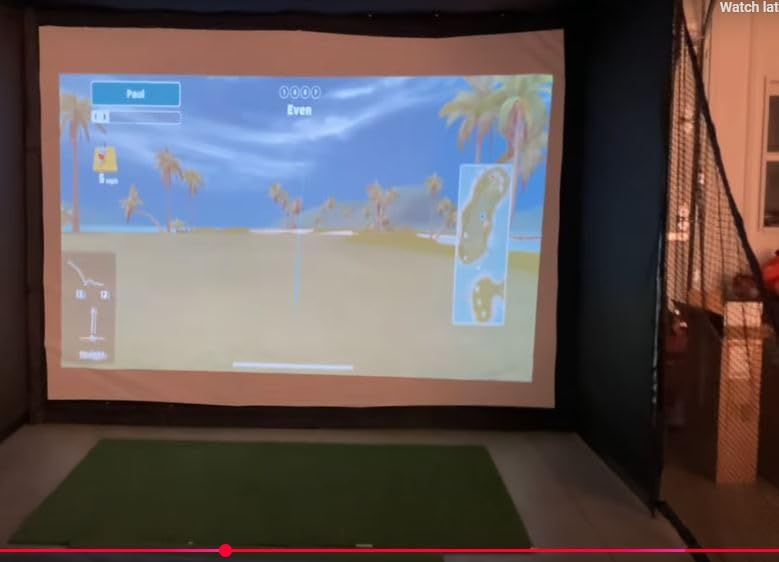
Positioning matters here. This is a budget full-size enclosure, not a premium sim bay, and treating the review split as a surprise is avoidable if you set your expectations at that level.
What This Means for Your Garage
If your specific problem is that your short irons keep hitting the sides of a narrow cage, the extra three inches of width here is a real improvement. The included side barriers and sandbags also matter for stability, which is the part people skip and then regret when the frame shifts mid-swing.
Treat it as a starting enclosure you may upgrade the screen on later, rather than a finished installation.
Skip This If Reliability Is Your Priority
Nineteen percent one-star reviews on structural issues is a pattern, not noise. If you want something you set up once and forget, the multi-layer GoSports enclosure or the Durbles kit are sturdier choices.
Skip it if a 16:9 projector image matters to you, since the 4:3 screen will not fill a modern display without wasted pixels.
11. HOMEVOL 2 in 1 Net System – Best for Chipping Games Alongside Sim Practice
2 in 1 Golf Simulator Net System, 10 x 8ft Golf Practice Net Hitting Net with 4K-Ready Impact Screen, Target Cloth, Foam-Padded Steel Frame Cage, Hitting Mat and Balls for Indoor and Outdoor Practice
Switches between target cloth and impact screen
10 x 8 ft foam-padded steel frame
Includes mat, balls, stakes and side nets
Pros
- Two-in-one design switches between chipping target and projector play
- Hitting mat
- two balls
- stakes and side nets included
- Foam padding on key frame areas cuts rebound
- Top net stops high wedge shots reaching walls or cars
Cons
- Target cloth mode is a practice game not a simulator
- Screen is dense polyester not multi-layer commercial
- Needs a projector and launch monitor for sim mode
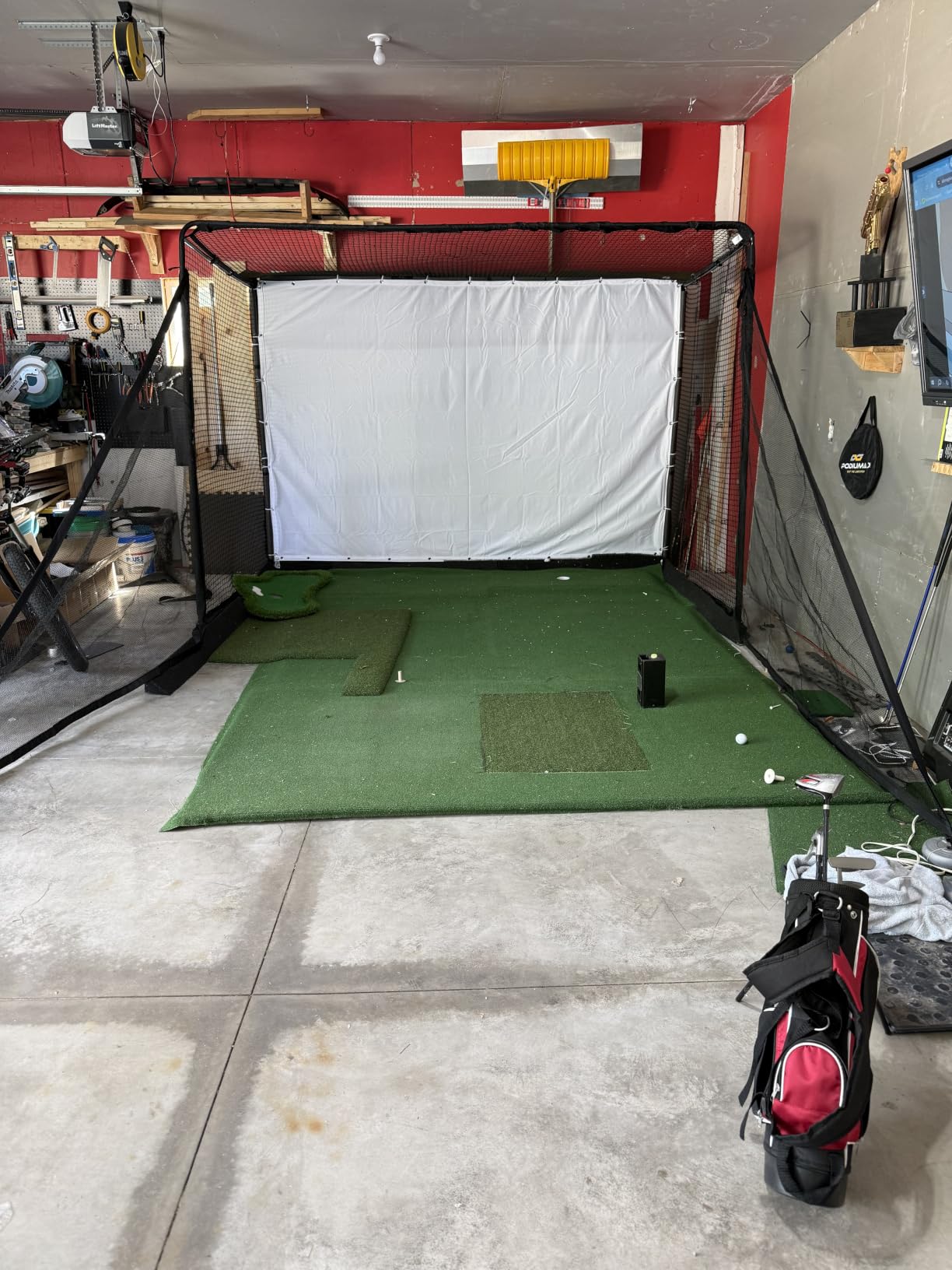
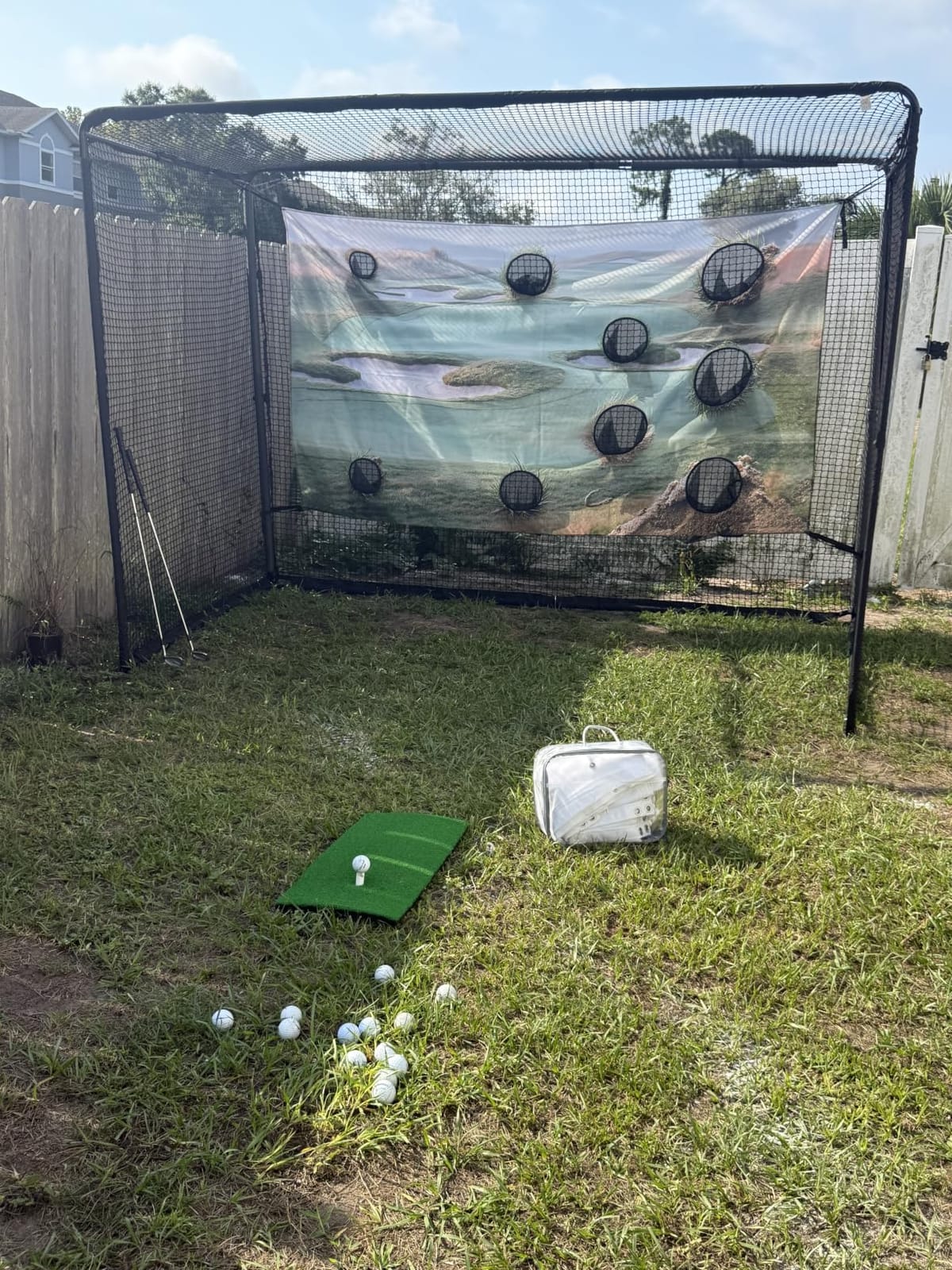
Most enclosures force a choice: practice real balls into a screen, or play a family game on a printed target. The HOMEVOL system does both in one 10 by 8 foot frame, and for a garage that doubles as a social space that is a genuinely useful idea rather than a gimmick.
Flip the screen from the multi-hole printed target cloth for chipping games, aim and distance challenges, and family scoring, then flip to the 4K-ready impact screen for launch-monitor practice with a projector. The frame is alloy steel and fiberglass with foam padding on the areas that matter, which reduces rebound and impact noise.
Box contents are the most complete in this section of the guide. You get the impact screen and printed target cloth, the carry bag, the net cage and steel frame, a hitting mat, two practice balls, six ground stakes, two side nets and a user manual. That is a full starter bay in one order, and it carries a two-year manufacturer warranty, double what several competing nets offer.
The top net and the two side shank nets are the safety story, catching high wedge shots and mishits before they reach a wall or a vehicle. With a 4.6 average and a 79 percent five-star share across 63 reviews, and no one-star reviews at all, the satisfaction is broad but the sample is small and the listing is newer, so long-term durability is less well documented than the others here.
The screen is dense polyester rather than a multi-layer commercial screen, so the picture is adequate rather than sharp, and the target cloth mode is a practice game with no measurement behind it. The system still needs a projector and a launch monitor before it becomes a simulator.
What This Means for Your Garage
This is the system to buy if the people sharing the garage are not all golfers. Chip games keep everyone swinging, and the same frame handles your real-ball session with a radar monitor and a projector once the kids have lost interest.
The included mat and balls also mean you can hit something on day one, which matters more than it sounds when the alternative is a week of parts gathering.
Skip This If You Want a Premium Projected Image
A single-layer polyester screen will not deliver the contrast or the surface flatness of a multi-layer commercial impact screen. If the visual is the point, spend the difference on the enclosure instead.
And skip the sim mode entirely if you have no launch monitor, because the screen on its own is just a surface to hit into.
12. Durbles Enclosure Kit 10 x 8 ft – Quietest Impact Screen in the Lineup
Golf Simulator Enclosure Kit with Premium HD Impact Screen, Full Safety Padding & Blackout Curtain, Home Golf Sim Setup Compatible with Launch Monitors, Indoor Cage Net Golfing Accessories (10 x 8 ft)
Triple-layer commercial impact screen
Full foam padding and blackout curtain
10 x 8 ft and 8.4 x 8.4 ft sizes
Pros
- Triple-layer screen is thick and spongy
- noticeably mutes impact sound
- Full sponge padding on poles
- frame and inside screen corners
- Tool-free setup by one person in about 1.5 to 3 hours
Cons
- Frame built for 10 ft width with no wiggle room
- Instructions assume ceilings over 9.9 ft
- Some bounce back off the screen remains
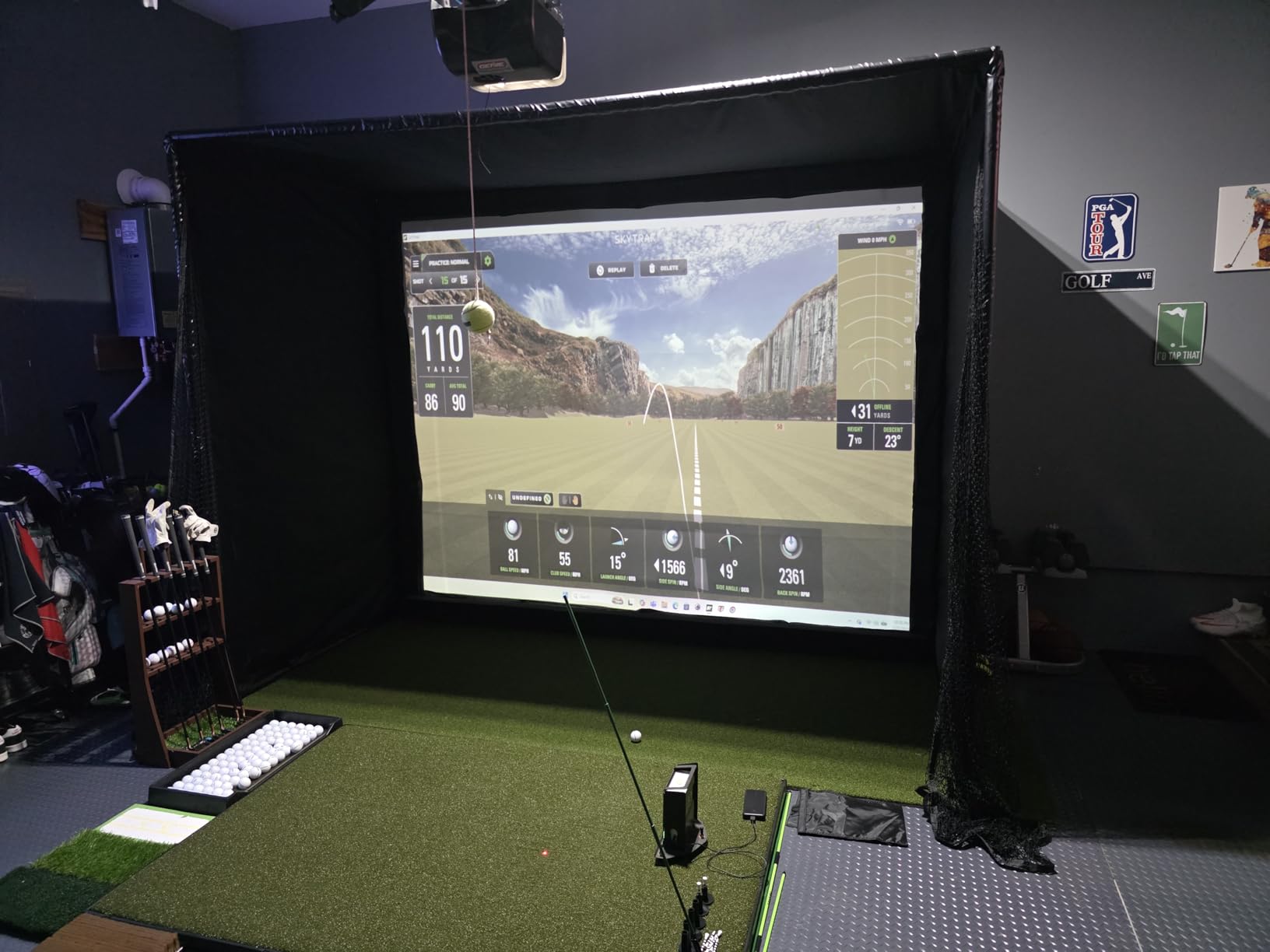
If your garage shares a wall with a bedroom, a home office or next door, sound is the specification that decides your purchase. The Durbles kit is built around a triple-layer commercial-grade impact screen described as thick and spongy, and owners upgrading from a backyard net consistently report that impact noise drops far more than they expected.
Padding is thorough: full sponge coverage on the poles and frame plus additional padding on the inside corners of the screen, which is precisely where balls escape. A heavy blackout curtain darkens the screen from overhead lighting and finishes the look, and the bungee attachment system makes fitting the screen straightforward.
Sizes are 10 by 8 feet and 8.4 by 8.4 feet. Assembly is tool-free and owners report one person finishing in roughly one and a half to three hours. Buyers upgrading from a garage screen repeatedly say the quality beat their expectations, which is why the 4.5 average sits where it does despite the small review base of 45.
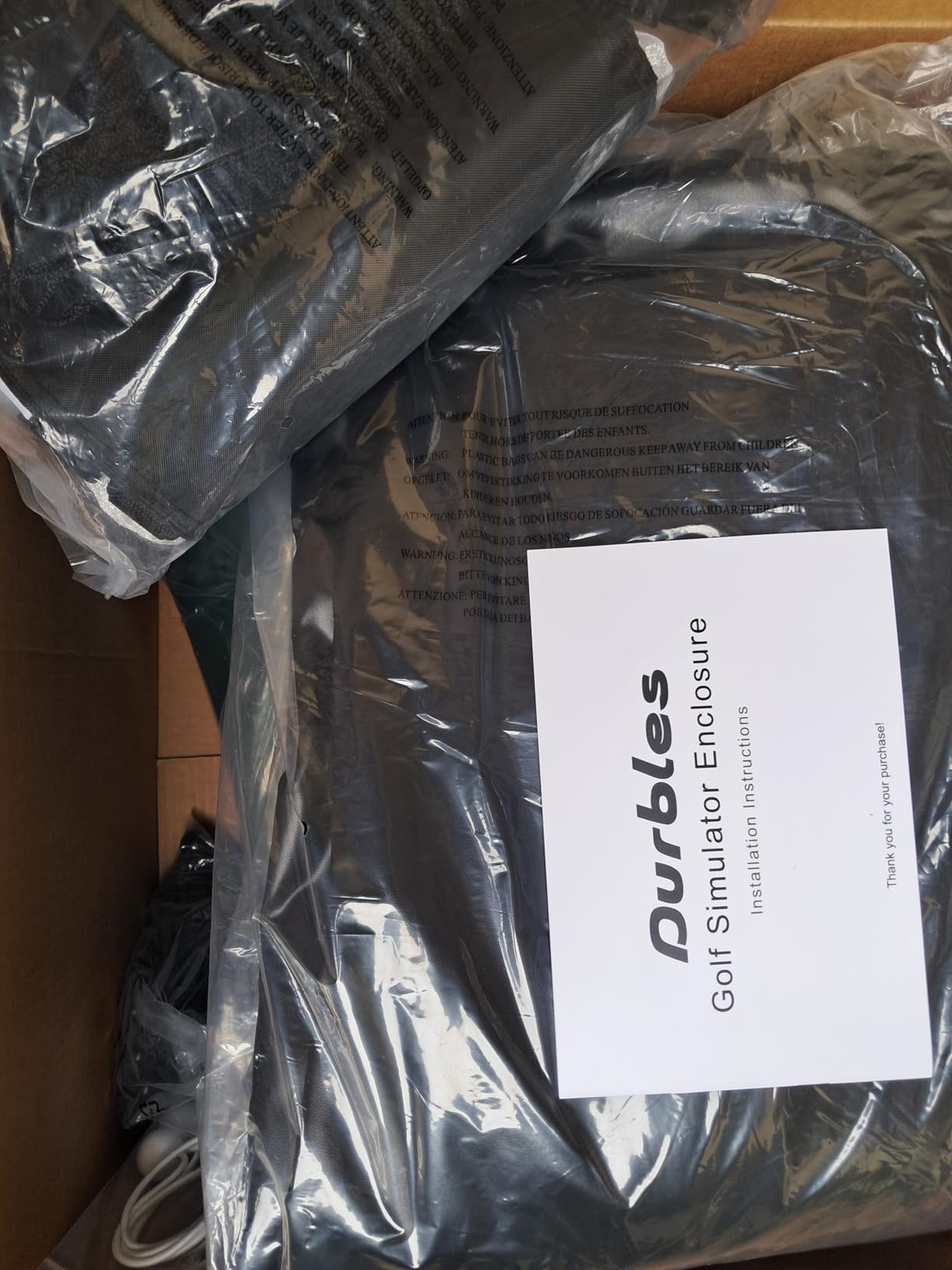
Three practical warnings. The frame is built for a 10 foot width with no wiggle room, and some owners had to cut poles to fit, so measure carefully before ordering. The written instructions assume ceilings over 9.9 feet, so in a lower garage you will be improvising. And some bounce back off the impact screen remains, which is a safety point to respect rather than a reason to reject it.
There were also reports of poles arriving without foam sleeves, and one of cheap metal that bent when a pole was grabbed. Inspect the box on arrival. With 45 reviews, the long-term record here is thin, so treat the sample as promising rather than proven.
What This Means for Your Garage
This is the pick for a garage on the edge of a living space. The combination of a thick multi-layer screen, full frame padding and a blackout curtain is the most complete attempt at containing both noise and stray balls in this roundup.
Note the ceiling caveat properly. Instructions written for 9.9 foot ceilings mean a standard 9 foot garage will need adaptation, and that is a strong signal to confirm your measurement twice before ordering.
Skip This If Your Bay Is Narrow or Your Ceiling Is Low
A rigid 10 foot frame that some owners had to cut to fit will frustrate anyone in a tight bay, and the instructions are not written for low ceilings. If either applies, a smaller enclosure with more forgiving dimensions is the sensible path.
Also weigh the review count. Forty-five reviews is thin, and there is no stated warranty in the listing, so the protection you have is the retailer standard rather than a manufacturer commitment.
Garage Simulator Buying Guide
Buying the wrong equipment for a garage is rarely about the equipment. It is about measuring the bay wrong, then buying for the space you wish you had. These are the checks that prevent that.
Measure Your Garage the Right Way
Measure three things separately: ceiling height, bay width, and total depth. Do not treat them as one number, because they fail independently.
For ceiling height, measure from the top of the hitting mat to the ceiling, not from the concrete floor. A mat is three to four inches thick and every inch of that is clearance you no longer have. Owners are told this constantly and ignore it. A 9 foot ceiling is the practical minimum for a full driver swing; 10 feet is comfortable, and anything under 9 means you plan around it.
For width, you need enough room for the full swing arc plus the cage frame, and you need clearance from the wall behind the screen or short irons will come back at you. For depth, add your monitor requirement to the length of the enclosure, because a radar unit sits behind the ball and wants six to eight feet that your cage does not provide.
Then walk the bay and note what eats the footprint. Garage door tracks, the opener motor and its hanging brackets, ceiling light fixtures, shelving, wall-mounted storage, and the vehicle itself. The tracks are the one that catches people, because they run the full length of both side walls at roughly shoulder to head height on a driver swing.
Retractable Screen or Fixed Setup?
This is the single-car versus two-car garage question, and the answer is not about technology, it is about how often you need the bay back. Owners describe retractable screens as a game changer for exactly one reason: the car can still go in at night.
A fixed cage means dedicating a bay. That is the right call if you have a second garage space, a basement, or a two-car bay you never need for two cars. A motorised screen that rolls up to the ceiling or mounts to the garage door tracks is the right call if one car and one simulator must share the same square footage.
The compromise, and it is cheaper than either, is the five-minute breakdown system. The Net Return in this list comes apart with a push-button frame and stores in a duffel bag, which gets you most of the retractability without a motor and without a ceiling-mounted screen that needs wiring. The catch is that you still have to physically move the monitor and stow the net before the car comes in, so night-after-night convenience is worse than a real motorised screen.
Net, Impact Screen or Projector?
A net catches balls. An impact screen catches balls and gives you a surface to project onto. A projector needs something to project onto, and that is the only job it does. You cannot have a simulator without a screen or net, and you cannot have a projected course without a screen.
For pure practice and data, a net plus a radar monitor is enough and it is the cheapest path in. For anything resembling a golf experience, you need an impact screen sized to your projector, a short-throw projector on a ceiling or shelf mount, and simulation software. A short-throw projector is the right type in a garage because you have limited throw distance and a ceiling to mount to.
One garage-specific warning: heat from a ceiling-mounted projector affects spin rate and spin axis accuracy. Mount it so the air path is not blowing across the hitting area, and if your garage runs hot in summer, check that first.
Launch Monitor Placement and Depth
Three placement styles exist and they are not interchangeable. Behind-the-ball radar units are the most common and the cheapest, and they need six to eight feet of depth behind the ball. Beside-the-ball photometric camera units measure spin and axis much better and need far less depth, but they are the expensive option. Overhead camera systems keep the floor completely clear and suit narrow bays and both handed swings equally, at the highest cost.
For most garage bays, the honest answer is: measure the depth behind your hitting spot first, then pick a monitor that fits it. If you have eight feet or more, radar is the value pick. If you have less, you are choosing between a beside-the-ball camera and accepting that you are a wedge and short-iron practice facility.
Also budget for placement detail in a narrow bay. A right-handed swinger hitting from one side of the cage needs the monitor offset toward that side, or the camera sees the ball late and the numbers drift. Ceiling and overhead mounting removes the problem entirely.
Garage Prep Costs Nobody Budgets For
The simulator is rarely the biggest line item once your garage is actually ready to use. Four prep costs recur.
Temperature and humidity are the first. Electronics and screens are damaged by heat and moisture, and the commonly cited threshold is that sustained conditions below 41 degrees Fahrenheit plus high humidity will cause real damage. A portable compressor dehumidifier is the cheapest fix. A mini-split air conditioner is the proper fix and is what owners in cold climates end up buying, usually after a season of worry.
Lighting is the second and it is the one that makes a cheap setup look expensive. A dark garage with a single fluorescent tube and a blackout screen produces a poor image. Better lighting costs less than a better projector and improves the result more.
Power and acoustics are the third and fourth. You need a grounded outlet within reach of the monitor and projector, and if your garage shares walls, sound control matters. Thick multi-layer screens, foam-padded frames and soft turf under the hitting area all reduce impact noise. Ceiling height, door tracks and clear depth are the three measurements that decide whether any of this is possible.
Annual software cost is the one that recurs every year, and the two models are subscription and perpetual licence. If you play virtual courses most weeks, a subscription is the straightforward answer. If you mostly want practice data and a screen, a perpetual licence avoids an open-ended bill. Either way, include it in your cost-per-session maths, because a system that costs a few hundred a year behaves very differently over five years than one that does not.
Frequently Asked Questions
Can you put a golf simulator in a garage?
Yes, and a garage is the most common home location. What matters is ceiling height measured from the top of the mat, a clear hitting width, and enough depth behind the ball for your launch monitor. Most builds also need climate control and a surface that will not be destroyed by ball strikes.
How big of a garage do I need for a golf simulator?
Aim for about 9 feet of ceiling height, 10 to 12 feet of width for the hitting area, and 15 feet of total depth. That allows a full swing, a 10 by 8 foot cage, and the six to eight feet behind the ball that a radar launch monitor needs. Measure from the top of the mat rather than the floor.
Is a 9 foot ceiling enough for a golf simulator?
For most golfers, yes, and 9 feet is the widely accepted practical minimum for hitting a driver. Below that, plan an iron and wedge practice setup, a smaller screen, or a camera monitor that needs no room behind the ball. Ceiling-mounted equipment also needs clearance to avoid contact on a full swing.
Which golf simulator can be attached to a garage door?
Motorised retractable screens are the ones built to mount to the ceiling or to the garage door tracks so the screen rolls away and the car can park underneath. Fixed cages cannot. If you need both uses from one bay, budget for a retractable screen or choose a net that breaks down in about five minutes.
Do I need climate control for a golf simulator in a garage?
It is strongly advisable. Heat and humidity shorten the life of launch monitors, projectors and impact screens, and sustained cold below about 41 degrees Fahrenheit combined with moisture causes real damage. A compressor dehumidifier is the affordable starting point; a mini-split handles summer heat as well as winter cold.
Do I need a projector for a garage golf simulator?
No. A launch monitor plus a net or impact screen gives you full swing data with no projector at all, which is the cheapest route to accurate practice. A short-throw projector adds the course experience people expect from a simulator, and it needs a screen sized for it rather than a plain net.
Final Verdict: The Best Golf Simulators for Garages
The Rapsodo MLM is our top pick as the measuring device to start with, because its review base is the largest here and the numbers are trustworthy through the irons. Pair it with the GoSports Range Cage for a working garage golf simulator at the lowest sensible entry point, and if you want the depth behind the ball and the spin data, step up to the Garmin Approach R10.
On the enclosure side, the GoSports Simulator Enclosure wins on projector contrast, the Net Return wins on workflow because balls come back to you and the frame comes down in five minutes, and the Durbles kit wins if noise is your problem. Measure your ceiling from the top of the mat before you order anything, because that one number eliminates more wrong purchases than any other factor.
Last updated in 2026. We earn a commission on qualifying purchases, and that never changes the ranking. If you are still weighing the total spend, our budget simulator guide covers starter builds, and our portable garage picks help if you need the structure to change first.