
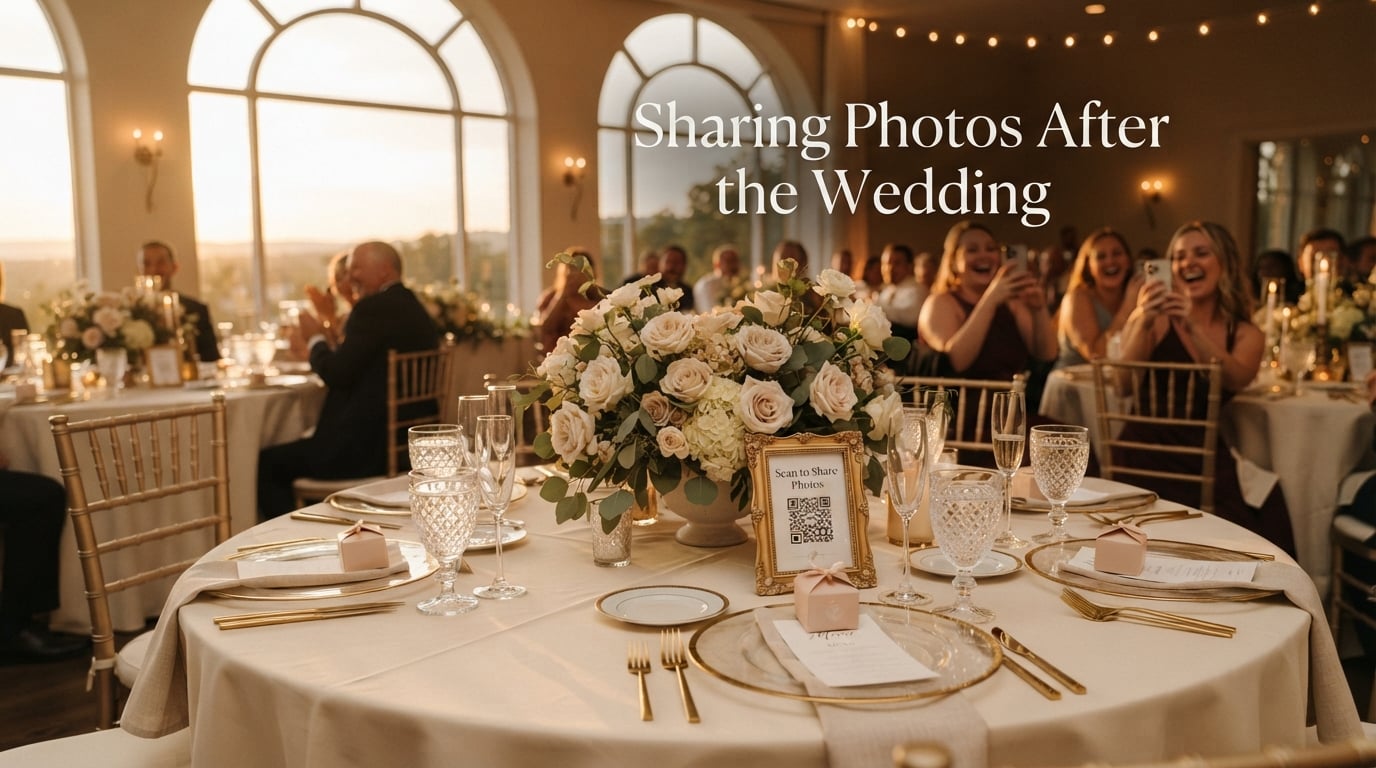
Sharing photos after the wedding has become one of the most meaningful parts of the entire celebration. Your photographer captures the polished, curated moments, but your guests capture the in-between laughter, the dance floor surprises, and the reactions you missed while you were busy being married. As wedding photographers at Kingdom Wedding Photography, we have spent over a decade collecting and curating guest photos alongside our professional galleries, and the results are always extraordinary when couples build a smart sharing plan before the big day.
This guide walks you through everything we have learned about collecting, organizing, and sharing wedding photos with guests in 2026. You will find practical methods, signage tips, post-wedding timing advice, and answers to the most common questions couples ask us throughout the year.
By the end, you will know exactly which method fits your wedding style, how to make sure guests actually participate, and how to share the final gallery in a way that respects everyone involved. We have tested every approach below at real weddings, so you can move forward with confidence rather than guesswork.
Table of Contents
Why Guest Photos Matter After Your Wedding Day
Your professional photographer will be skilled, prepared, and in the right place most of the time. Even so, no single photographer can be everywhere at once. Guests capture different angles, candid emotions, behind-the-scenes moments, and the spontaneous reactions that happen in the seconds your photographer turns around. We have seen couples treasure guest photos of their grandmother’s quiet smile, the best man’s secret toast practice, and kids stealing extra cake far more than they treasure the formal portraits we spent an hour staging.
There is also an emotional benefit that surprises most couples: photos shared by guests help you re-experience the day from many viewpoints. You see the joy on faces you only greeted in passing, the dance moves you were too nervous to watch, and the tiny details that fade from memory surprisingly fast. A well-organized collection of guest photos doubles as a time capsule, and it tends to surface moments your professional coverage never could.
Guest photos also create connection. When cousins, college friends, and coworkers all contribute to the same album, that shared archive becomes a community artifact. Couples who share these photos back with guests usually hear one comment again and again: “I forgot I took that one.” That moment of rediscovered joy is the real payoff of sharing photos after the wedding, and it is something that simply does not happen when guests post to their own private accounts.
The Best Methods for Sharing Photos After the Wedding
There is no single best method. Each option fits different couples, guest demographics, and event styles. After photographing hundreds of weddings, we have ranked the six most reliable approaches, including the trade-offs of each so you can pick what matches your situation.
1. QR Codes Lead to a Private Gallery (Our Top Recommendation)
QR codes that link to a private upload page are the easiest, fastest, and least friction-heavy method we have tested. Guests scan with their phone camera, land on a clean upload screen, and submit their photos in under 30 seconds. No app download, no account creation, no learning curve. We have seen couples collect 200 or more photos in a single weekend using nothing but printed QR code cards on each reception table.
Pros: Works on any modern smartphone, preserves original photo quality, photos stay private, real-time uploads to a single gallery, very high participation rate.
Cons: Requires choosing a hosting platform, requires clear signage, no native video editing.
2. Dedicated Wedding Photo Sharing Apps
Apps like Wedbox, GuestCam, WedUploader, and similar platforms offer wedding-specific workflows beyond a simple QR code. They include features like face recognition, live slideshows during the reception, audio guestbook prompts, and multi-event organization across the rehearsal dinner, ceremony, and brunch. If your wedding weekend spans multiple days, these apps are designed exactly for that.
Pros: Wedding-specific features, multi-event organization, often includes video support, some offer live slideshow display.
Cons: Usually requires guests to download or sign in, monthly subscription cost for premium tiers, learning curve for older guests.
3. Shared Cloud Albums (Google Photos, iCloud, Dropbox)
If you want zero new accounts and zero new platforms, a shared album in Google Photos or a shared folder in Dropbox works well for tech-comfortable guests. You create the album, share a link or invite by email, and guests drop their photos into the same place. This method is especially popular with younger, smartphone-native crowds who already have Google or Apple accounts.
Pros: No new platform, free at moderate storage levels, familiar interface for many guests, integrates with existing photo apps.
Cons: HEIC format from iPhones can cause compression issues, requires sign-in to upload, less elegant UX than QR code methods, public link can be shared beyond your guest list.
4. Wedding Hashtags on Instagram or Facebook
A custom hashtag like #SmithsSayIDo or #AvaAndNoah2026 lets guests tag their social media posts and you collect them by searching the tag later. This remains the most common method at weddings because it requires no setup beyond printing the hashtag on signage. Posts tagged with your hashtag show up under one searchable umbrella, and you can download or screenshot anything you like.
Pros: Zero cost, guests already know how to post, hashtag can live forever as a digital scrapbook, easy to share publicly.
Cons: Posts are public by default, many guests will not want their candid photos on social media, results depend entirely on guests remembering and using the hashtag, hard to download original files at full resolution.
5. Disposable or Instant Cameras at the Wedding
Placing disposable film cameras or Fujifilm Instax cameras on tables combines the fun of analog photography with an actual physical takeaway. Guests snap shots during the reception, and at the end of the night you collect the cameras for development. This is the closest thing to a 1990s wedding memory and has a distinct nostalgic charm that digital methods cannot replicate.
Pros: Adds a fun interactive element, guests of all ages can participate, no phones required, tangibly nostalgic.
Cons: Cost per camera adds up, instant film for Instax is expensive, results are hit-or-miss, no preview until development.
6. A Wedding Website Upload Page
If you already have a wedding website (common for RSVPs and event details), adding a “Share Your Photos” page with a contact form or upload widget works well. You keep everything in one place, and guests already visiting the site for logistics can drop their photos there too. Some couples combine this with a QR code on the signage so guests can skip typing in URLs.
Pros: Single source of truth for wedding info, no new platform needed, customizable upload form, easy to embed in your thank-you notes.
Cons: Requires website technical setup, lower participation unless linked from QR codes, guests must remember the URL.
How to Get Guests to Actually Share Their Photos
The hardest part of collecting guest photos is not choosing a method. It is getting past the point where guests say “Oh, I’ll upload later” and then forget. We have collected the tactics that move participation from a trickle to a flood, based on what has worked at the weddings we photograph year after year.
Make the Instructions Visible
Place QR code cards on every table, with a small note that says “Scan to share your photos with the couple tonight.” Add the same card near the guest book, on the bar, and at the welcome table. The more visible the call to action, the more photos you collect. We have had couples place a small framed sign at every cocktail table and a large poster near the exit so guests remember on their way out.
Announce It at the Right Moments
Your DJ, MC, or officiant can mention the photo sharing method during three high-impact moments: right after the ceremony, during dinner service, and about 30 minutes before the reception ends. These are the natural lulls where guests have phones in hand anyway and are looking for something to do. Skip announcements during first dance, parent dances, or toasts.
Send a Post-Wedding Reminder
Send one reminder text or email about 3-5 days after the wedding with a direct link to the upload page. Most guests truly intend to upload but life gets in the way. A friendly nudge at the right moment typically doubles or triples the total number of photos you receive. Include the link inside your thank-you cards too, and consider posting it in any private wedding Facebook group or group chat you set up.
Keep the Friction Low
Every step a guest has to take reduces the chance they will participate. The biggest participation killer is requiring an app download. The second biggest is requiring account creation. If you can design a flow where guests scan, tap upload, select photos, and submit in under 30 seconds, your participation rate will astonish you. Test the entire flow on your own phone before printing any signage.
Make It Private and Trustworthy
Many guests have candid photos of friends, family members, or coworkers in vulnerable or funny moments. Reassure guests that the album is private, visible only to the couple, and never posted publicly without permission. We have noticed guests upload nearly twice as many photos when they trust the gallery will not appear on social media.
When and How to Post Wedding Photos on Social Media
The timing of sharing professional wedding photos publicly has become its own etiquette topic, especially with the rise of multi-day weddings and the photographers who cover them. There is a popular guideline circulating among wedding photographers and planners known as the 30-5 rule, and it is worth understanding before you start posting.
What Is the 30-5 Rule for Weddings?
The 30-5 rule is a timing guideline for sharing wedding photos publicly on social media. It suggests waiting at least 30 days after the wedding before posting professional photos on personal social media accounts, and waiting at least 5 days before posting any guest-taken candid photos from the reception.
The first part (30 days) gives your photographer time to deliver your gallery, edit your favorites, and avoid being scooped on their own work. The second part (5 days) protects guests who may not want their candid moments publicly tagged the morning after. We encourage our couples to follow this guideline as a gesture of respect to both their photographer and their guests, especially in 2026 when social media activity around weddings is louder than ever.
What to Say When You Post Your Wedding Pictures
Your wedding caption should feel personal, not promotional. Start with a sincere thank-you to guests who attended, name a few specific moments that moved you, and credit your photographer by name and Instagram handle. Tag your vendors too, including the venue, florist, planner, and anyone else who made the day possible. A simple caption like “Overwhelmed by the love we felt on our wedding day. Forever grateful to our family and friends, and to [photographer] for capturing every moment” works perfectly.
Avoid oversharing details that guests shared privately. If a guest took a candid photo in the photo booth, ask before posting. If a guest made a toast that got emotional, give them a heads-up before sharing. A little courtesy goes a long way toward keeping your closest relationships strong, and it sets the tone for the kind of family and friend circle you want to build as a married couple.
Respect Your Photographer’s Copyright
Your photographer owns the copyright to every image they shoot, even if you paid for the gallery. Most wedding contracts include a print release that allows personal printing, social media sharing with credit, and basic editing for personal use. They typically do not allow commercial use, submission to magazines without permission, or filtering that dramatically alters the photographer’s style.
We have seen photographers politely decline second shoots because previous wedding photos were used commercially without consent. Always read your contract, credit your photographer in every post, and when in doubt, ask. Most photographers are thrilled when you share their work, and they will happily tell you exactly what is allowed. A simple tag or mention costs nothing and keeps the relationship warm for years.
Frequently Asked Questions About Sharing Wedding Photos
How to share photos with guests after a wedding?
The fastest method is a QR code on each table that links to a private upload page. Guests scan, upload their favorite shots, and the photos appear in one gallery within seconds. Add a QR code card, a printed sign, and a 3-day reminder text, and most couples collect 200 or more guest photos in the first week.
What is the 30-5 rule for weddings?
The 30-5 rule is a guideline suggesting couples wait 30 days before sharing professional wedding photos publicly and at least 5 days before posting candid guest photos. The 30-day buffer respects your photographer’s delivery timeline, and the 5-day buffer protects guests who may not want their candid moments public immediately after the celebration.
When should I post photos after my wedding?
Share a few highlight photos on your wedding night or the next morning to satisfy close friends and family who are eager to see them. Wait 5 days before posting candid guest photos and around 30 days before posting the bulk of professional images. This balance keeps your feed fresh without rushing your photographer or your guests.
What should I say when I post my wedding pictures?
Open with a sincere thank-you to the people who attended, mention one or two specific moments that mattered, credit your photographer by name, and tag the vendors who helped create the day. Keep it heartfelt rather than promotional and check with any guests featured in candid shots before posting them publicly.
What is the best way to collect guest photos for free?
The best free method is a shared Google Photos album or a Dropbox folder link shared through email or QR code. Both are free for moderate storage and require no new account creation for guests who already use the platforms. Combine the link with a printed QR code on the reception tables and a reminder text 3 to 5 days after the wedding for best results.
How do I handle guests who do not use social media?
Set up a QR code-based private upload gallery that does not require a social media account. Guests scan with their phone camera, upload their photos directly, and never touch Instagram or Facebook. This works for every age group and removes the social media barrier entirely.
Final Thoughts on Sharing Photos After the Wedding
Sharing photos after the wedding is one of those small planning decisions that pays off for years. Pick a method that matches your crowd, keep the instructions visible, send one post-wedding reminder, and respect both your photographer and your guests with thoughtful timing. Do those four things and you will end up with a richer archive than you ever imagined on the day itself.
Our team at Kingdom Wedding Photography has watched couples combine professional galleries with guest contributions and create something truly special. If you are still planning how to capture the formal moments, our team would love to walk through your timeline and recommend a coverage approach that pairs beautifully with everything you set up for guest sharing. Reach out anytime and we will help you build a complete photo plan for the day and the days that follow.