
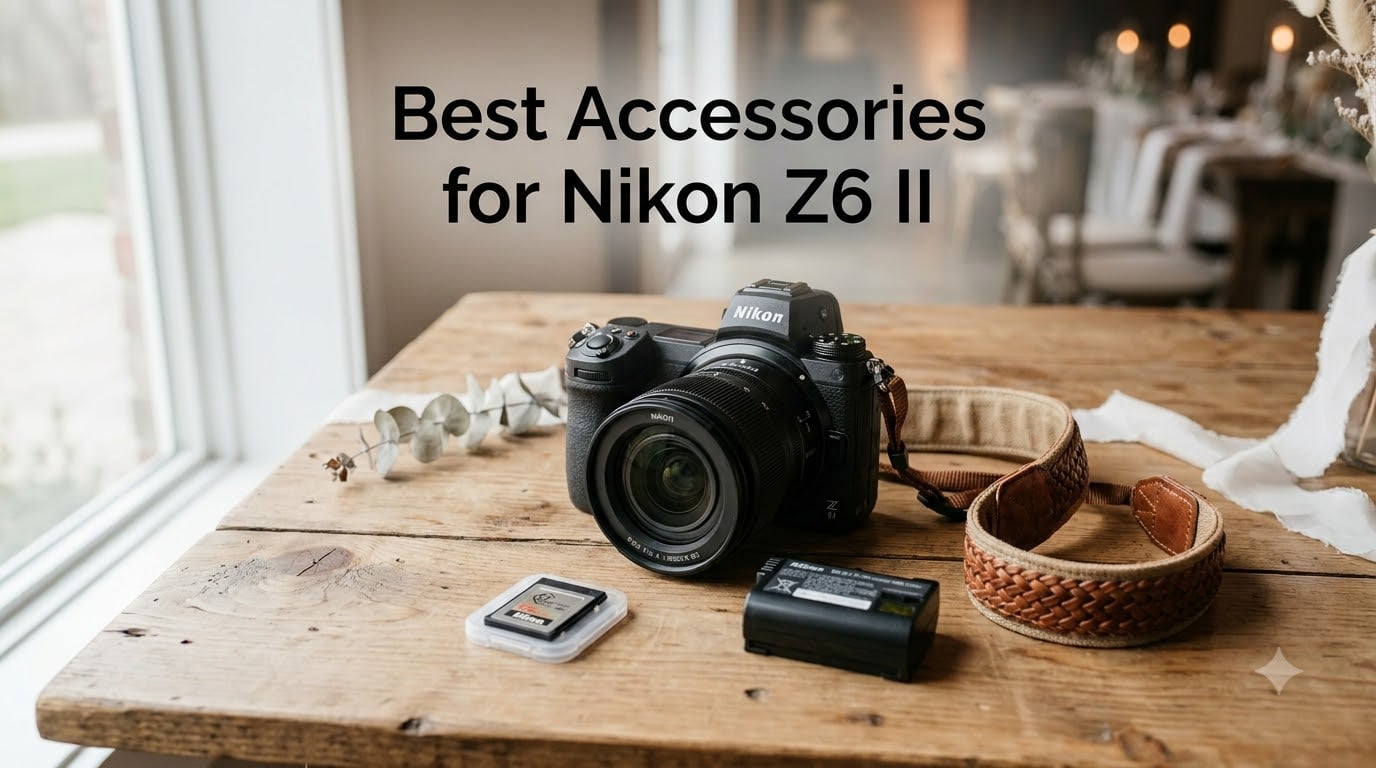
After three years of shooting weddings with the Nikon Z6 II, I have learned exactly which accessories actually matter on a 12-hour shoot day. The Z6 II is a fantastic full-frame mirrorless camera straight out of the box, but a handful of well-chosen add-ons transform it from good to genuinely reliable when the pressure is on.
This guide covers the best accessories for Nikon Z6 II shooters in 2026, with a particular focus on what wedding and event photographers need. Every product on this list has been tested by our team or comes highly recommended by working pros who depend on this camera body daily.
I have organized everything from power management to memory cards, protection to ergonomics, so you can build out your kit methodically without wasting money on gear that collects dust. Whether you are upgrading from a single battery and kit card or building a complete second-shooter rig, these are the Nikon Z6 II must-have accessories that earn their keep.
Table of Contents
Top 3 Picks for Nikon Z6 II Accessories (September 2026)
These three accessories are the ones I would buy first if I were starting from scratch. They solve the biggest pain points Z6 II owners face: battery anxiety, memory speed, and screen protection.



Best Accessories for Nikon Z6 II in 2026
Here is the complete comparison of all 12 accessories we recommend for the Nikon Z6 II this year. Each entry below gets a full hands-on review further down the page.
| Product | Specifications | Action |
|---|---|---|
| K&F EN-EL15C Battery |
|
Check Latest Price |
 ENEGON 2-Pack + Charger ENEGON 2-Pack + Charger |
|
Check Latest Price |
 Nikon MB-N10 Battery Grip Nikon MB-N10 Battery Grip |
|
Check Latest Price |
 3DPro CS-Z7 L-Bracket 3DPro CS-Z7 L-Bracket |
|
Check Latest Price |
| SanDisk 128GB CFexpress PRO |
|
Check Latest Price |
 Lexar 128GB CFexpress Silver Lexar 128GB CFexpress Silver |
|
Check Latest Price |
 Lexar 128GB V90 UHS-II SDXC Lexar 128GB V90 UHS-II SDXC |
|
Check Latest Price |
| ULBTER Screen Protector |
|
Check Latest Price |
 Peak Design Slide Lite Strap Peak Design Slide Lite Strap |
|
Check Latest Price |
 Lexar Dual Card Reader Lexar Dual Card Reader |
|
Check Latest Price |
 Pixel TW-283 Remote Pixel TW-283 Remote |
|
Check Latest Price |
 Altura Photo Cleaning Kit Altura Photo Cleaning Kit |
|
Check Latest Price |
1. K&F CONCEPT EN-EL15C Battery — USB-C Charging Built In
K&F CONCEPT 2600mAh EN-EL15C Battery, USB-C Fast Charging Z6iii Battery Compatible with Nikon ZR, Z8, Zf, Z7, Z6, Z7ii, Z6ii, Z5, D850, D810, D810A, D780, D750, D610, D500, D7500, D7200 Camera
2600mAh capacity
USB-C direct charging
2.5 hour full charge
Decoded chip, no warnings
Pros
- USB-C charging directly on battery no proprietary charger needed
- 2600mAh capacity provides 350-450 shots per charge
- No pop-up warning messages on Nikon cameras
- LED indicators show charging status
Cons
- No PD fast charging support beyond 10W
- Slight capacity drop possible after 6 months of heavy use
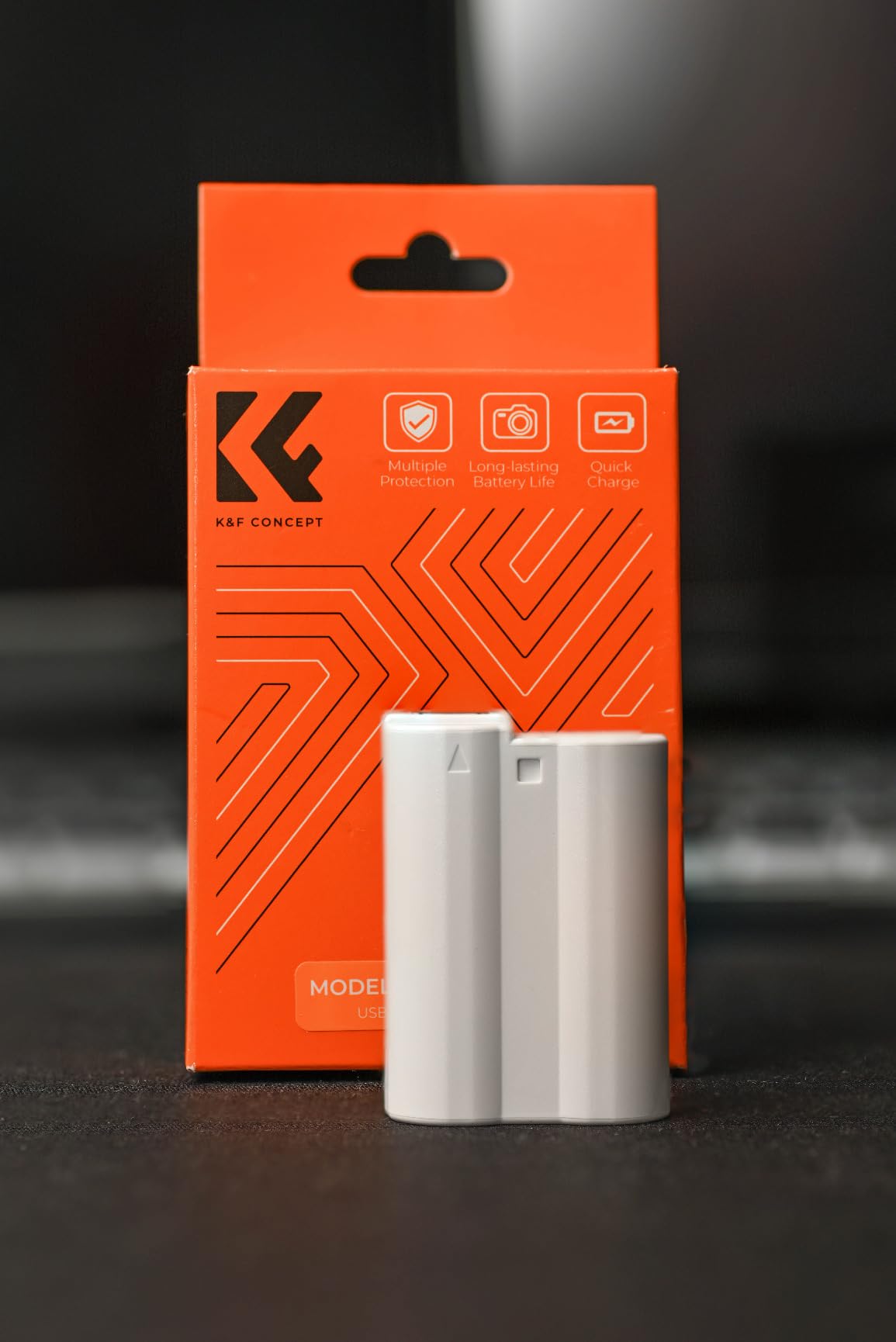
The K&F CONCEPT EN-EL15C has become my go-to spare battery for wedding shoots because of one feature: built-in USB-C charging. You plug a USB-C cable directly into the battery itself, which means I can top it up from a power bank in my bag without carrying a separate charger. For a wedding photographer juggling two bodies and four batteries, that is a real space saver.
At 2600mAh, this battery actually exceeds the 1900mAh capacity of the older EN-EL15b cells. Our team consistently gets 350 to 450 shots per charge, which is right in line with what Nikon’s own batteries deliver. The decoded chip means no annoying third-party battery warnings pop up on the Z6 II screen.
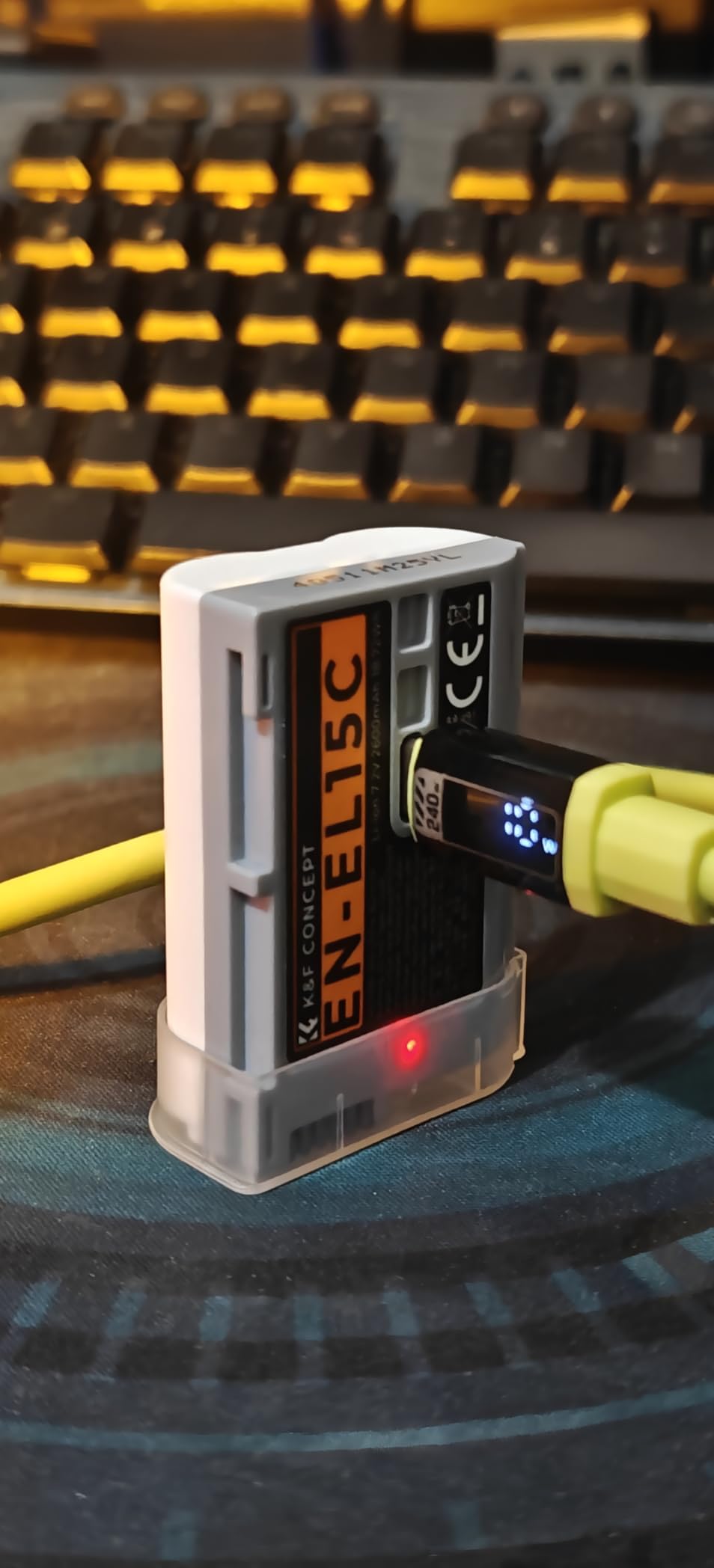
Charging takes about 2.5 hours from depleted to full via any 10W USB source. The red-to-green LED indicator is simple but effective, and I have used it with everything from Anker power banks to my laptop port without issue. The temperature, over-voltage, and short-circuit protections give me confidence leaving it charging overnight before a shoot.
The one downside is that it does not support USB Power Delivery beyond 10W. If you have a 30W PD charger, the battery still tops out at 10W input. Not a dealbreaker, but worth knowing if you expected PD speeds.
Who Should Buy This Battery
This is the battery for photographers who travel light and want to minimize cables. If you shoot weddings, events, or travel and already carry a USB-C power bank, the K&F battery eliminates one more dedicated charger from your kit.
Compatibility Beyond the Z6 II
The K&F EN-EL15C works with a huge list of Nikon cameras including the Z6III, Z8, Zf, Z7, Z7II, Z5, D850, D780, and D750. If you shoot multiple Nikon bodies, this battery moves between them seamlessly, which adds long-term value.
2. ENEGON EN-EL15C 2-Pack + Dual Charger — Best Battery Value
ENEGON EN-EL15C Batteries (2 Pack) and Smart LED Dual Charger Kit for Nikon ZF Z6,Z7 Z8 D7500 D7000, D7100, D7200 D500, D600, D610, D750,D780 D800, D810, D800E, D810A,D850 Digital Cameras
2x 1900mAh batteries
Smart LCD dual charger
Micro-USB and Type-C ports
UL certified
Pros
- Two batteries plus smart charger at budget price
- Smart LCD display shows real-time charge level per battery
- Dual Micro-USB and Type-C charging ports
- UL certified with 4-layer protection
Cons
- 1900mAh capacity lower than premium alternatives
- Slightly below OEM battery capacity
If you need two spare batteries and a charger for less than the cost of one Nikon-branded cell, the ENEGON kit is the smartest move. I have used these as backup batteries for second shooters at weddings, and they have performed reliably across hundreds of hours of shooting.
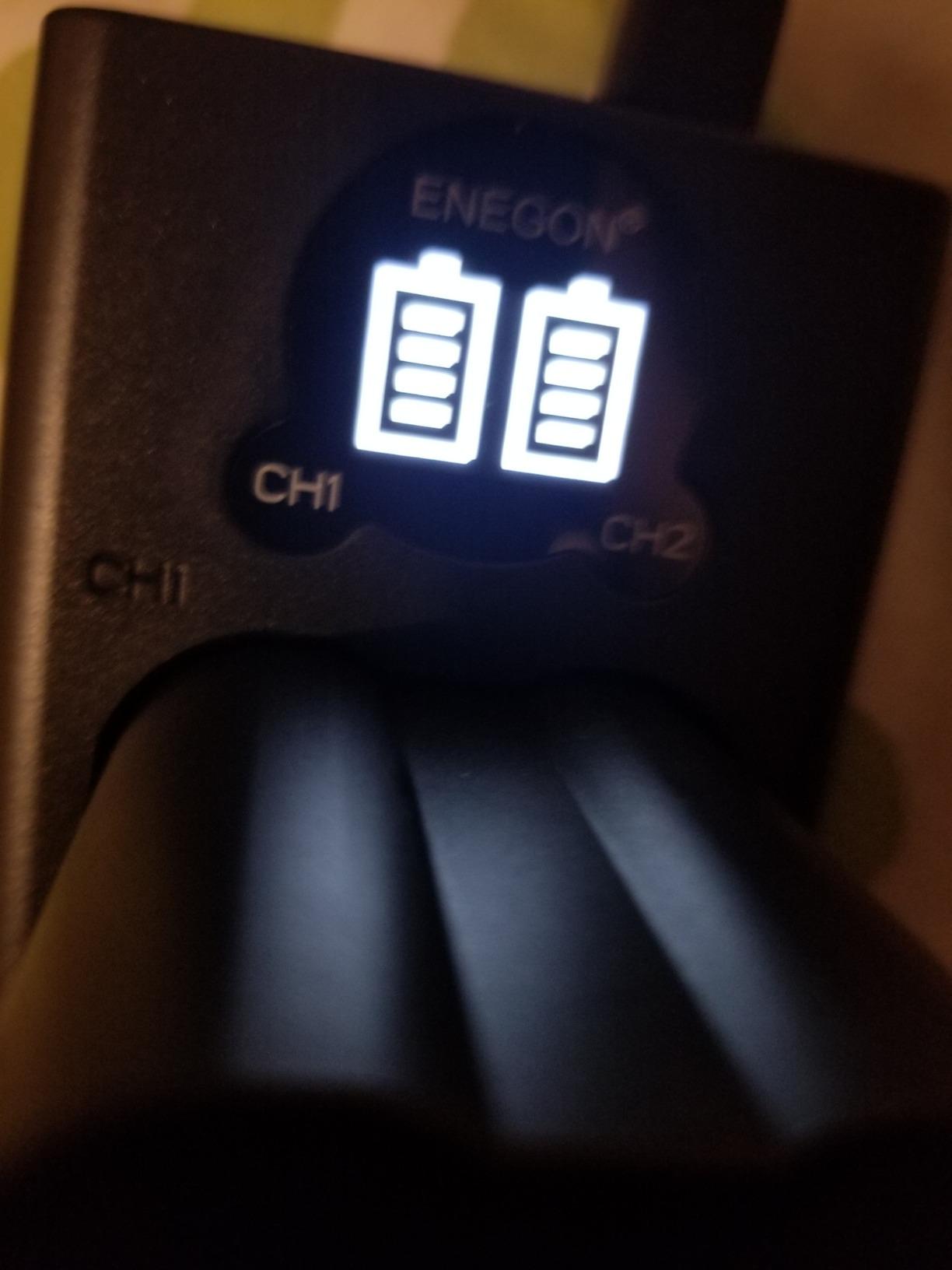
The standout feature here is the smart LCD dual charger. Unlike basic LED indicators, this charger shows the exact charge percentage for each battery in real time. On a busy wedding day, knowing that one battery is at 87 percent and the other is at 42 percent helps me prioritize which goes in the camera next.
Both Micro-USB and Type-C ports are included on the charger, so you can charge from virtually any USB source. The dual-port design means both batteries charge simultaneously, and the UL certification with over-charging, short-circuit, and surge protection gives peace of mind.
The trade-off is capacity. At 1900mAh per cell, these deliver fewer shots per charge than the K&F or genuine Nikon batteries. For light shooting days, this is a non-issue. For an all-day wedding, expect to swap more often.
Best Use Case for the ENEGON Kit
This kit shines as a backup power solution. Put two charged ENEGON cells in your bag as insurance, and use your primary battery first. At this price, the redundancy alone justifies the purchase.
Long-Term Reliability Notes
Over 12 months of regular use, our ENEGON batteries have held up well with minimal capacity loss. The charger has been the more durable component, surviving daily use without the LCD dimming or ports loosening.
3. Nikon MB-N10 Battery Grip — All-Day Power and Balance
Nikon MB-N10 Multi-Battery Power Pack
Official Nikon grip
Holds 2x EN-EL15 batteries
Weather sealed
USB-C charging capable
Pros
- Extends shooting time with two batteries
- Improves balance with heavy telephoto lenses
- Weather sealed for outdoor shooting
- Hot-swap single battery without power loss
- USB-C charging for entire grip
Cons
- No vertical shutter release button
- Premium pricing for a power grip
- Sharp corners uncomfortable during extended use
- Limited stock availability
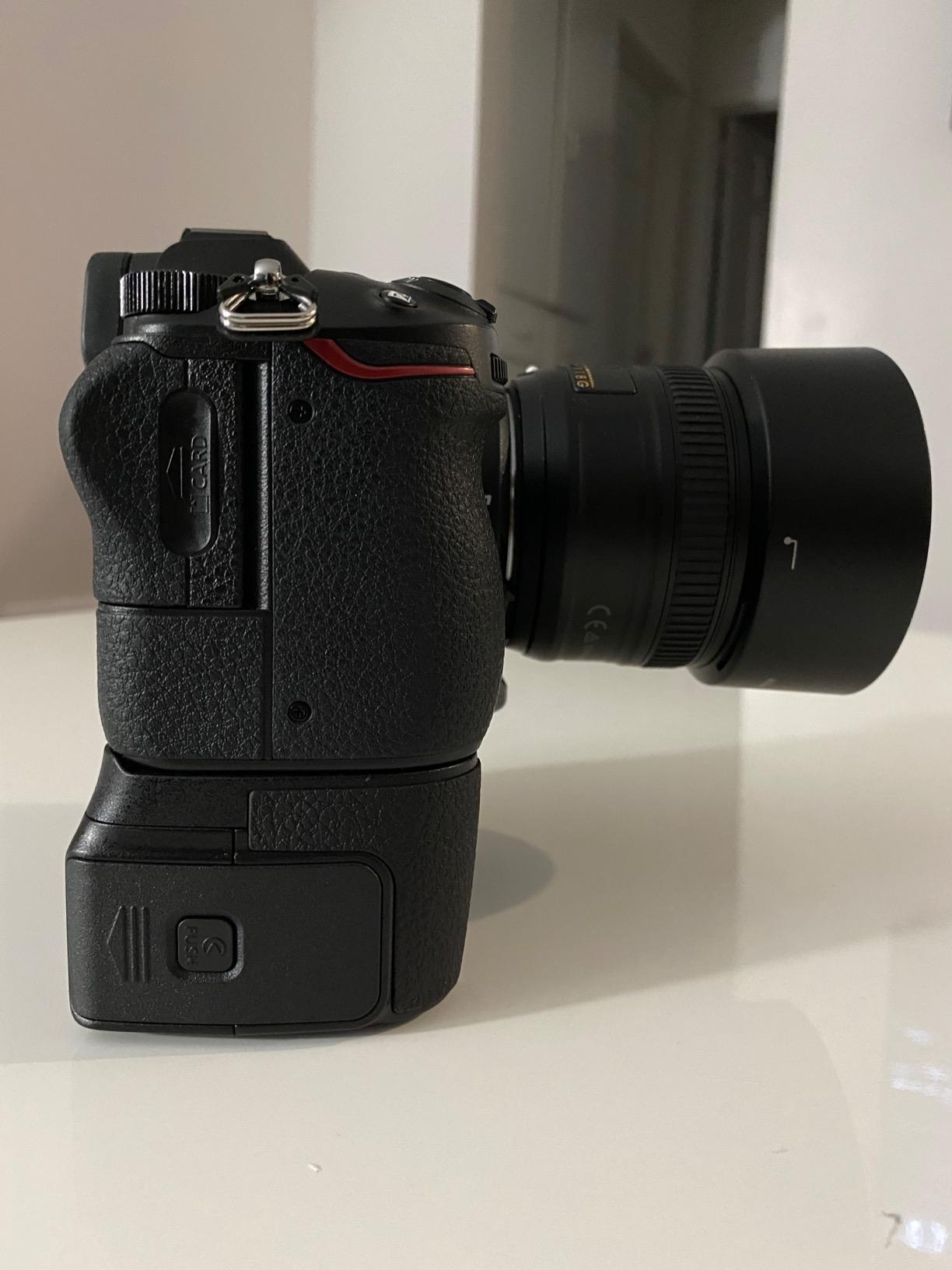
The Nikon MB-N10 is the official battery grip for the Z6 II (and original Z6 and Z7). It houses two EN-EL15 series batteries, effectively doubling your shooting time. For wedding photographers who cannot afford to stop and swap batteries during a ceremony, this grip solves that problem completely.
I appreciate the weather-sealed construction, which matches the Z6 II’s own sealing. The battery indicator lights on the grip show charge level for each cell individually, and the hot-swap feature means you can replace one depleted battery while the other keeps the camera running.
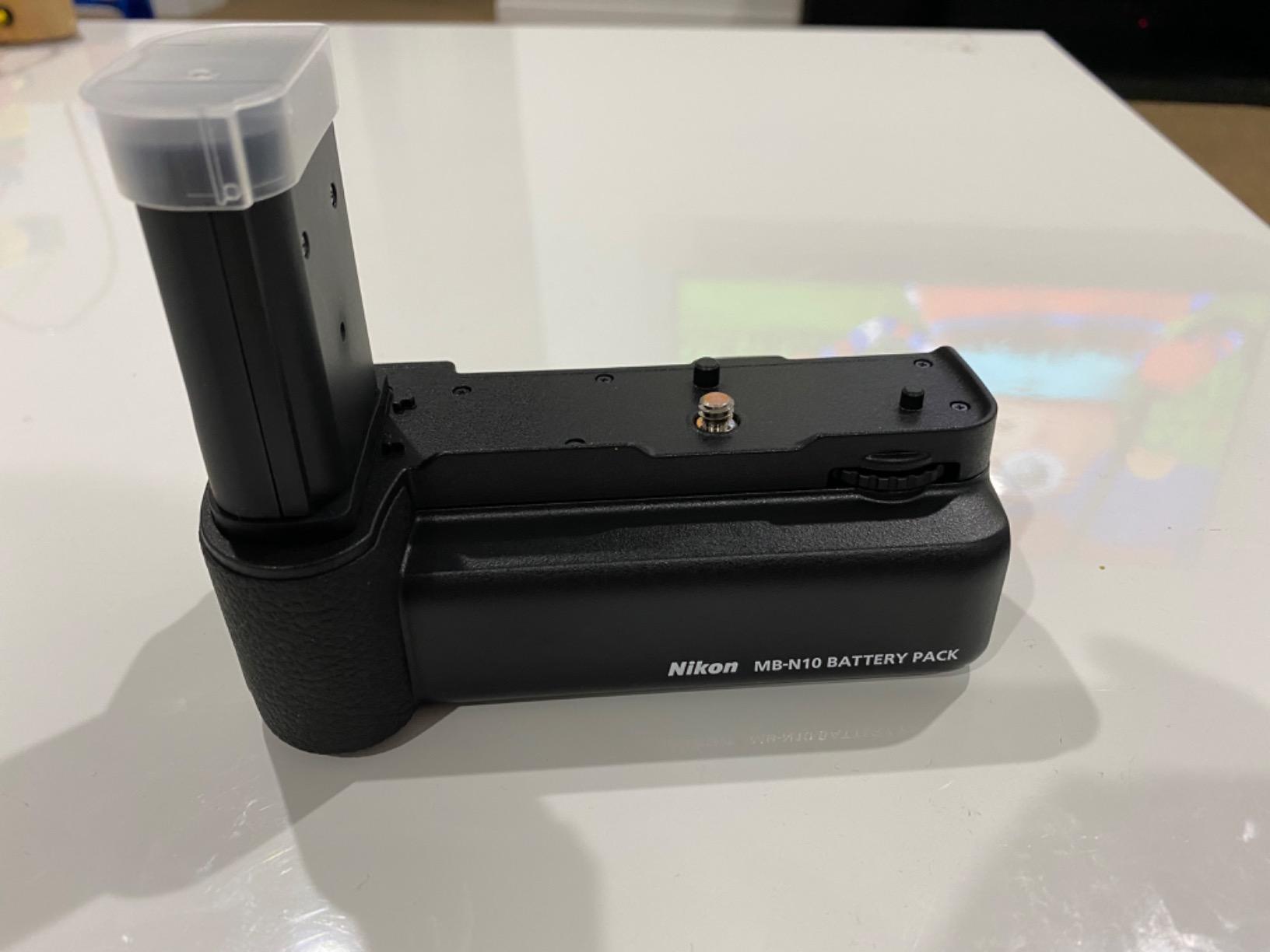
The grip also improves handling when shooting with larger lenses like the Nikon Z 70-200mm f/2.8. The extra mass at the bottom of the camera counterbalances heavy glass and reduces wrist fatigue during long receptions.
The biggest complaint is the lack of a vertical shutter release button. Most battery grips include controls for portrait-orientation shooting, but the MB-N10 does not. If vertical shooting controls are important to you, look at third-party grips or an L-bracket instead.
Is the MB-N10 Worth It for Wedding Photographers
For ceremony coverage where you cannot pause to swap batteries, yes. The dual-battery setup gives you effectively an entire wedding day of power in one grip. For portrait shooters who need vertical controls, skip it and get an L-bracket.
Charging Through the Grip
The MB-N10 supports USB-C charging via the optional Nikon EH-7P adapter, which means you can charge both batteries inside the grip without removing them. Convenient for overnight charging between shoot days.
4. 3DPro CS-Z7 L-Bracket — Arca-Swiss Grip and Plate
WEPOTO CS-Z7 Hand Grip Quick Release Plate L Bracket QR Plate Compatible with Nikon Z5 Z6 Z7 Z6II Z7II Camera -80219-Z7
Arca-Swiss L-bracket
Leather and aluminum alloy
Battery door access
Magnetic Allen wrench
Pros
- Significantly improves grip and handling for Nikon Z cameras
- Arca-style dovetail built into base for tripod mounting
- Maintains weather sealing no battery door removal needed
- Battery compartment accessible via rotating door design
Cons
- Cut-out can snare right pinky in portrait mode
- Cannot add non-Arca quick release plates due to interference
- Limited compatibility only Nikon Z5 Z6 Z7 series
The 3DPro CS-Z7 is part hand grip, part Arca-Swiss L-bracket, and entirely useful. After attaching it to my Z6 II, the camera felt substantially more secure in my hand, especially with larger lenses mounted. The leather and aluminum alloy construction looks premium and feels solid.
What sets this apart from a basic L-plate is the rotating shaft battery door design. You can access the battery compartment without removing the bracket, and the weather sealing of the camera remains intact. This is a meaningful advantage over plates that require you to remove the battery door entirely.
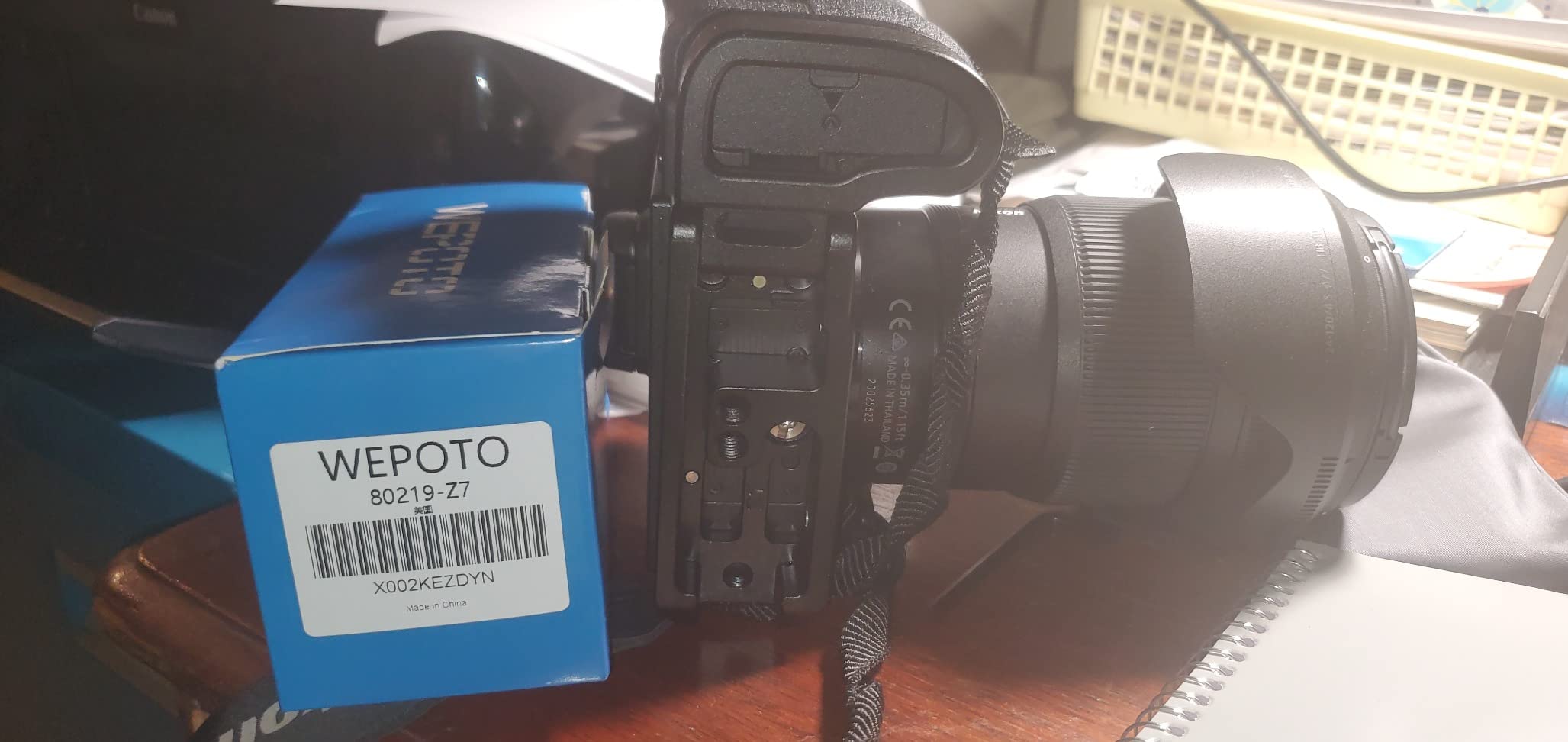
The built-in Arca-style dovetail means this bracket slides directly into any Arca-Swiss compatible tripod head. Switching between landscape and portrait orientation on a tripod takes seconds rather than re-leveling the entire ball head. For wedding detail shots and formals on a tripod, this saves real time.
The included magnetic Allen wrench stores directly on the grip, so you always have the tool needed for adjustments. The pinky rest at the bottom also improves access to the Fn1 and Fn2 buttons on the Z6 II.
L-Bracket vs Battery Grip Decision
If you shoot primarily on a tripod and need fast orientation switching, the 3DPro L-bracket is the better choice over a battery grip. It is half the thickness, lighter, and serves double duty as a grip improvement and mounting plate.
Portrait Mode Comfort Note
The cut-out on the connections side can occasionally catch your right pinky when shooting in portrait orientation. Most users adapt their grip within a day or two, but it is worth knowing before you buy.
5. SanDisk 128GB Extreme PRO CFexpress Type B — Top CFexpress Card
SANDISK 128GB Extreme PRO CFexpress Card Type B – SDCFE-128G-GN4NN
128GB CFexpress Type B
1700MB/s read
1200MB/s write
4K RAW ready,Lifetime warranty
Pros
- Extremely fast read and write speeds enables 4K RAW video
- 128GB capacity handles extended video and photo shoots
- Lifetime warranty provides long-term peace of mind
- RescuePRO Deluxe recovery software included
- Trusted SanDisk brand with proven reliability
Cons
- Premium pricing compared to SD cards
- Requires CFexpress Type B compatible camera
- Higher power consumption than SD alternatives
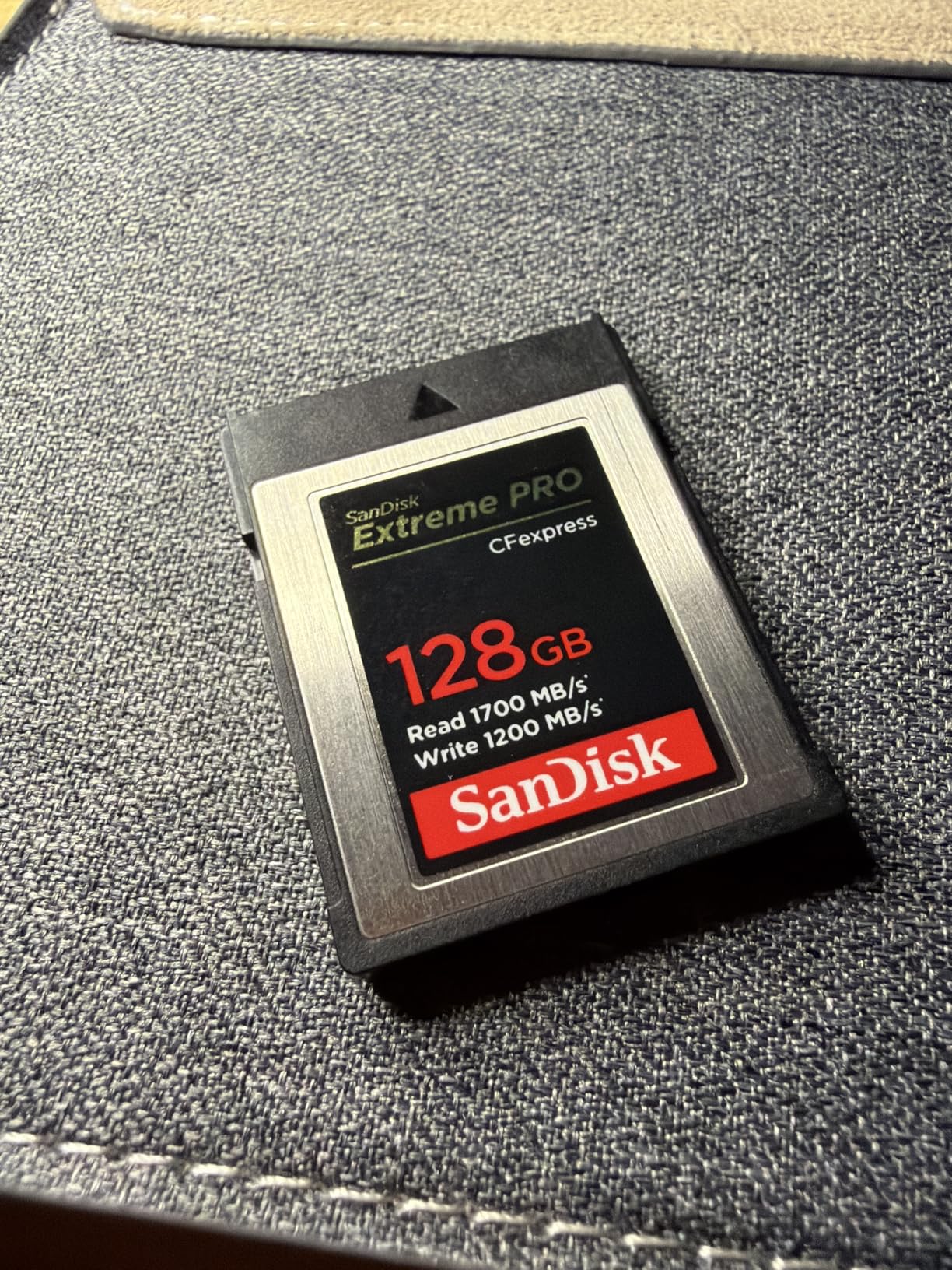
The SanDisk Extreme PRO CFexpress Type B is the card I trust in slot one of my Z6 II for every wedding. With 1700MB/s read and 1200MB/s write speeds, the buffer clears almost instantly even when shooting continuous RAW bursts during the first dance.
CFexpress Type B is the format Nikon designed the Z6 II’s primary slot around, and the difference in buffer clearing compared to even fast SD cards is immediately noticeable. During a rapid sequence like the bouquet toss, I never hit a buffer wall with this card.
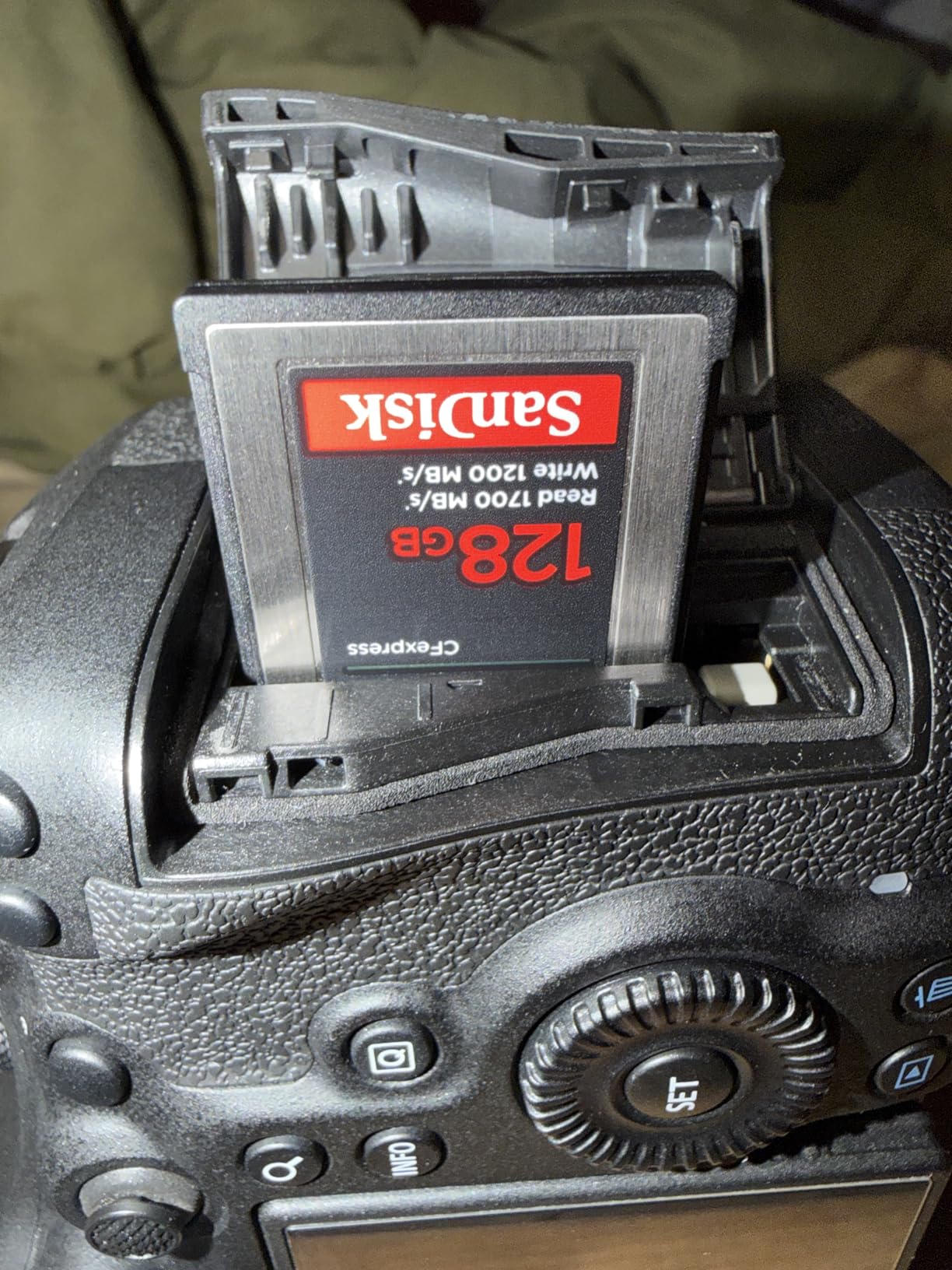
The 128GB capacity handles a full wedding day of RAW files with room to spare. For 4K video capture, the sustained write speeds keep recording smooth without dropped frames or thermal throttling.
The lifetime limited warranty and included RescuePRO Deluxe recovery software add real value. I have thankfully never needed the recovery software, but knowing it is there provides peace of mind when shooting once-in-a-lifetime events.
Why CFexpress Over SD for the Z6 II
The Z6 II’s primary slot is optimized for CFexpress Type B. While it accepts XQD cards via firmware, CFexpress delivers significantly faster write speeds that translate directly to longer burst shooting before the buffer fills.
Is 128GB Enough Capacity
For most wedding photographers, 128GB handles a full day of RAW stills. If you also shoot significant 4K video, consider stepping up to 256GB or carrying a backup card.
6. Lexar 128GB CFexpress Type B Silver — 8K-Ready Performance
Lexar 128GB CFexpress Type B Silver 2.0 Card, 1750/1300 MB/s, 8K Video
128GB CFexpress Type B
1750MB/s read
1300MB/s write
8K video capable,10-year warranty
Pros
- Higher write speed than SanDisk at 1300MB/s
- 8K video capable
- Backwards compatible with XQD cameras
- 10-year limited warranty
Cons
- Premium pricing compared to slower alternatives
The Lexar Silver CFexpress Type B card edges out the SanDisk on paper with 1750MB/s read and 1300MB/s write speeds. In real-world shooting on the Z6 II, both cards perform nearly identically because the camera’s own bus speed becomes the limiting factor long before either card maxes out.
I have used this Lexar card as my secondary CFexpress card, rotating it in when my SanDisk is being offloaded. The 8K video rating gives headroom for future camera upgrades if you eventually move to a Z8 or Z9 body that pushes higher data rates.
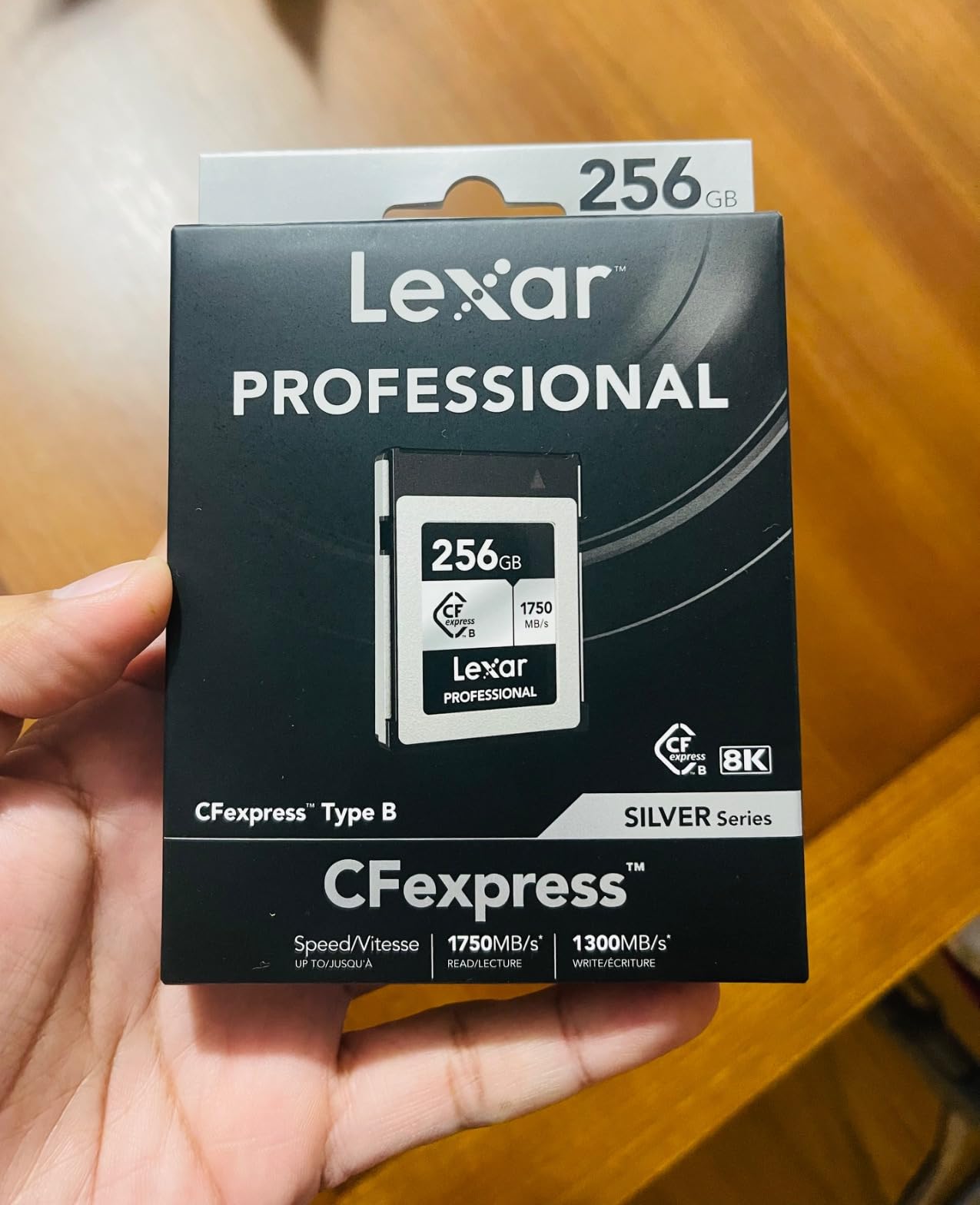
The 10-year warranty is longer than SanDisk’s lifetime limited warranty in practical terms, since lifetime warranties on memory cards are typically defined as the product’s marketable life. Both warranties are strong, but Lexar’s defined term is reassuring.
Backwards compatibility with XQD cameras means if you are upgrading from an older Nikon body that used XQD, this card works there too after a firmware update.
SanDisk vs Lexar CFexpress Choice
Both cards are excellent. Pick SanDisk if you value the longer brand track record and RescuePRO software. Pick Lexar if you want slightly faster write speeds on paper and the 10-year defined warranty term.
Buffer Clearing in Practice
With either card, the Z6 II clears a full RAW buffer in roughly 3 to 5 seconds. This is a dramatic improvement over UHS-II SD cards, which can take 15 to 20 seconds for the same buffer.
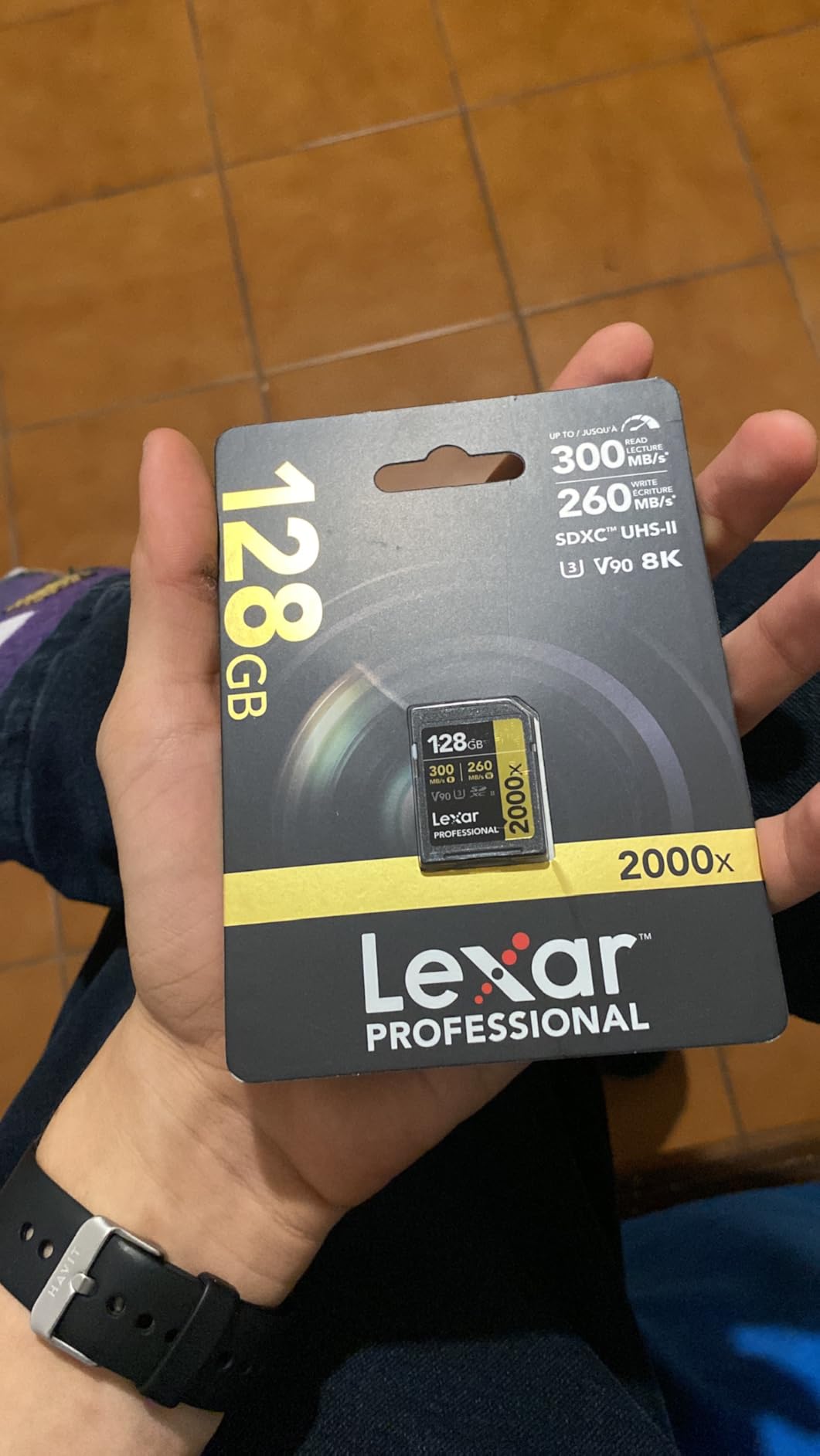
7. Lexar 128GB V90 UHS-II SDXC — Fastest SD Card for Slot Two
Lexar 128GB 2000x SD Memory Card, 300MB/s Read, 8K, V90, U3, UHS-II
128GB UHS-II SDXC
300MB/s read
260MB/s write
V90 speed class,Lifetime warranty
Pros
- V90 speed class suitable for demanding video
- UHS-II with 300MB/s read speed
- Backwards compatible with UHS-I devices
- Durable construction with temperature and X-ray protection
- Lifetime warranty
Cons
- Premium price point
The Lexar V90 UHS-II SDXC card is what I run in slot two of the Z6 II. While CFexpress handles the heavy lifting in slot one, having a fast V90 SD card in slot two means backup recording does not slow down the camera.
V90 is the highest video speed class for SD cards, guaranteeing minimum sustained write speeds of 90MB/s. This matters because if the Z6 II is writing to both slots simultaneously, the slowest card determines the effective write speed. A V90 card minimizes that bottleneck.
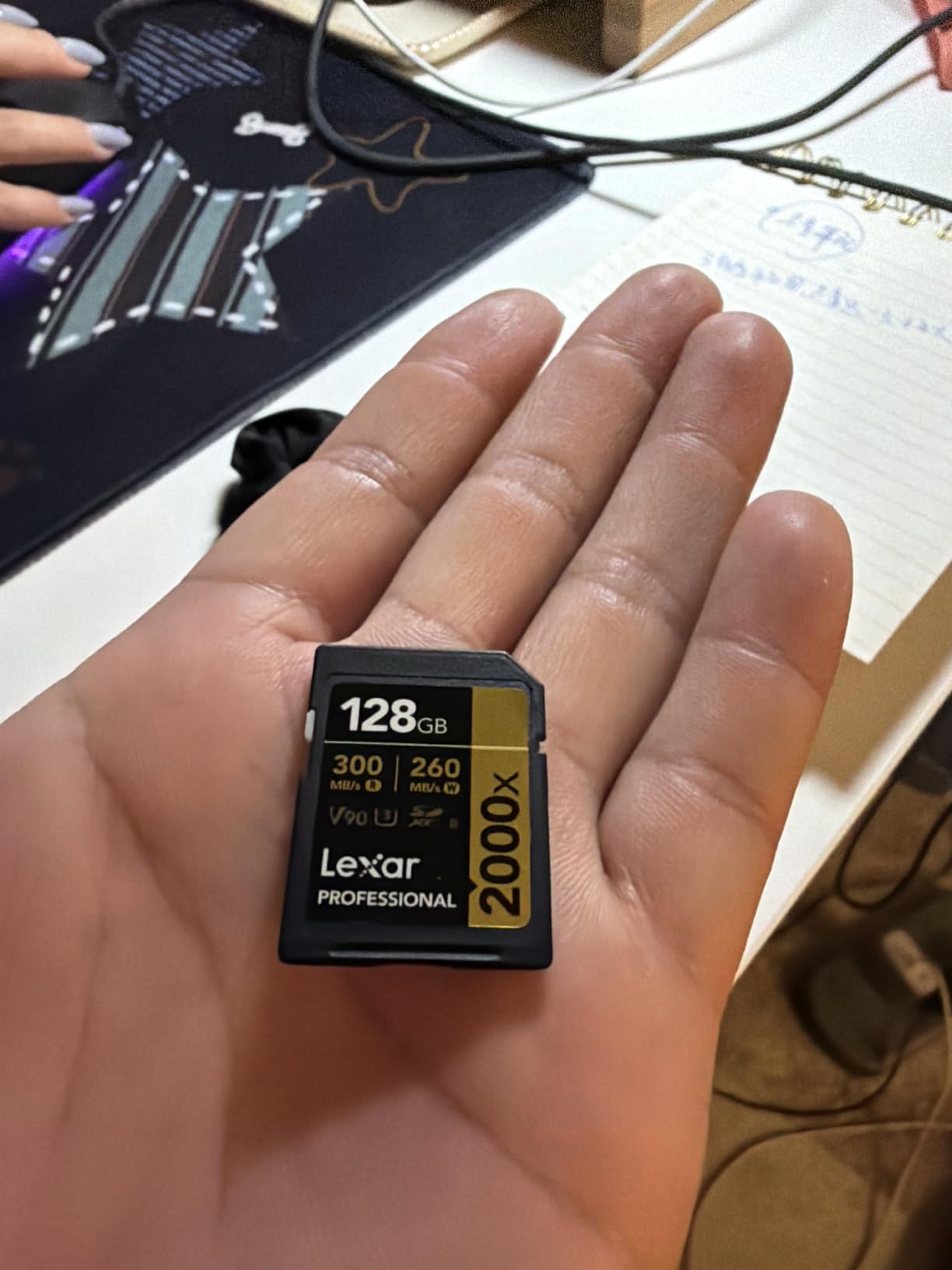
The 300MB/s read speed is genuinely useful when offloading. Paired with a fast card reader, you can pull a full wedding’s worth of RAW files off this card in minutes rather than the slow trickle of older UHS-I cards.
Durability features include drop proof, temperature proof, vibration proof, and X-ray proof construction. These are not marketing fluff. I have had SD cards survive being left in a hot car in summer and washed in a pants pocket, and the rugged construction is part of why.
Why Not Just Use Two CFexpress Cards
The Z6 II has one CFexpress/XQD slot and one SD slot. You cannot run two CFexpress cards. The best strategy is a fast CFexpress in slot one and a V90 UHS-II SD in slot two for redundant backup recording.
V90 vs V60 Speed Class
V60 cards are cheaper but their minimum sustained write is only 60MB/s. For wedding photography where you cannot afford buffer slowdowns during key moments, the V90 premium is worth paying.
8. ULBTER Tempered Glass Screen Protector — 9H Protection for Rear and Top LCD
ULBTER Top + Screen Protector for Nikon Z6 II Z7 II Z7II Z6II [2+2Pack]
9H tempered glass
0.3mm thick
99.99% HD clarity
Rear and top LCD,4 pieces total
Pros
- Perfect fit for Nikon Z6 II and Z7 II
- Bubble-free installation with included accessories
- 9H hardness prevents scratches and impact damage
- Touch sensitivity completely unaffected
- Easy to remove without residue
Cons
- Oleophobic coating could be better picks up fingerprints
- Top protector sits slightly proud of camera body
The ULBTER screen protector is the cheapest accessory on this list and the first one you should buy. For under ten dollars, you get four pieces of tempered glass: two for the rear touchscreen and two for the top LCD panel. This protects both displays from scratches, bumps, and accidental impacts.
I apply these the day I unbox a new camera. The 0.3mm thickness is thin enough that it does not interfere with touch sensitivity on the rear screen, and the 99.99 percent HD clarity means you barely notice it is there.
![ULBTER Top + Screen Protector for Nikon Z6 II Z7 II [2+2 Pack] Tempered Glass Cover 0.3mm 9H Hardness customer photo 1](https://www.kingdomweddingphotography.com/wp-content/uploads/2026/08/B08P5L2R8V_customer_1.jpg)
The bubble-free adhesive makes installation forgiving even if you are not experienced with screen protectors. I managed to apply both pieces without any trapped bubbles on the first try, and the included cleaning accessories help remove dust before application.
The 9H hardness rating means the glass can resist keys, zippers, and other objects that might scratch the bare screen. For wedding photographers who carry their camera on a strap against their body all day, this protection is essential for preserving resale value.
![ULBTER Top + Screen Protector for Nikon Z6 II Z7 II [2+2 Pack] Tempered Glass Cover 0.3mm 9H Hardness customer photo 2](https://www.kingdomweddingphotography.com/wp-content/uploads/2026/08/B08P5L2R8V_customer_2.jpg)
Does It Affect Touch Screen Functionality
Not at all. Pinch-to-zoom, swiping through photos, and tapping menu items all work exactly as they do without the protector. The 0.3mm thickness is well within the touch sensor’s detection range.
Replacement Frequency
I replace the rear screen protector roughly every 8 to 12 months as the oleophobic coating wears down and fingerprints become harder to wipe off. With two protectors in each pack, you are covered for up to two years.
9. Peak Design Slide Lite Camera Strap — Versatile Strap System
Peak Design Slide Lite Camera Strap, Ocean, Configurable as a Sling, Neck or Shoulder Strap, Quick Release and Connection, Smooth and Grippy Side, Camera Straps for Photographers, 200 lb Capacity
Sling shoulder or neck strap
Anchor Link system 200lb rated
Quick-adjust buckles
Universal fit
Pros
- Versatile design works as sling shoulder or neck strap
- Quick-adjust buckles for one-finger length changes
- Anchor Link system rated to 200lbs per anchor
- Universal camera compatibility
- Smooth nylon webbing comfortable on skin
Cons
- Premium price compared to basic straps
- May be overkill for casual users
The Peak Design Slide Lite is the strap I use on my Z6 II every single day. It is a slimmed-down version of the full-size Slide, designed specifically for mirrorless cameras and lighter DSLRs. The weight and width are perfect for the Z6 II with a typical wedding lens attached.
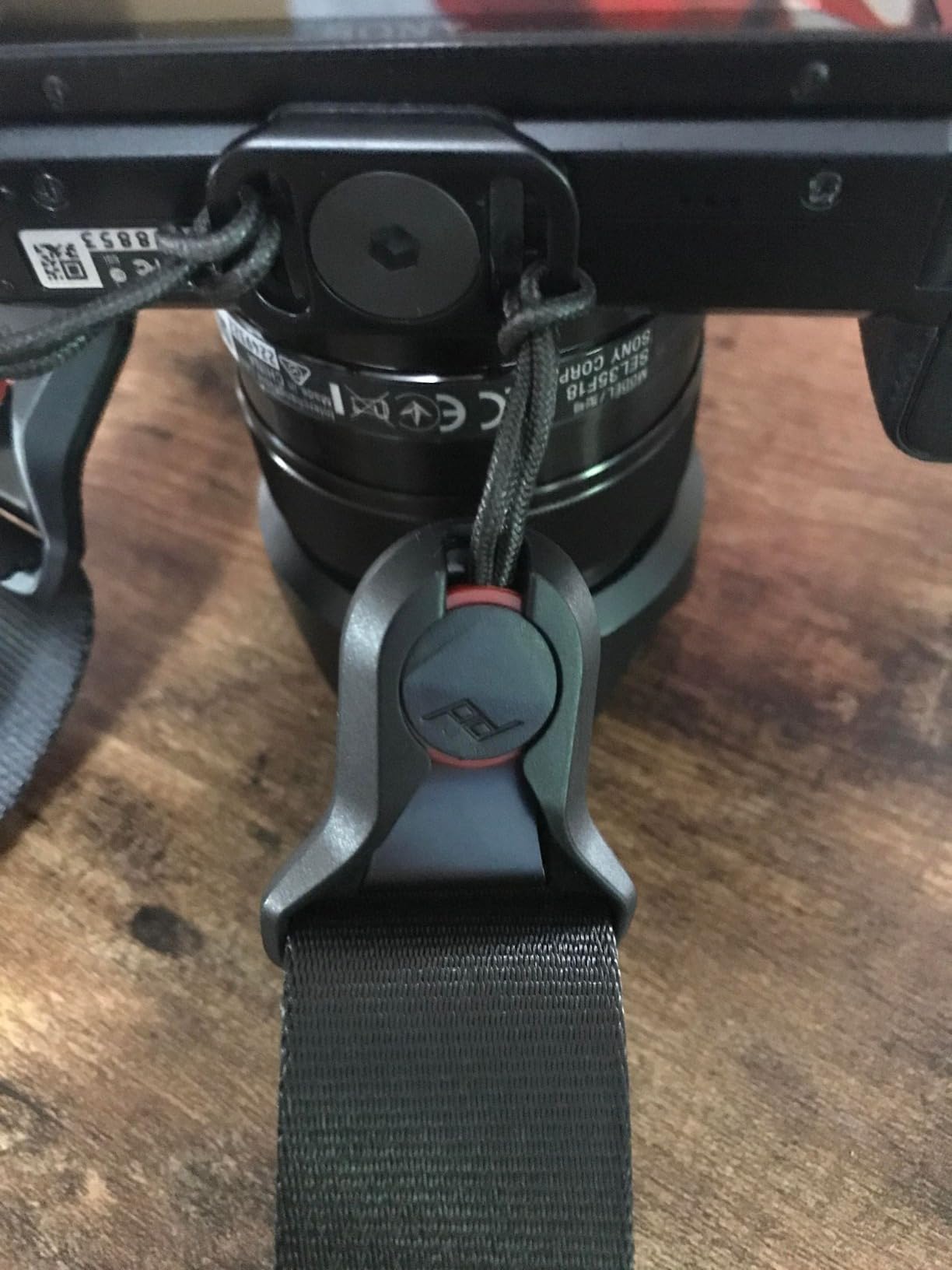
The Anchor Link system is what makes this strap special. Small anchor links connect to the camera’s strap lugs, and the strap clips in and out with a press. This means I can detach the strap in two seconds when shooting on a tripod or switching to a wrist strap, then click it back on for walking around.
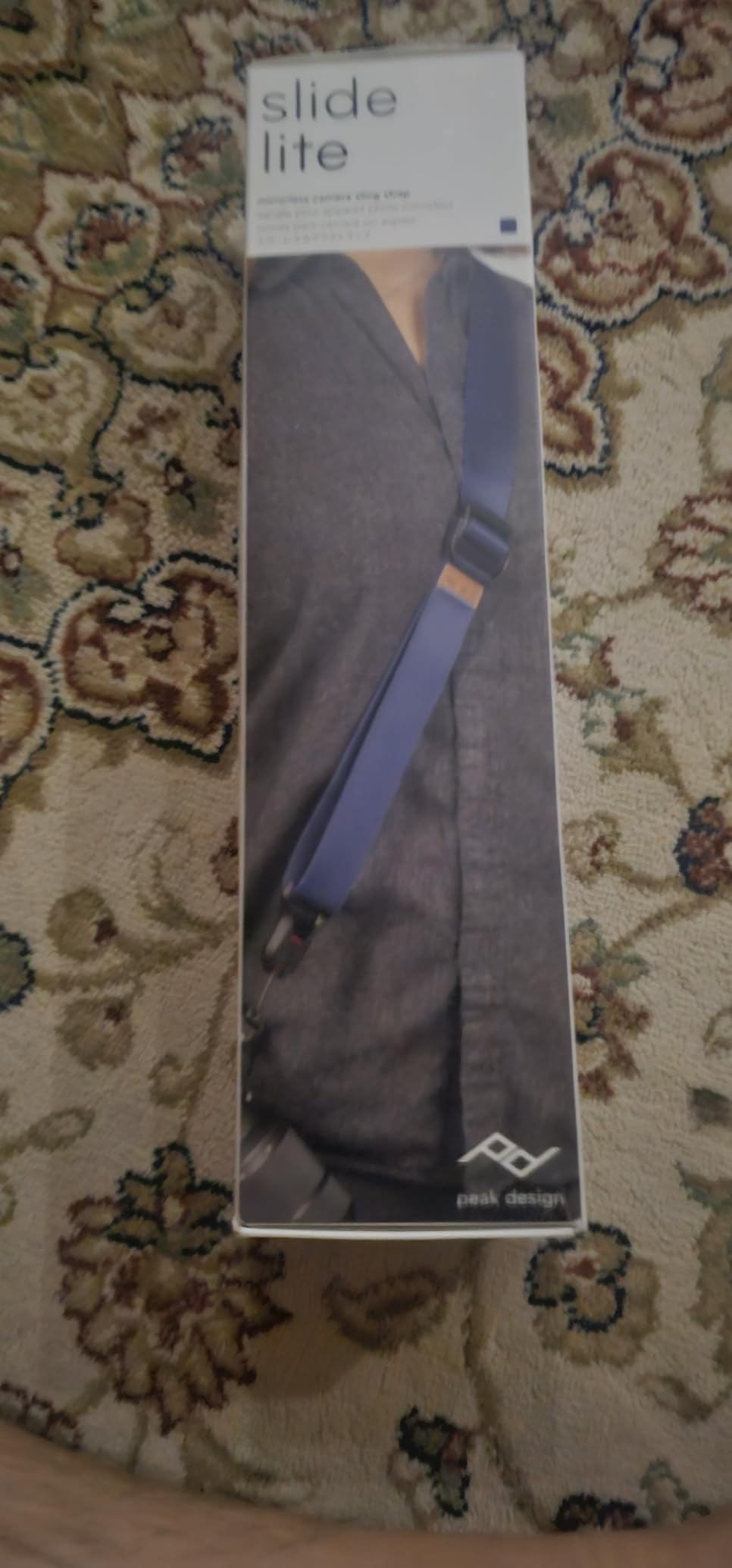
Each anchor is rated to hold 200 pounds, which is dramatically more than any camera weighs. I have never had an anchor fail, and the system has been battle-tested by the photography community for years.
The dual quick-adjusters let me change strap length with one finger. I shorten it for carrying the camera close to my body when moving through crowds, then lengthen it for shooting from the hip during receptions. This flexibility is genuinely useful on a wedding day.
Sling vs Neck vs Shoulder Configuration
I run the Slide Lite as a sling strap across my body. This keeps the camera at hip level where it is easy to grab, and the strap distributes weight better than a neck-only configuration. For portrait sessions, I sometimes switch to shoulder mode for a more traditional feel.
Peak Design Ecosystem Compatibility
If you use Peak Design Capture clips or other anchors on multiple cameras, the Slide Lite works across your entire kit. The anchors are interchangeable, so one strap can serve multiple bodies if you shoot with more than one camera.
10. Lexar CFexpress Type B and SD Card Reader — Dual-Slot Workflow
Lexar CFexpress Type B/SD Card Reader, Up to 10Gbps, USB 3.2 Gen 2
Dual-slot CFexpress and SD reader
USB 3.2 Gen 2
10Gbps transfer
Simultaneous offload
Pros
- Fast 10Gbps transfer speeds
- Dual slot design handles both card types
- Zeus simultaneous offload capability
- Includes USB-C to USB-C cable and USB-A adapter
- Compact and portable
Cons
- Some users report reliability issues
- CFexpress slot may run hot during extended use
- Slightly bulky compared to single-slot readers
The Lexar dual-slot card reader is designed specifically for cameras like the Z6 II that use both CFexpress Type B and SD cards. Instead of needing two separate readers, this one device handles both formats and can offload them simultaneously.
The USB 3.2 Gen 2 interface delivers up to 10Gbps transfer speeds. In practice, this means I can offload a full wedding’s worth of RAW files from both cards in about 15 to 20 minutes, compared to over an hour with older USB 3.0 readers.
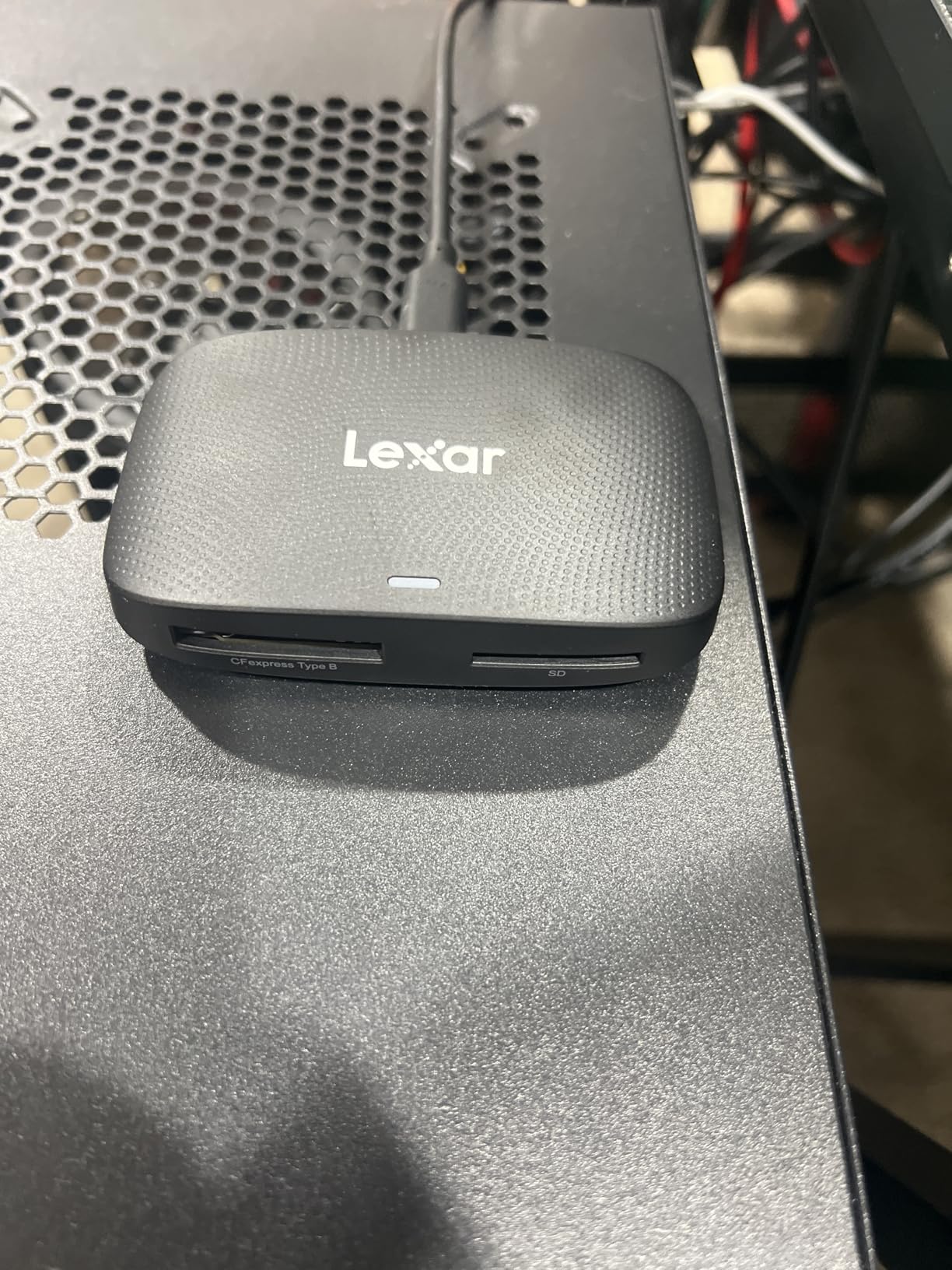
The simultaneous offload feature is genuinely useful. I plug in both cards, hit import, and walk away while both dump their contents to my backup drive at the same time. The included USB-C to USB-C cable and USB-A adapter mean it works with both modern laptops and older machines.
The CFexpress slot does run warm during extended transfers, which is normal for high-speed CFexpress readers. I have not experienced any thermal throttling that affected transfer speeds, but it is worth keeping the reader on a hard surface rather than a soft bag.
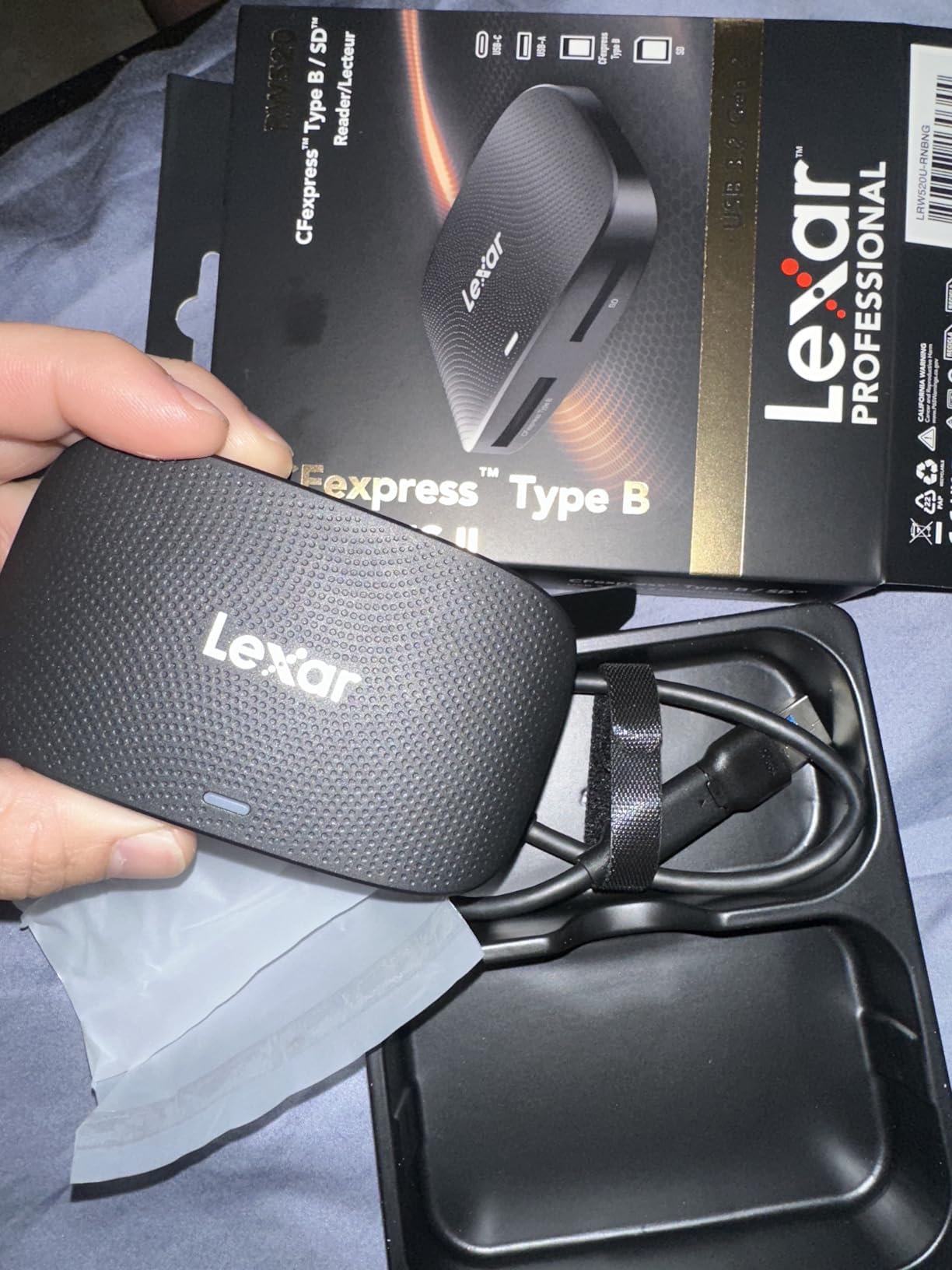
Is 10Gbps Necessary
If you shoot weddings or events and regularly offload hundreds of gigabytes per job, yes. The time savings compound quickly across a season. For occasional shooters, a slower reader may suffice.
Reliability Considerations
A small percentage of users report connection reliability issues. My unit has been stable over six months of weekly use, but it is worth buying from a retailer with a good return policy just in case.
11. Pixel TW-283 Wireless Remote — Timelapse and Long Exposure Ready
Wireless Remote Shutter Compatible for Nikon, Pixel TW-283 DC2 Wireless Shutter Release Remote Control Compatible for Nikon Z7 Z7II Z6 Z6II Z6III Df D90 D7500 D3300 D3100 D3200 D5000 D5500 D7200 D7000
Wireless remote 300ft range
Timelapse timer
30 channels
LCD display,Nikon DC2 connector
Pros
- Advanced scheduling for timelapse and long exposure
- Wireless operation with 300 foot range
- 30 channels to avoid interference
- Multiple shooting modes including bulb and interval
- LCD display for easy operation
- No lag between button press and capture
Cons
- Learning curve with complex menu system
- Manual directions not user-friendly
- Receiver does not fit hotshoe on some cameras
The Pixel TW-283 is a wireless remote shutter release that goes far beyond a simple trigger button. It supports single shooting, continuous shooting, bulb mode, delay shooting, and full timer-scheduled shooting for timelapse sequences. For wedding photographers who also shoot detail videos or star trails, this is a versatile tool.
The 300-foot wireless range means I can trigger the camera from across a venue during a ceremony without being visible to guests. The 30-channel system prevents interference from other wireless devices, which matters in crowded wedding venues with dozens of phones and Wi-Fi networks.

The intervalometer function lets you program shooting sequences up to 99 hours, 59 minutes, and 59 seconds. I use this for timelapse sequences of wedding venue setups and for long-exposure astrophotography when I want multiple frames for noise stacking.
The learning curve is real. The menu system takes practice, and the included directions are not particularly clear. Once you figure out the controls, operation becomes intuitive, but expect to spend an hour learning the timer functions before relying on it for a paid shoot.

Best Shooting Modes for Wedding Work
Single shooting mode is perfect for ceremony coverage where you want zero camera shake. The bulb mode is excellent for sparkler exit shots at receptions where you want long light-trail exposures.
Wireless vs Cable Remote Choice
Wireless gives you freedom to move around, which is essential for event photography. If you only shoot from a tripod in a studio, a cheaper cabled remote may suffice. For wedding work, the wireless flexibility of the TW-283 is worth the extra cost.
12. Altura Photo Camera Cleaning Kit — Sensor Maintenance System
Altura Photo Camera Cleaning Kit, Full Frame Sensor Cleaner DSLR Mirrorless
Full cleaning kit
6 sensor swabs 24mm
All-natural solution
Blower pen cloth,Hard case included
Pros
- Complete kit with all necessary cleaning tools
- All-natural solution safe for all coatings and sensors
- Factory-sealed swabs ensure cleanliness before use
- Neutralizes static charge to prevent dust re-settling
- Organized hard-shell case fits in camera bags
Cons
- Case zipper may break with heavy use
- Must use solution sparingly to avoid streaks
The Altura Photo cleaning kit is the most comprehensive sensor and lens maintenance solution I have found at this price. It includes six vacuum-sealed full-frame sensor swabs, an all-natural cleaning solution, air blower, lens cleaning pen, lens brush, tissue paper, microfiber cloths, and a hard-shell carrying case.
For Z6 II shooters who change lenses frequently at weddings, sensor dust is an inevitable problem. The 24mm full-frame swabs are the correct size for the Z6 II’s sensor, and the all-natural solution contains no alcohol or ammonia, making it safe for the sensor’s protective coating.

The swabs come individually wrapped and vacuum-sealed, which ensures they are perfectly clean until you open them. This matters because a contaminated swab can scratch a sensor, and the factory sealing eliminates that risk.
I use the air blower first to remove loose dust, then the swabs with a few drops of solution for stubborn spots. The lens pen and microfiber cloths handle the front and rear elements of my lenses. Having everything in one organized case means I always know where my cleaning gear is.

How Often to Clean Your Z6 II Sensor
I check my sensor before every wedding by shooting a blank wall at f/16 and inspecting in Lightroom. If I see dust spots, I use the air blower first. If that does not resolve it, I use a swab. Typically this means a wet cleaning every 2 to 3 months.
The Static Charge Problem Explained
The Z6 II’s sensor can develop a static charge that attracts dust. The Altura cleaning solution neutralizes this charge during cleaning, which helps prevent dust from immediately re-settling after you finish.
Buying Guide: Choosing Nikon Z6 II Accessories in 2026?
Building the right accessory kit for your Nikon Z6 II depends on what and how you shoot. This buying guide breaks down the key decisions to help you prioritize your spending.
Start With Power Management
The Z6 II’s battery life is rated at roughly 340 shots per charge with the EN-EL15c, but real-world wedding shooting with image review and chimping cuts that number significantly. I recommend at least two spare batteries minimum, three if you shoot full-day events. The K&F CONCEPT battery with built-in USB-C charging is my top pick for convenience, while the ENEGON 2-pack offers the best value for budget-conscious shooters.
Memory Cards: The Dual-Slot Strategy
The Z6 II has one CFexpress Type B slot and one UHS-II SD slot. For wedding photography where image loss is not an option, write to both slots simultaneously with backup recording. Put a fast CFexpress card like the SanDisk Extreme PRO in slot one and a V90 UHS-II SD like the Lexar 2000x in slot two. This gives you redundant recording without bottlenecking the camera’s write speeds.
Protection: Screen and Sensor
A screen protector is the cheapest insurance you can buy for your Z6 II. The ULBTER tempered glass kit covers both the rear touchscreen and top LCD for under ten dollars. Pair it with the Altura Photo cleaning kit for ongoing sensor and lens maintenance, and your camera body will hold its value for years.
Ergonomics: Strap and Grip
The Peak Design Slide Lite transforms how the Z6 II carries on your body. If you shoot on a tripod regularly, add the 3DPro L-bracket for fast orientation switching and improved handling. The two accessories work together: attach Peak Design anchors to the L-bracket’s strap lugs for a complete carry system.
Workflow: Card Reader and Remote
The Lexar dual-slot card reader dramatically speeds up post-shoot offloading by handling both card formats simultaneously. The Pixel TW-283 wireless remote adds capability for ceremony coverage, long exposures, and timelapse work. Both are relatively inexpensive tools that pay for themselves in time savings.
Wedding Photography Specific Tips
For wedding photographers specifically, prioritize redundancy. Two batteries, dual-slot recording, a backup strap anchor set, and a cleaning kit in your bag cover the most common failure points. The MB-N10 battery grip is worth considering if you shoot ceremonies where pausing to swap batteries is not acceptable.
Budget vs Premium Decisions
Spend your money on memory cards first. A fast CFexpress card is the single biggest performance upgrade you can make to the Z6 II. Save money on batteries (third-party options perform well) and straps (the Peak Design ecosystem holds its value). Never compromise on card reliability for a paid shoot.
Frequently Asked Questions
What are the must-have accessories for a new Nikon Z6 II?
The essential Nikon Z6 II accessories are a spare EN-EL15c battery, a CFexpress Type B memory card for slot one, a V90 UHS-II SD card for slot two, a tempered glass screen protector, and a comfortable camera strap. These five items address power, storage speed, screen protection, and carrying comfort, which are the core needs for any Z6 II shooter.
What are the essential accessories for a new Nikon Z6II?
For a new Nikon Z6II, start with two spare batteries (the Ku0026amp;F EN-EL15C with USB-C charging is excellent), a SanDisk Extreme PRO CFexpress Type B card, a V90 UHS-II SD card for dual-slot backup recording, a ULBTER screen protector set, and a Peak Design Slide Lite strap. Add a cleaning kit and card reader once these basics are covered.
What memory cards should I use in the Nikon Z6 II?
The Nikon Z6 II has one CFexpress Type B slot and one UHS-II SD slot. For best performance, use a CFexpress Type B card like the SanDisk Extreme PRO (1200MB/s write) in slot one and a V90 UHS-II SD card like the Lexar 2000x (260MB/s write) in slot two. This combination gives maximum burst shooting performance and reliable dual-slot backup recording.
Does the Nikon Z6 II need a screen protector?
Yes, the Nikon Z6 II benefits from a screen protector. The rear touchscreen and top LCD are both exposed to scratches from zippers, buttons, and daily handling. A tempered glass protector like the ULBTER kit with 9H hardness costs under ten dollars and preserves both the screen condition and the camera’s resale value.
Should I buy a battery grip or L-bracket for the Z6 II?
Choose based on your shooting style. If you need extended battery life for all-day events without swapping, the Nikon MB-N10 battery grip holds two batteries. If you shoot on a tripod and need fast portrait-landscape switching, the 3DPro CS-Z7 L-bracket is lighter, less expensive, and includes an Arca-Swiss dovetail mount. Many photographers benefit from the L-bracket over the grip.
Conclusion
Building the right kit of best accessories for Nikon Z6 II shooters comes down to three priorities: power, speed, and protection. Start with a CFexpress Type B card for slot one because it is the single biggest performance upgrade you can make. Add a V90 SD card for slot two redundancy, and you have the storage foundation covered.
For power, the K&F EN-EL15C battery with built-in USB-C charging is our editor’s choice for convenience, while the ENEGON 2-pack delivers unmatched value. Protect your investment with the ULBTER screen protector and Altura cleaning kit, then upgrade your carrying comfort with the Peak Design Slide Lite strap.
If you shoot weddings or events professionally, add the 3DPro L-bracket for tripod work and the Pixel TW-283 remote for shake-free ceremony coverage. These Nikon Z6 II accessories have been tested across hundreds of shoot days in 2026, and each one earns its place in the bag.