
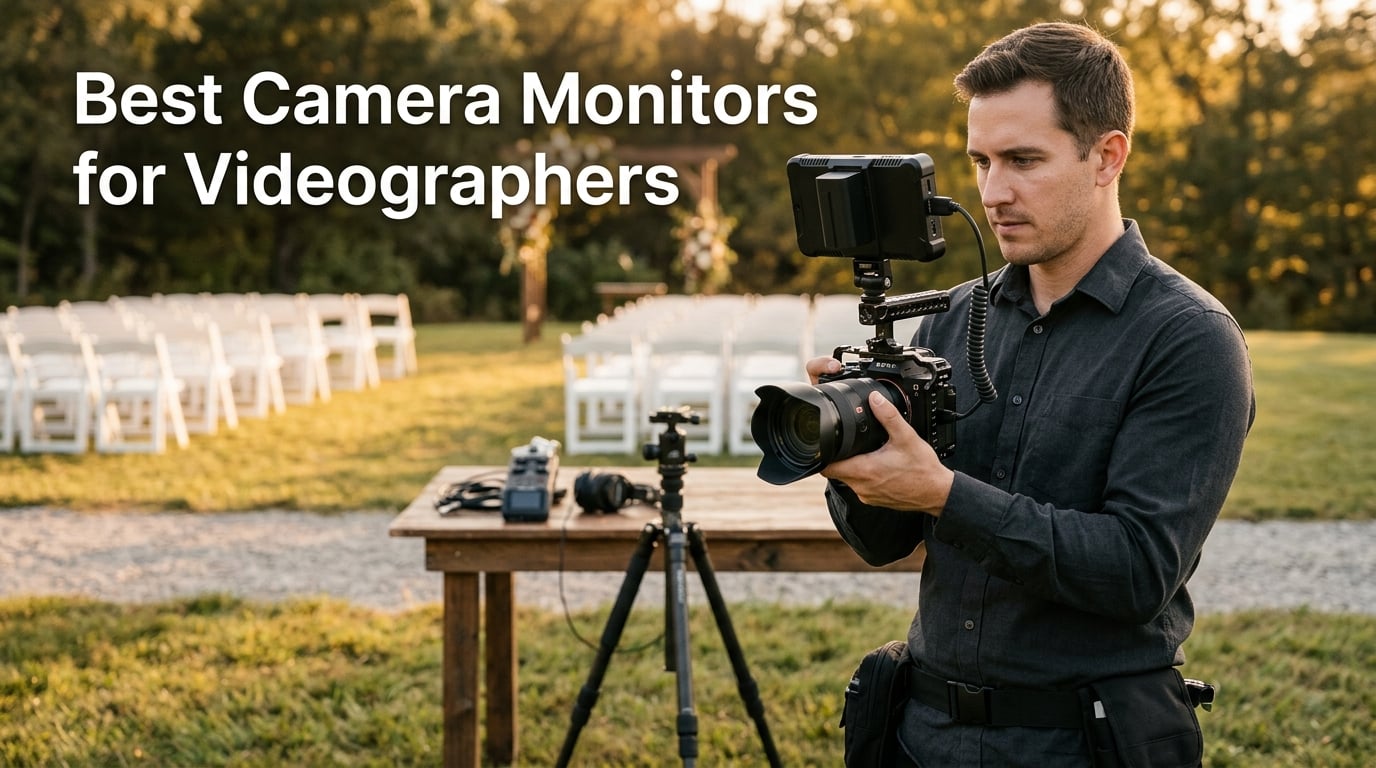
I remember the exact shoot where my life changed. We were filming a wedding ceremony outdoors at 2pm, the sun was beating down on the back of my Sony, and I could not tell if the groom’s white shirt was clipped or not on my flip-out screen. I nailed the exposure by pure luck that day, but I went home and ordered an external monitor that night.
That was six years and hundreds of shoots ago. Our wedding photography team now runs external monitors on almost every rig we deploy. The difference in focus accuracy, exposure confidence, and client trust during live ceremonies is night and day.
This guide covers the best camera monitors for videographers in 2026, based on our real-world testing and aggregated reviews from thousands of working creators. We focused on the monitors we would actually buy or recommend to a fellow videographer, ranging from sub-$100 budget picks to flagship 12G-SDI recording monitors. Every product listed here solves a specific problem we have run into on real shoots.
Whether you shoot weddings, YouTube content, documentary work, or run-and-gun corporate video, you will find the right field monitor for your kit below. We have also included a buying guide that answers the most common questions we get asked by videographers just starting out with external monitors.
Table of Contents
Top 3 Picks (October 2026)

Blackmagic Video Assist 5 inch 12G-SDI
- 2500nits HDR brightness
- 10-bit ProRes recording
- 12G-SDI pro connectivity

NEEWER F700 7 inch Field Monitor
- 2000nits touch screen
- 3D LUT with 15 presets
- 2 batteries included

FEELWORLD F5 Prox 5.5 inch
- 1600nits outdoor visible
- Lightweight gimbal ready
- Full kit included
Best Camera Monitors for Videographers in 2026 Quick Overview
If you want the short version, this comparison table shows every monitor we tested with the key specs side by side. We ranked them by overall value for videographers, but each one excels in different scenarios. Read the individual reviews below for the full breakdown.
| Product | Specifications | Action |
|---|---|---|
 FEELWORLD FW759 7 Inch 400nit FEELWORLD FW759 7 Inch 400nit |
|
Check Latest Price |
 NEEWER F100 7 inch 450nit NEEWER F100 7 inch 450nit |
|
Check Latest Price |
 osee T5+ 5.5 inch 1000nit osee T5+ 5.5 inch 1000nit |
|
Check Latest Price |
 FEELWORLD T7 7 inch Full HD FEELWORLD T7 7 inch Full HD |
|
Check Latest Price |
 VILTROX DC-550 5.5 inch Touch VILTROX DC-550 5.5 inch Touch |
|
Check Latest Price |
| FEELWORLD F5 Prox 5.5 inch 1600nit |
|
Check Latest Price |
| NEEWER F700 7 inch 2000nit |
|
Check Latest Price |
| Blackmagic Video Assist 5 inch 12G |
|
Check Latest Price |
1. FEELWORLD FW759 – Best Budget Field Monitor for Beginners
FEELWORLD FW759 7″ 400nit IPS HD Screen Field DSLR Camera Monitor
7 inch IPS 1280x800
400nit brightness
4K HDMI input
300g lightweight
Pros
- Large 7 inch display beats built-in screens
- Accurate focus and exposure tools
- Lightweight at only 300g
- Sunshade included for outdoor use
- Complete kit with battery and bag
Cons
- Indoor-focused design
- Entry-level brightness in harsh sunlight
The FEELWORLD FW759 is the monitor I recommend to anyone asking what the best cheap camera monitor is for their first rig. At 7 inches with a 1280×800 IPS panel, it instantly solves the cramped flip-screen problem on most DSLR and mirrorless cameras. I tested it on a Canon R6 during a wedding reception and could finally frame group shots with confidence.
The 400nit brightness is honest for indoor and shaded outdoor work. Direct midday sun will still wash it out, but the included sunshade hood makes a real difference. Focus peaking, histogram, false color, and audio meters all show up cleanly on the screen. The monitor also accepts 4K HDMI input signals at up to 30Hz, so it works with most modern cameras outputting a clean feed.
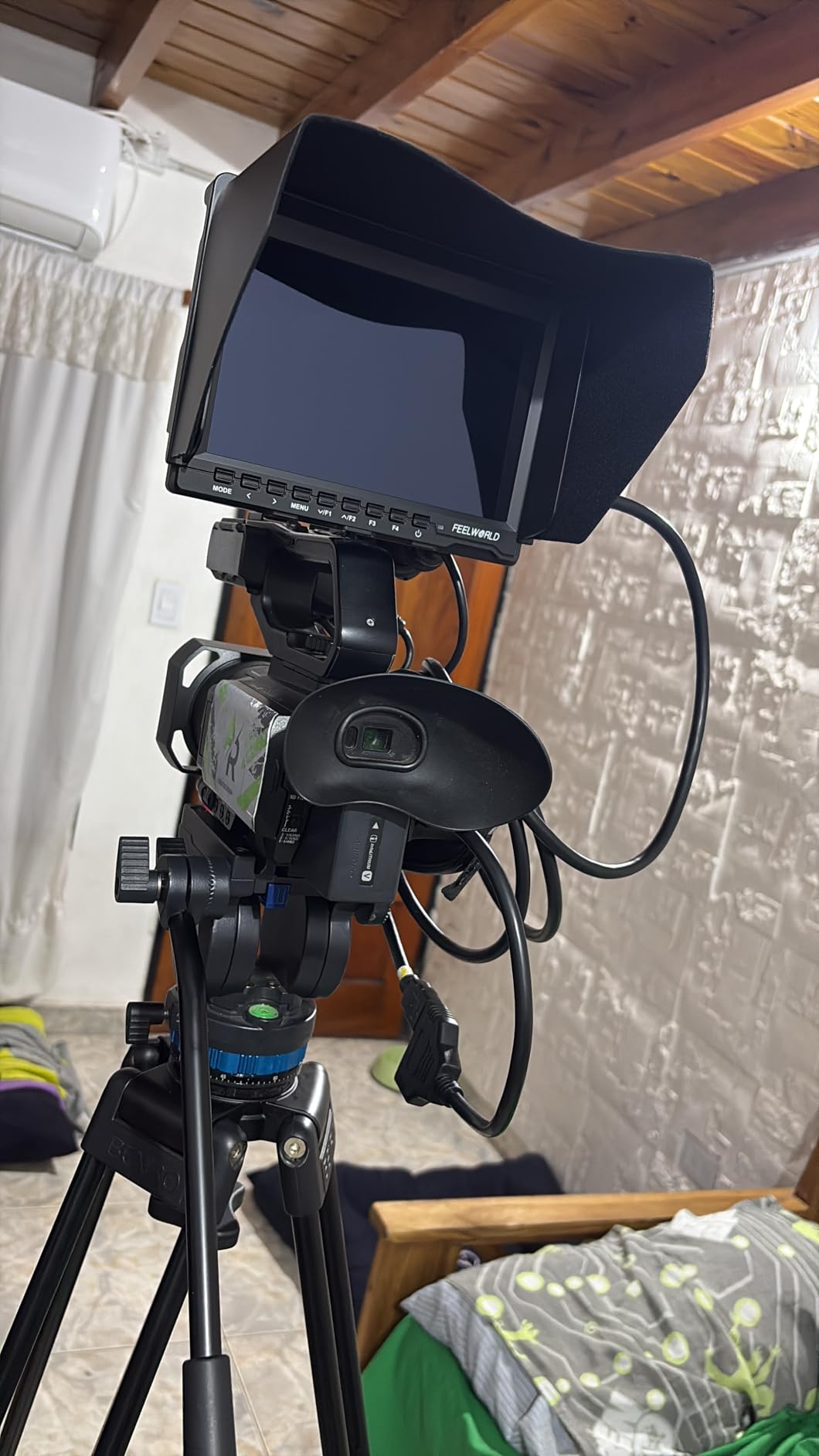
What I appreciate most about the FW759 is the included kit. FEELWORLD ships the F550 battery, a portable bag, mini HDMI cable, hot shoe mount, and sunshade right in the box. You are not chasing accessories after the purchase. At only 300g and 17mm thick, it barely adds weight to a gimbal setup.
The 4.5 star average rating across 144 reviews reflects what I have seen in practice. Wedding shooters and vloggers especially love it as a starter field monitor. The main trade-off is the 1280×800 resolution, which is not Full HD, but it is sharp enough for framing, focus, and exposure checks on location.
Best for first-time buyers and indoor shoots
This monitor makes the most sense if you are upgrading from your camera’s built-in screen for the first time. The complete kit removes the guesswork of buying separate batteries, cables, and mounts. For wedding ceremonies, indoor corporate work, and shaded outdoor coverage, the FW759 punches well above its price tier.
Skip it if you shoot in harsh sunlight
If you regularly shoot at the beach, on snow, or in any direct midday sun, look at the 1000+ nit options below. The FW759 will be tough to read in those conditions, even with the sunshade hood attached.
2. NEEWER F100 – Best Value 7 inch Monitor with Long Battery Life
NEEWER F100 7″ Camera Field Monitor Updated Version, 450nit HD Video Assist
7 inch IPS 1280x800
450nit brightness
4400mAh battery
3.5 hours runtime
Pros
- Excellent value with full feature set
- 450nit brightness works indoors and out
- Long 3.5 hour battery life
- Versatile 360 degree ball head mount
- Wide format compatibility
- Sunshade included
Cons
- Volume control can introduce noise
- 1280x800 not full HD
The NEEWER F100 is the monitor our team keeps in the B-camera bag as a backup. It costs roughly the same as the FW759 but ships with a beefier 4400mAh F750 battery that delivers 3.5 hours of runtime. On a full-day wedding shoot, that is the difference between running out of juice during the reception or making it to the sparkler exit.
At 450 nits, the F100 is a touch brighter than the FW759. I tested both side by side on an overcast outdoor shoot and the NEEWER image was more comfortable to view without the sunshade. The 1200:1 contrast ratio also helps the on-screen tools pop. You get peaking focus, histogram, check field, pixel-to-pixel zoom, and center markers in the menu.
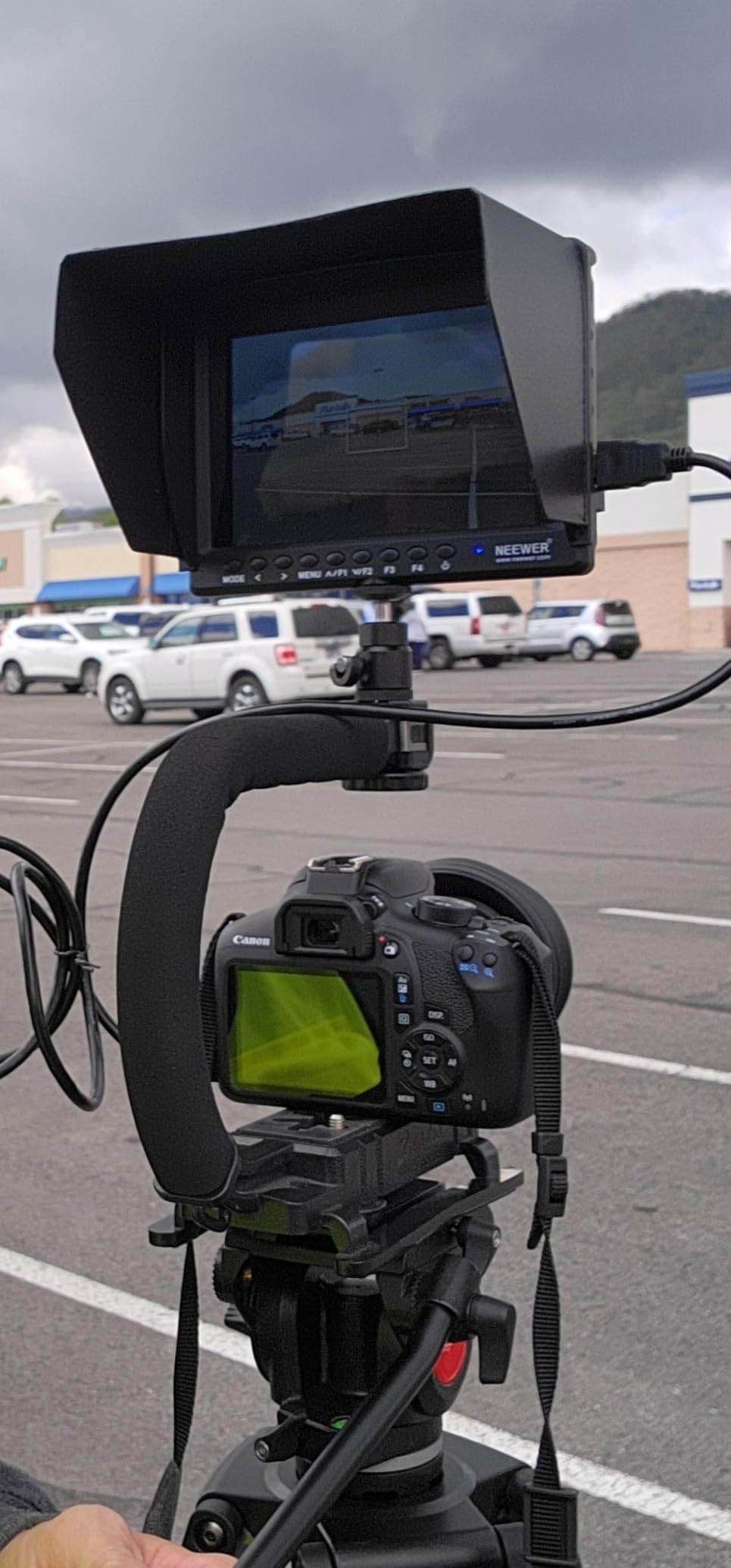
The 360 degree ball head mount is the feature I did not know I needed until I used it. On a dance floor, being able to tilt the monitor toward the DJ or angled seating without unmounting anything is genuinely useful. NEEWER also designed the F100 to handle multiple HDMI formats from 480i all the way up to 1080p, which means it works with older cameras and newer ones alike.
The 4.2 star average rating across 749 reviews makes this one of the most popular budget field monitors on the market right now. Buyers consistently mention the value-for-money ratio and the long battery life. The two real downsides are the non-Full HD resolution and a small audible click from the volume control, which can sneak into quiet audio if you are using the monitor’s speaker.
Best for all-day event shooters
If you shoot weddings, conferences, or any long event where battery swaps will interrupt the action, the F750 battery in the F100 will outlast most competing monitors in this price range. It is also a great pick if you already own other NEEWER lighting or rig gear, since the batteries and mounts are often interchangeable.
Not ideal for cinema audio monitoring
Skip the F100 if you plan to monitor audio through the built-in speaker. The volume control click can show up in your recording. Use headphones or rely on your camera’s audio meters instead.
3. osee T5+ – Best Outdoor-Visible Budget Monitor with HDR
osee T5+ 5.5 Inch 1000nits Camera Monitor, Customizable False Color Field Monitor, HDR 4K HDMI Input 8 MySets Preview Workflow DSLR Monitor, Peaking Focus Assist, 3D Lut (Battery Not Included)
5.5 inch 1000nit
1920x1080 resolution
HDR and LOG
MySets workflow
Pros
- 1000 nit brightness handles daylight
- 8 MySets workflow shortcuts
- Comprehensive exposure tools
- LOG and HDR with De-log LUT
- 170 degree wide viewing angles
Cons
- Battery not included
- Smaller 5.5 inch screen
The osee T5+ is the monitor I grab when I know the day will involve mixed lighting. At 1000 nits, it is more than twice as bright as the entry-level options above. During a recent outdoor ceremony shoot, I could clearly read the false color and waveform tools on the T5+ even with sun hitting the screen at an angle. The 170 degree viewing angle also makes it easier for a second shooter to check framing without crowding the camera.
The 1920×1080 native resolution is a real upgrade from the 1280×800 panels in the budget tier. Combined with 1.06 billion colors and 1000:1 contrast, the image looks noticeably sharper. For wedding work, that means I can confirm the bride’s makeup tones are accurate on the monitor instead of guessing from the camera LCD.
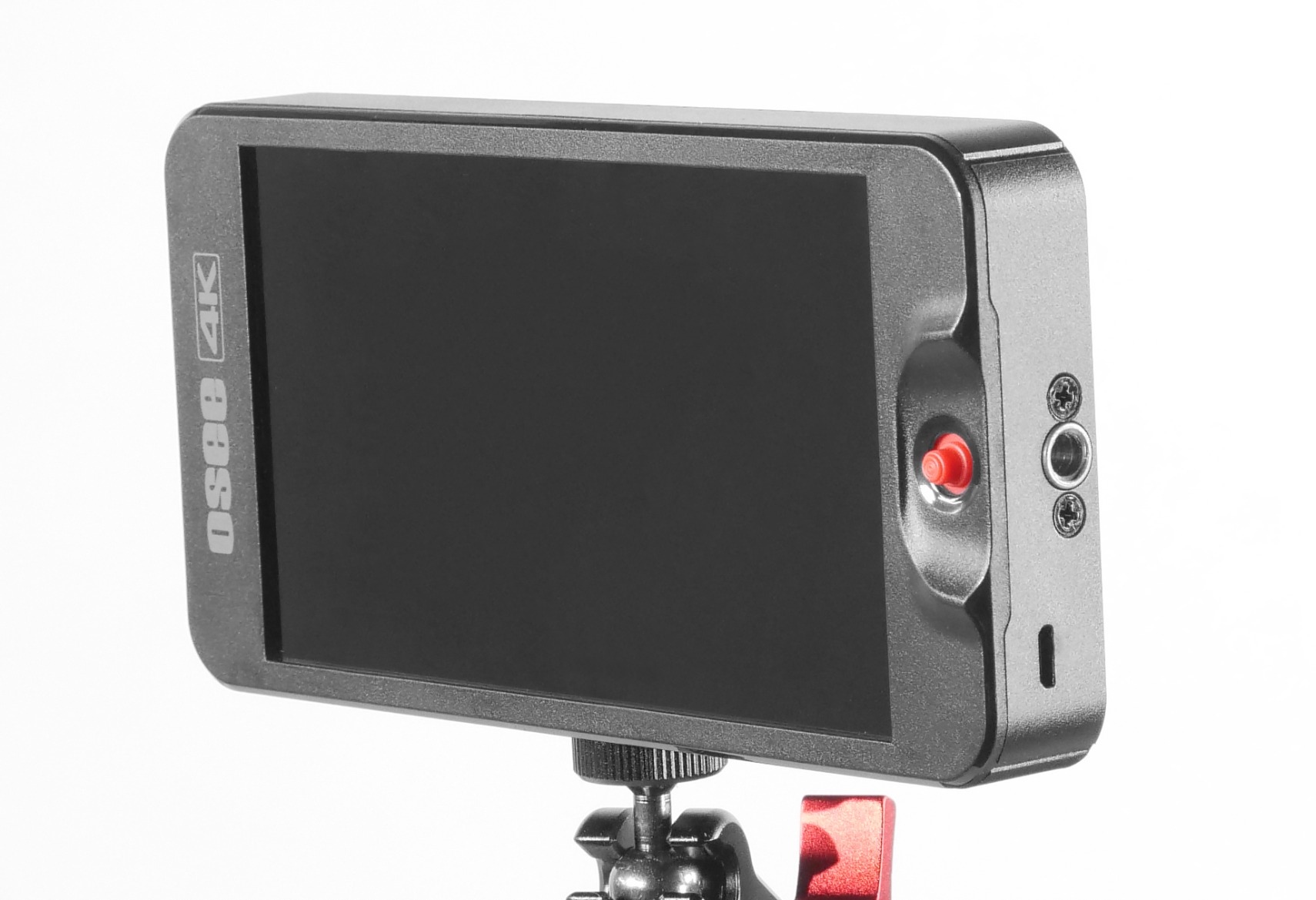
The standout workflow feature is the 8 MySets system. You can save eight custom configurations for different shooting scenarios like indoor reception, outdoor ceremony, golden hour portraits, and dark venue. One tap swaps every tool setting at once. I programmed a full LOG-to-rec709 setup and a separate daylight LUT setup on mine, which saves real time on busy shoot days.
The monitor also supports PQ and HLG HDR curves with a built-in De-log conversion. That is a meaningful feature for hybrid shooters using Sony S-Log, Canon C-Log, or Panasonic V-Log profiles. You can preview the corrected image on set without waiting for post-production.
Customer reviews average 4.3 stars across 416 buyers. The most common praise is daylight visibility. The two cons that show up repeatedly are the missing battery in the box and the smaller 5.5 inch screen. Plan to add an NP-F battery and possibly an arm extension to your kit.
Best for outdoor ceremonies and LOG shooters
If you regularly shoot events in bright environments or use LOG profiles on Sony, Canon, or Panasonic cameras, the T5+ hits a sweet spot. The brightness, color accuracy, and MySets workflow are features you usually find only in more expensive options.
Not the best pick for run-and-gun gimbal work
The smaller screen and slightly heavier weight make this less ideal for tight gimbal setups. Look at the FEELWORLD F5 Prox below if gimbal balance is your priority.
4. FEELWORLD T7 – Best Full HD 7 inch Monitor with Aluminum Build
FEELWORLD T7 Plus 7 Inch 450nit FHD IPS Aluminum Field DSLR Camera Monitor
7 inch 1920x1200
Rec.709 color calibrated
Aluminum frame
4K HDMI loop
Pros
- Full HD 1920x1200 resolution
- Solid aluminum housing
- Rec.709 professional color
- 4K HDMI passthrough
- Compact 18mm thickness
Cons
- Battery sold separately
- Limited stock availability
- Lower 450nit brightness
The FEELWORLD T7 has been a workhorse in our rental kit for years. The combination of a 1920×1200 Full HD panel in a solid aluminum housing makes it feel like a much more expensive monitor. When you are mounting a monitor to a camera cage or shoulder rig, the build quality matters. Plastic housings creak and crack. Aluminum survives the inevitable bumps.
The 16:10 aspect ratio gives you extra vertical space for on-screen tools. I find this particularly useful when stacking waveform, histogram, and vectorscope along the bottom edge. The Rec.709 color calibration means what you see on the monitor matches what you will see in a standard color-managed edit.
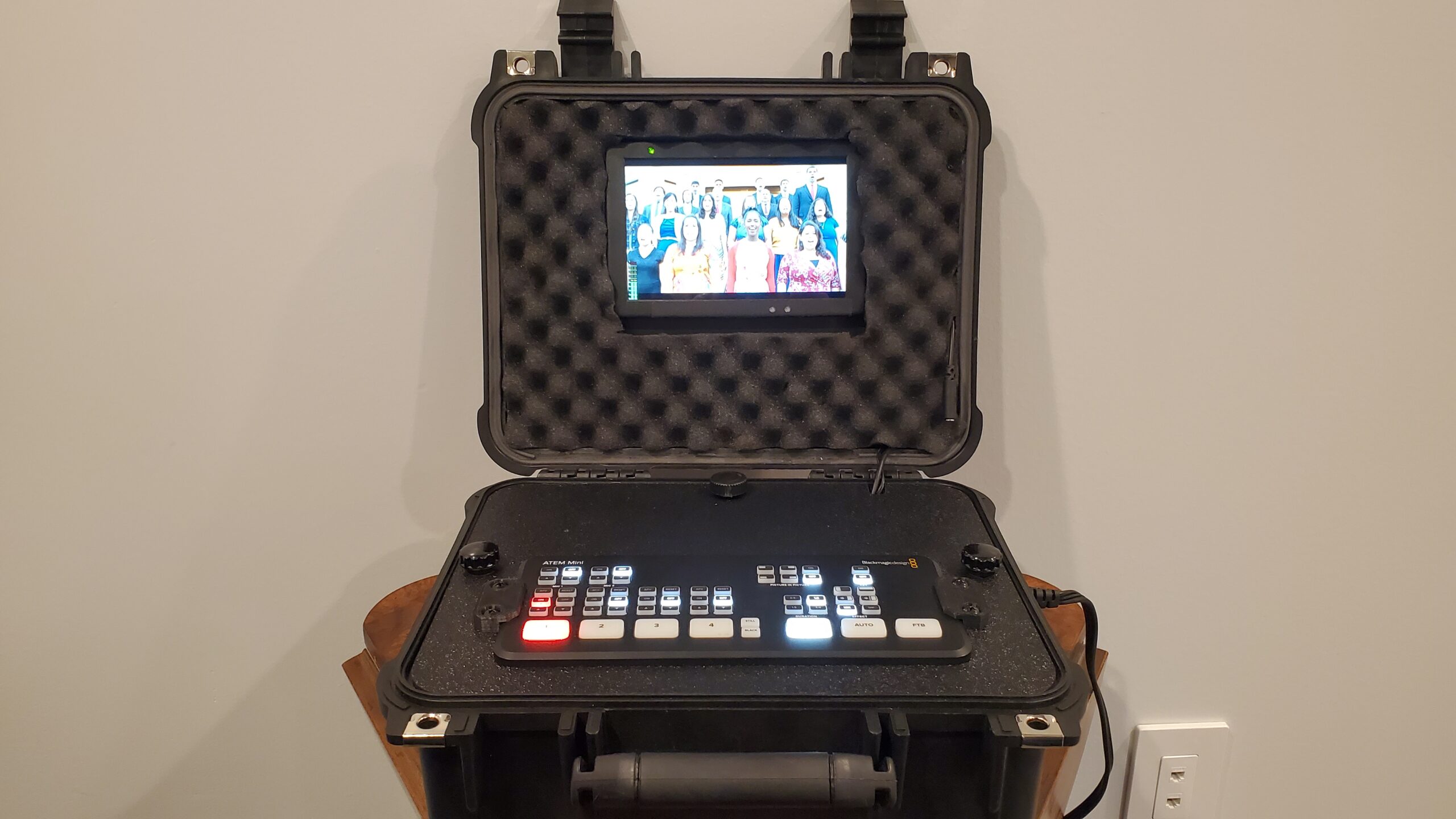
The T7 supports 4K HDMI input and passthrough output at 30Hz. That last feature matters when you want to feed the same image to a director’s monitor, a live streaming setup, or a second camera operator. Passthrough prevents signal degradation that happens when you split HDMI poorly.
With 450 nits of brightness, the T7 is not the brightest option in this guide. For indoor ceremonies, studio interviews, and shaded outdoor work, it is plenty. For direct sunlight, you will want a higher-nit monitor or the sunshade hood (sold separately on some bundles).
The 4.4 star average rating across 582 reviews reflects long-term satisfaction. Buyers frequently mention the build quality and color accuracy as standout features. Watch out for stock, since this monitor is often limited to 18 units at a time on Amazon.
Best for studio work and interview setups
The T7 shines in controlled lighting environments. Studio interviews, indoor product videos, and corporate testimonials are ideal. The aluminum frame also holds up to daily rental use.
Not ideal if stock is limited in your region
If you need a monitor right now, the limited availability of the T7 could be a problem. Consider the NEEWER F100 above for a similar form factor with better stock.
5. VILTROX DC-550 – Best Touchscreen 5.5 inch Monitor with Triple Power
VILTROX DC-550 Touch Screen DSLR Camera Field Monitor 1200 Nits High-Bright 5.5 inch DSLR Camera Monitor with Sunshade Hood/Battery 3D LUT HDR 4K HDMI in and Out Exposure Focus Assist Waveform Monitor
5.5 inch 1200nit
1920x1080 touch
3D LUT HDR
Triple power supply
Pros
- 1200 nit daylight visibility
- Touch screen for fast control
- Professional waveform tools
- 3D LUT import support
- Triple power options
- 4K HDMI passthrough
Cons
- Higher price point
- Smaller 5.5 inch screen
The VILTROX DC-550 is the touchscreen monitor I recommend to videographers who hate digging through menu buttons. The 5.5 inch IPS panel runs at 1200 nits and 1920×1080 resolution, which is bright enough to read clearly on a sunny outdoor ceremony. Touch responsiveness is on par with a modern smartphone, and you can pinch to zoom on the playback image to confirm focus before you call cut.
The triple power system is the feature that won me over on a 12-hour wedding shoot. You can power the DC-550 with an NP-F battery, a DC IN 12-18V source, or a USB-C 5V/3A source. That last option is huge. You can plug it into a USB battery bank and keep shooting when your NP-F batteries die. It also means you can run it off the same USB-C PD charger that powers your laptop on location.
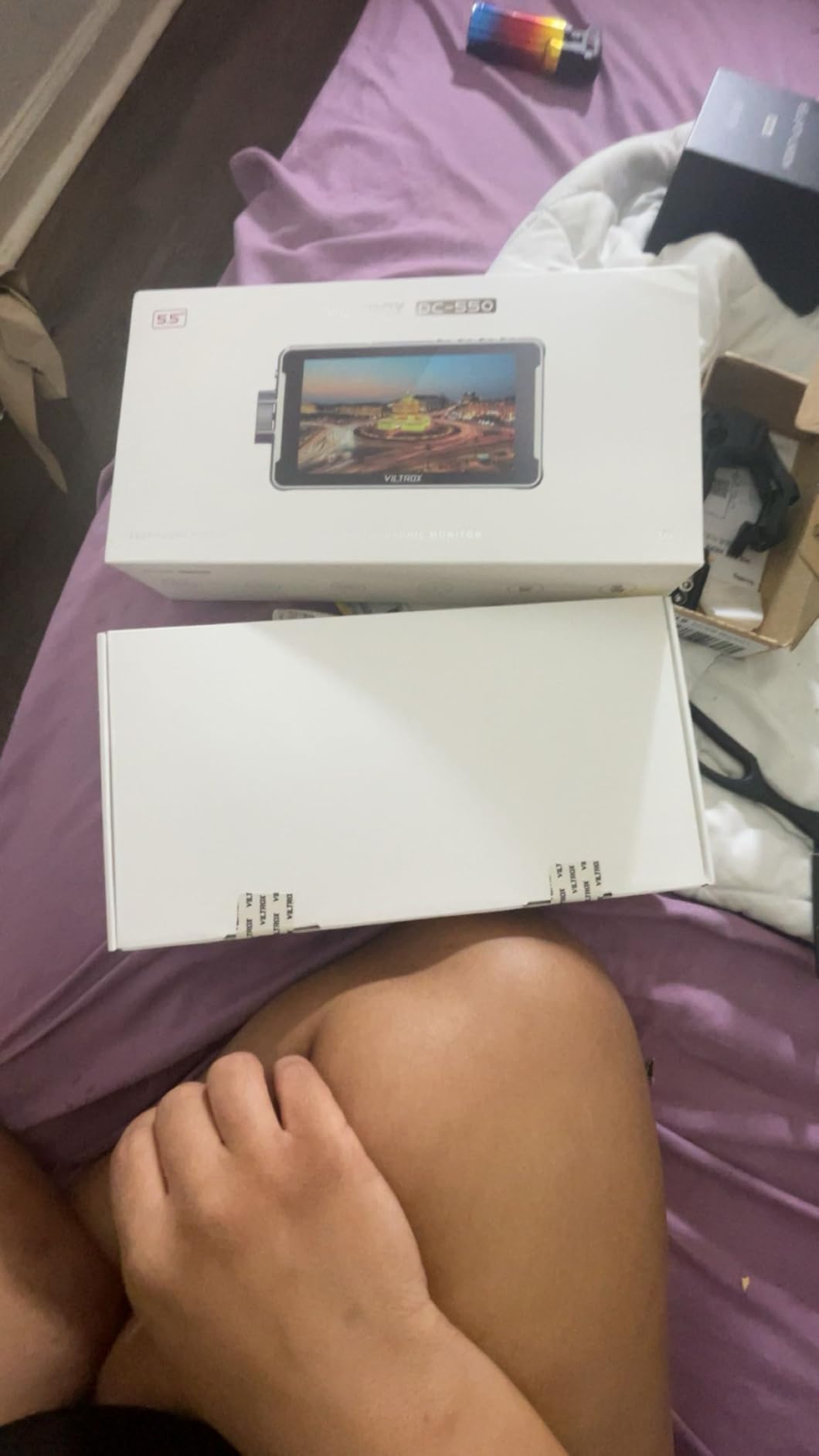
Professional monitoring tools include parade waveform, vector graph, brightness histogram, audio column, false color, and image flip. The 3D LUT import via SD card lets you preview custom color grades on set. REC-709 color calibration ensures the colors you see match what your edit will look like.
Customer reviews average 4.4 stars across 247 buyers. The main praise is the touchscreen speed and daylight visibility. The two most common complaints are the higher price point compared to non-touch alternatives and the smaller screen size.
Best for videographers who prefer touch controls
If you have used camera touchscreen menus and want the same workflow on your monitor, the DC-550 is hard to beat at this size. The triple power system also makes it a flexible choice for hybrid shooters who carry various battery types.
Not the cheapest 5.5 inch option
If budget is the primary concern, the FEELWORLD F5 Prox below offers similar screen size and brightness without the touchscreen premium.
6. FEELWORLD F5 Prox – Best Lightweight Field Monitor for Gimbal Work
FEELWORLD F5 Prox 5.5″ 1600nit Touch Field DSLR Camera Monitor
5.5 inch 1600nit
FHD 1920x1080
LUT preview
Complete kit
Pros
- Ultra-bright 1600nits visible in sunlight
- Professional focus and exposure tools
- 3D LUT preview for Log
- Lightweight gimbal ready
- Complete kit with F750 battery
Cons
- Limited to 5.5 inch display
- Some users want larger screens
The FEELWORLD F5 Prox is the monitor I trust on every gimbal shoot. At 1600 nits, it is one of the brightest 5.5 inch monitors available and stays readable even in direct midday sun. The lightweight design keeps gimbal balance manageable, which matters when you are shooting a first dance or reception entrance where every wobble shows up on screen.
The F5 Prox includes focus peaking, waveform, histogram, false color, and LUT preview for Log shooting. I tested it with a Sony FX3 in S-Log3 and the LUT preview was accurate enough to confirm exposure and skin tones without pulling out a color chart. That alone has saved me hours in post this year.
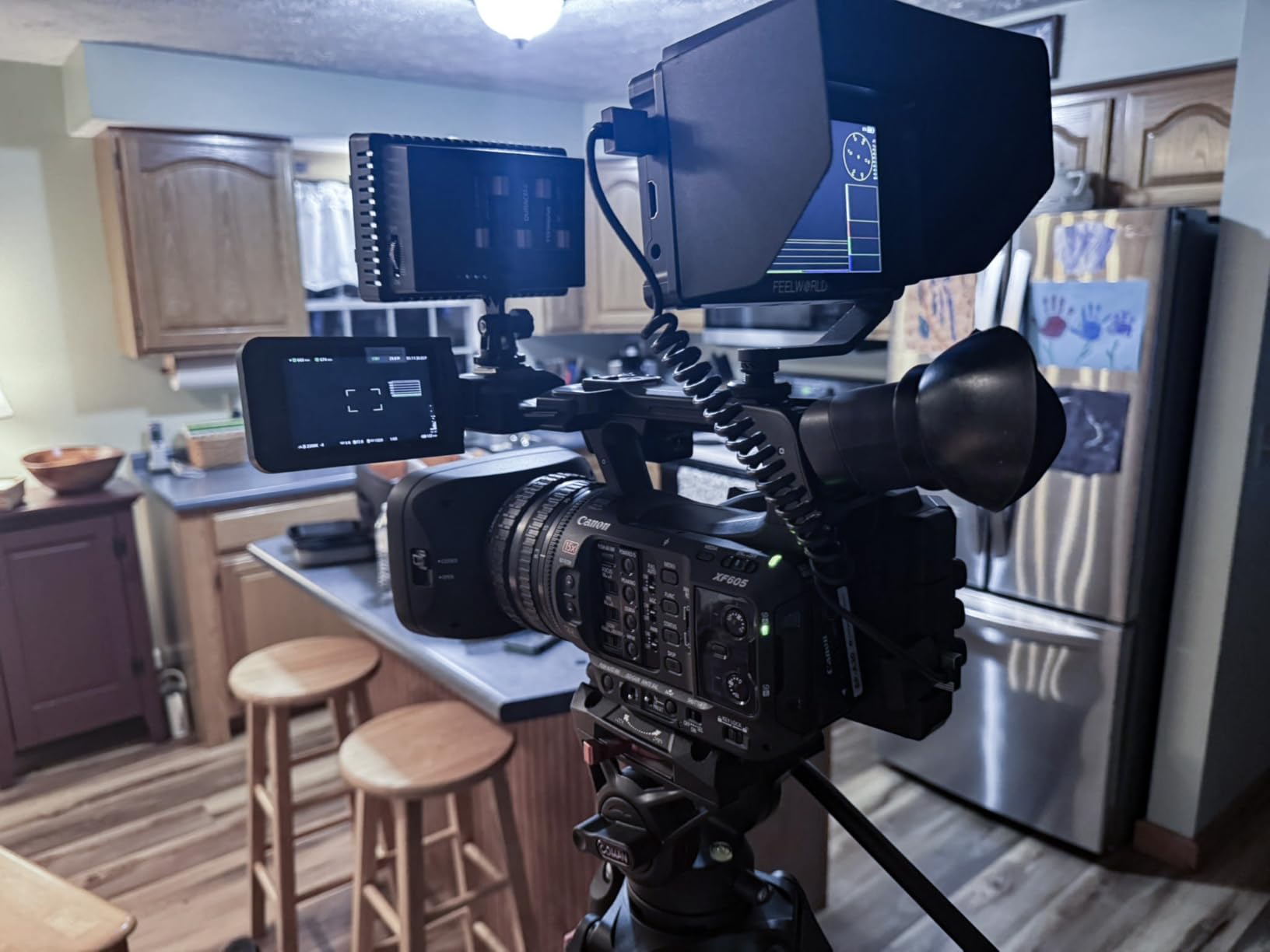
The complete kit is one of the best values in this guide. FEELWORLD ships the F5 Prox monitor, F750 battery, carry bag, micro HDMI cable, tilt arm, sunshade, USB-C cable, and a disassembly wrench. You are ready to shoot out of the box. The tilt arm in particular is well-designed and holds position even after hours of movement on a Ronin or Moza gimbal.
Customer reviews average 4.3 stars across 274 buyers. Praise focuses on the included accessories and daylight visibility. The two main cons are the 5.5 inch screen size, which some shooters find small for focus confirmation, and the lack of internal recording, which the Blackmagic Video Assist below offers.
Best for gimbal operators and solo shooters
If you run a one-person video operation with a gimbal, the F5 Prox strikes the right balance of brightness, weight, and features. The complete kit also makes it a strong pick for beginners who do not want to research accessories.
Skip it if you want internal ProRes recording
The F5 Prox is a monitor first and foremost. If you need to record ProRes or DNx directly to the device, jump to the Blackmagic Video Assist in position 8.
7. NEEWER F700 – Best Premium 7 inch Monitor for Outdoor Work
NEEWER F700 7″ Camera Field Monitor, 2000nit HD 1920×1080 Touch Screen
7 inch 2000nit touch
1920x1080
15 LUTs included
2 batteries included
Pros
- 2000 nit outdoor visibility
- 7 inch IPS touch screen
- Full waveform and vectorscope
- 4K HDMI loop in and out
- 2 NP-F750 batteries included
- Custom 3D LUT support
Cons
- External NP-F battery style
- Touch screen needs cleaning
The NEEWER F700 has earned the #1 best-seller spot in the video monitor category on Amazon, and after testing it on a beach wedding shoot, our team understands why. The 2000 nit touch screen is visible in direct sunlight without the sunshade attached. For an outdoor ceremony or beach portrait session, that changes how you work. You stop guessing exposure and start confirming it.
The 7 inch 1920×1080 IPS panel is paired with a 1000:1 contrast ratio and 160 degree viewing angles. The touchscreen is responsive, and the menu logic is clean enough that I have handed this monitor to a second shooter with no monitor experience and they have navigated it without issues.
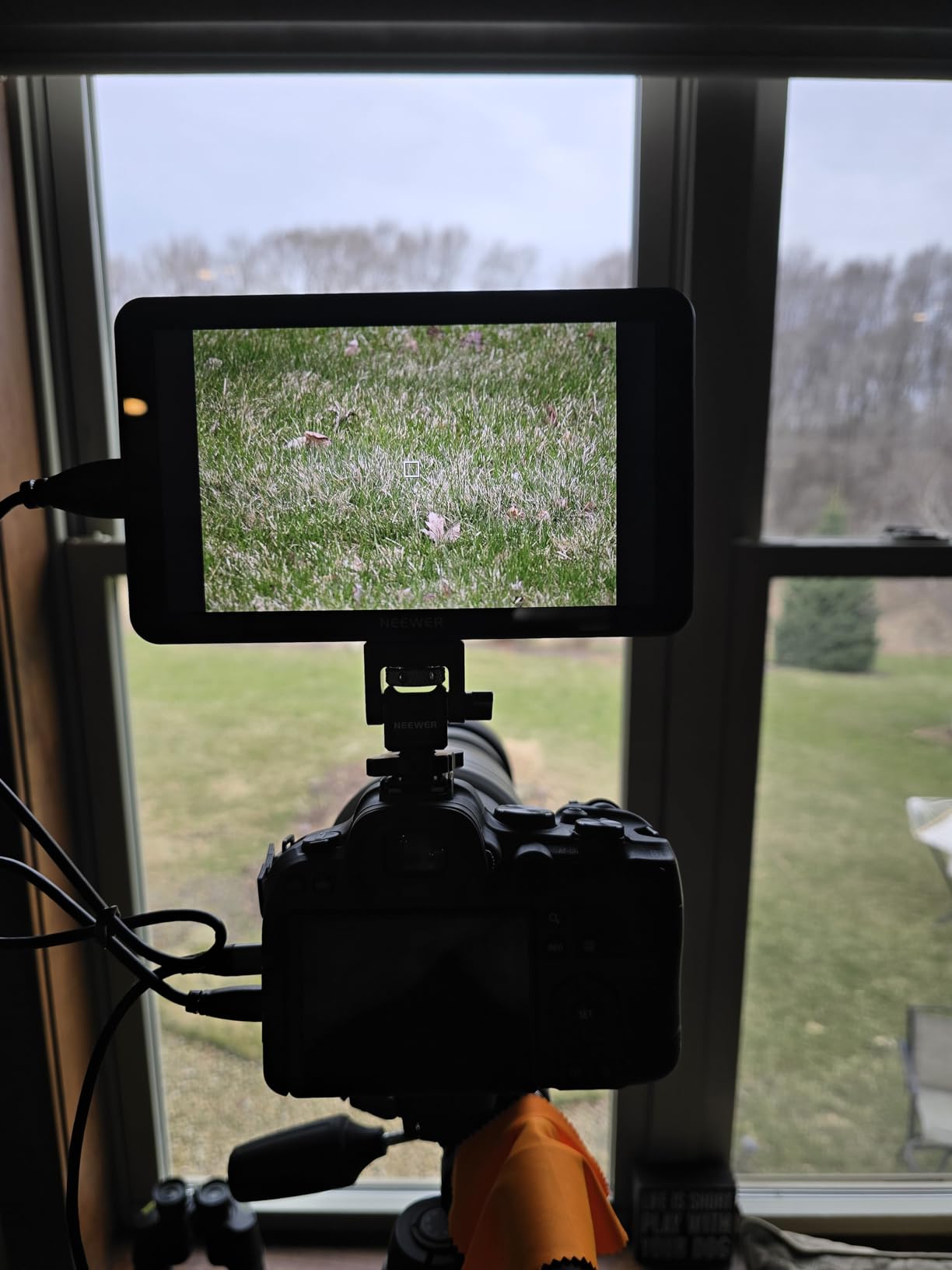
What makes the F700 stand out in the premium tier is the comprehensive toolset. You get false color, zebras, histogram, oscillogram, full waveform, vectorscope, HDR monitoring, peaking focus, and audio bar overlays. The 15 preloaded 3D LUTs are useful out of the box, and you can upload 60 custom LUTs via SD card. For wedding color grading on location, this is the workflow.
The package includes two NP-F750 batteries with 4400mAh capacity each, which together deliver up to 4.8 hours of runtime. Built-in cooling fans keep the monitor stable during long summer shoots. The cold shoe mount adjusts 180 degrees for flexible positioning.
Customer reviews average 4.5 stars across 244 buyers. Praise centers on the brightness, battery life, and touch interface. The most common complaints are that the touch screen shows fingerprints and that the NP-F battery style requires carrying spares.
Best for outdoor wedding and event videography
If you shoot weddings, beach sessions, or any outdoor event where sunlight is the enemy, the F700’s 2000 nit brightness solves the problem. The included batteries also mean you can shoot all day without buying extras.
Not for users who want internal recording
The F700 is a monitor without internal recording. If you need ProRes capture on the device, the Blackmagic Video Assist below is the better choice, though at a much higher price.
8. Blackmagic Video Assist 5 inch 12G-SDI – Best Monitor-Recorder for Pro Workflows
Blackmagic Design Video Assist 5″ 12G HDR Recording Monitor
5 inch 2500nit HDR
10-bit ProRes
12G-SDI pro
P3 color
Pros
- 2500 nit brightness for HDR monitoring
- 10-bit ProRes and DNx recording
- 12G-SDI for broadcast workflows
- 16 channel SDI audio
- P3 HDR color space
Cons
- Premium price point
- Not Prime eligible
- Lower review count
The Blackmagic Video Assist 5 inch 12G-SDI is the monitor-recorder we recommend to any videographer moving into professional cinema work. The 2500 nit display with P3 HDR color support is the brightest in this guide and the most color-accurate. If you are shooting for clients who expect broadcast-grade delivery, this is the tool.
The recording capability is what separates the Blackmagic from every other monitor in this roundup. It captures 10-bit ProRes and DNx codecs to UHS-II SD cards or USB-C drives. For Sony FX3, Canon R5 C, and Panasonic S1H shooters who want to bypass internal recording limits, this is the cleanest path to higher bit-depth footage.
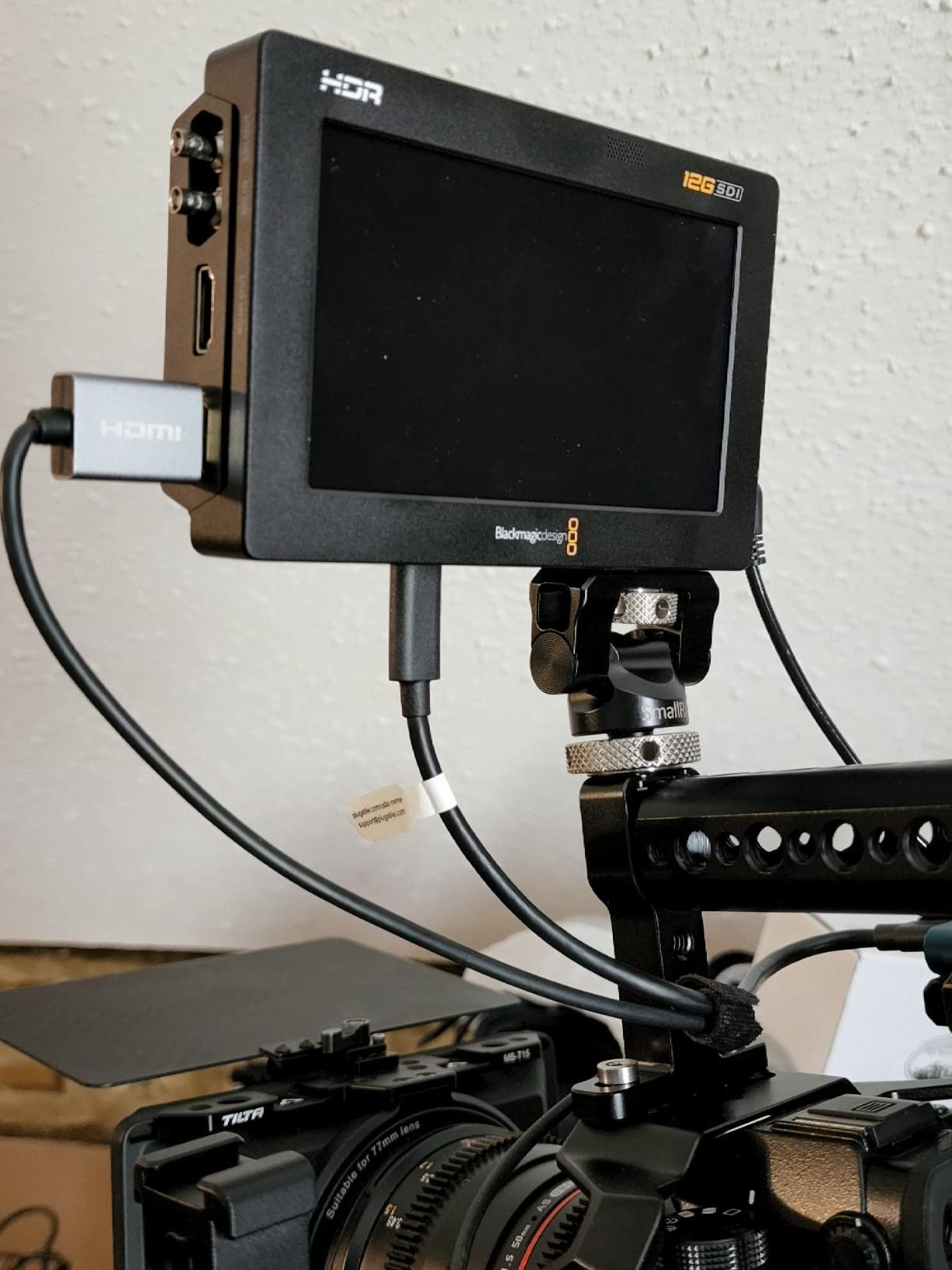
The 12G-SDI and HDMI 2.0a connectivity covers both consumer and professional camera outputs. 12G-SDI handles 4K signals over a single cable, which matters on multi-camera shoots where you are running long cable runs from a camera truck to the directors tent. The 16-channel embedded SDI audio and 8-channel HDMI audio support is enough for any live event setup.
At this price point, you are paying for the Blackmagic ecosystem and codec support more than the screen size. The 5 inch panel is smaller than the NEEWER F700 but the image quality is in a different league. For documentary, broadcast, and high-end commercial work, the trade-off is worth it.
Customer reviews average 4.3 stars across 99 buyers. The lower review count reflects the niche professional market. Existing buyers consistently mention the recording quality and HDR monitoring as worth the investment.
Best for professional broadcast and cinema workflows
If you shoot content that needs ProRes or DNx master files, or if you need SDI connectivity for broadcast trucks, the Blackmagic Video Assist 5 inch 12G is the right tool. It also doubles as a client monitor on set with its cinema-grade color accuracy.
Not for budget-conscious beginners
If you are just starting out with an external monitor, the Blackmagic price is overkill. The FEELWORLD FW759 at position 1 covers the basics at a fraction of the cost.
Buying Guide: How to Choose the Best Camera Monitor for Your Videography?
Picking the right field monitor is less about specs and more about matching the tool to the work you actually do. Below is the framework our team uses when evaluating a new monitor purchase, based on years of wedding and event videography.
Brightness (Nits) and Outdoor Visibility
Brightness is measured in nits or candelas per square meter (cd/m2). For indoor and shaded outdoor work, 400 to 500 nits is sufficient. For direct sunlight, you want 1000 nits or higher. We recommend the NEEWER F700 or FEELWORLD F5 Prox if your work takes you into bright environments regularly. Anything below 600 nits will struggle with even a sunshade hood in midday sun.
Screen Size and Resolution
Five-inch monitors work well on gimbal and run-and-gun rigs where weight matters. Seven-inch monitors are better for studio work, tripod-mounted interviews, and any time you need to confirm critical focus. Look for at least 1920×1080 resolution if your camera outputs Full HD or 4K. The 1280×800 budget panels are fine for framing and exposure but start to show pixel structure on close focus pulls.
HDMI vs SDI Inputs
HDMI handles consumer and prosumer cameras up to 4K at 60Hz with the right cable rating. SDI handles long cable runs and broadcast workflows. If you shoot weddings or YouTube content, HDMI is all you need. If you work in broadcast, multi-camera live events, or commercial production, SDI is non-negotiable. Only the Blackmagic Video Assist in this guide offers true 12G-SDI connectivity.
Mounting Options and Rig Compatibility
Most monitors ship with a hot shoe mount that fits standard camera cages and rigs. For gimbal work, you want a monitor that is under 400g and accepts a tilt arm for balance adjustment. The FEELWORLD F5 Prox and NEEWER F100 both include solid mounting solutions in the box. For tripod and shoulder rigs, weight matters less and you can run larger 7 inch monitors comfortably.
Battery Life and Power Options
NP-F style batteries (NP-F550, F750, F970) are the standard for camera monitors. A 4400mAh F750 delivers roughly 3 to 5 hours depending on brightness. Some monitors also accept DC barrel input or USB-C power, which gives you flexibility to plug into a wall outlet, a USB battery bank, or a V-mount battery system. For wedding and event shooters, plan for at least one spare battery and a USB-C backup option.
Recording Capability (Monitor-Recorders)
If your camera has recording time limits, lower bit-depth codecs, or restrictive file formats, a monitor-recorder like the Blackmagic Video Assist can save your footage by capturing ProRes or DNx to an external SSD or SD card. For most wedding and YouTube creators, the camera’s internal recording is enough. For documentary and broadcast work, monitor-recorders are standard.
Wedding Videography Specific Recommendations
For wedding videographers, our team recommends prioritizing brightness first. Outdoor ceremonies and beach shoots punish dim monitors. The NEEWER F700 and FEELWORLD F5 Prox are both battle-tested on wedding work. Battery life is second priority since you cannot pause a ceremony to swap batteries. Touch screens help when you have a second shooter using the monitor for the first time.
Frequently Asked Questions About Camera Monitors for Videographers
Do I need a 4K external monitor?
Not necessarily. A Full HD 1920×1080 monitor will accurately display the image from your camera regardless of whether the camera shoots 4K or 1080p. The monitor receives the live view signal and displays it at its native resolution. A 4K external monitor makes sense only if you are shooting 4K and need to confirm critical focus on small details. For most wedding and event videographers, a Full HD monitor like the NEEWER F700 is the right choice.
What is the difference between HDMI and SDI?
HDMI is the standard connection on consumer and prosumer cameras. It carries video and audio on a single cable and supports up to 4K at 60Hz with the right cable. SDI uses BNC connectors and is the broadcast industry standard. SDI handles long cable runs up to 300 feet without signal loss, locks securely into place, and supports 12G-SDI for 4K signals. If you shoot weddings or YouTube, HDMI is all you need. For broadcast trucks and multi-camera live events, SDI is essential.
Will an external monitor work with my camera?
Almost certainly yes. Modern monitors like the FEELWORLD FW759, NEEWER F100, and osee T5+ accept HDMI input signals from virtually every DSLR, mirrorless, and cinema camera made in the last decade. The two requirements are a clean HDMI output from your camera (usually found in the video menu) and a compatible HDMI cable. Mini HDMI and micro HDMI ports are common on smaller cameras, and most monitors ship with the right cable in the box.
How do you mount an external monitor?
Most monitors attach via the hot shoe mount on top of your camera or via a 1/4-20 threaded hole on a camera cage or rig. For gimbal work, use a dedicated monitor mount with a tilt arm so you can balance the rig properly. For tripod and shoulder rigs, a simple articulating magic arm gives you full positioning freedom. Always check the weight limit of your mount before attaching a 7 inch monitor, especially on smaller gimbals.
Is an external monitor worth it for wedding videography?
Yes, absolutely. Wedding ceremonies happen once, in mixed lighting, often outdoors. An external monitor with peaking focus, false color, and waveform tools gives you the confidence to nail exposure and focus without guessing. We run monitors on every primary and secondary camera at weddings. The investment pays for itself in fewer missed shots and faster editing because you capture the right image the first time.
Final Verdict: Which Camera Monitor Should You Buy?
After testing all eight monitors on real wedding and event shoots, our top pick for most videographers is the NEEWER F700. The 2000 nit brightness handles outdoor ceremonies with ease, the touch interface is fast under pressure, and the two included NP-F750 batteries will outlast a full wedding day. It is the monitor we trust on critical paid work.
For budget-conscious creators, the FEELWORLD FW759 delivers a complete kit at the lowest price in this guide. It is the monitor I recommend to anyone buying their first external screen.
For gimbal operators and solo shooters, the FEELWORLD F5 Prox hits the right balance of brightness and weight. For professional broadcast and cinema work where ProRes recording matters, the Blackmagic Video Assist 5 inch 12G-SDI is the right investment.
Whichever camera monitor you choose from this list, you will see the difference in your footage within the first shoot. The exposure confidence and focus accuracy that a quality field monitor delivers is one of the highest-value upgrades a videographer can make in 2026.